
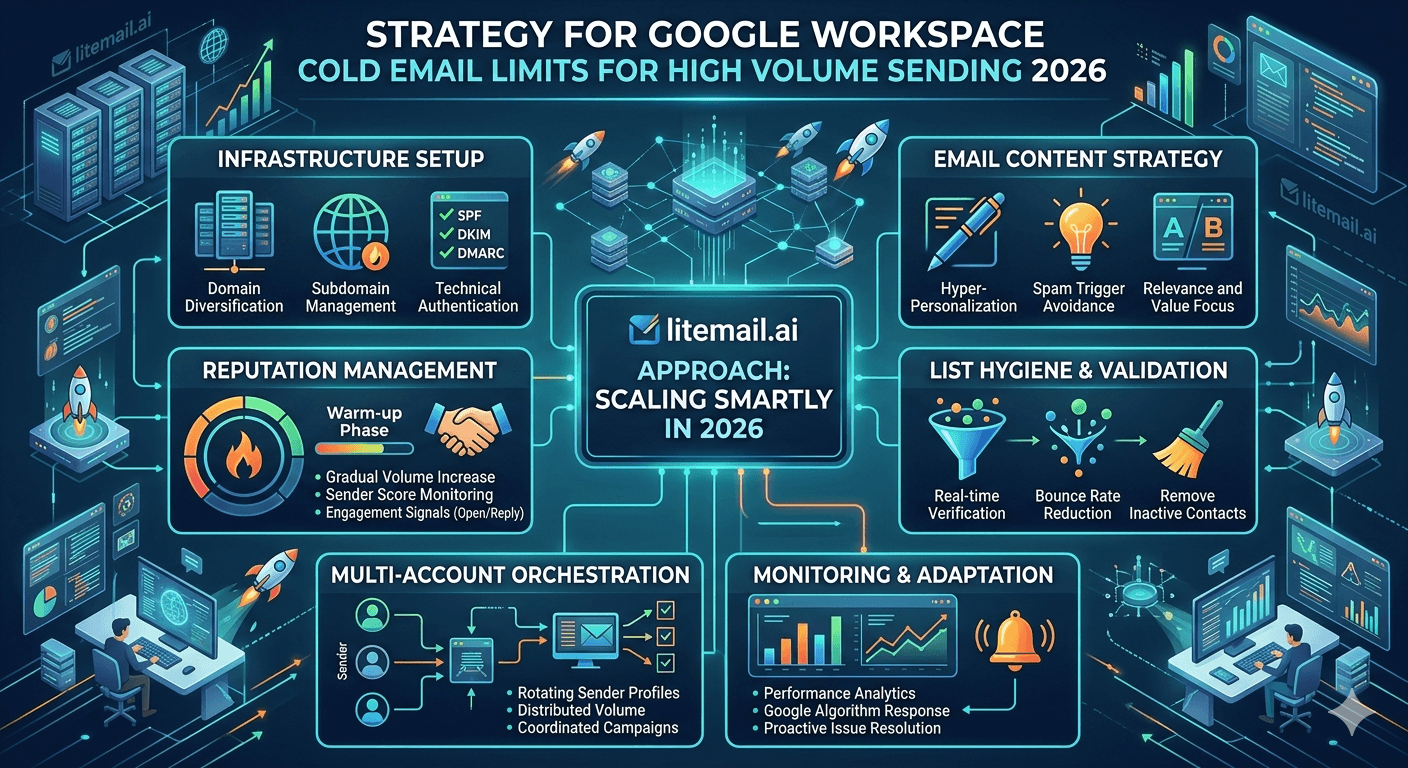
Google Workspace is the default cold email infrastructure choice for most teams — and it works well, until volume scaling hits the practical limits that Google imposes on sending behaviour. The published limits are not the ones that matter most. The behavioural thresholds — where Google begins treating your sends as suspicious before any formal limit is reached — are what determine whether high-volume GWS cold email is operationally stable. This guide covers the strategy for scaling GWS cold email past 1,000 emails per day without hitting the walls that stop most teams.
GWS Sending Limits — What Actually Matters
The technical limits are generous. The practical limits are much lower. Here is the distinction that matters for cold email strategy.
Limit Type | Published GWS Limit | Safe Cold Email Limit | Why the Difference |
|---|---|---|---|
Recipients per day | 2,000 (paid GWS) | 50/inbox/day | Behavioural scrutiny starts below technical limit |
Recipients per message | 500 | 1 (always send individually) | Bulk sends in one message are spam signals |
Messages per day via SMTP | 2,000 | 50 campaign + 20 warmup = 70 total | Normal mailbox pattern protects reputation |
Sending rate | Undefined | Max 10 emails/minute from one inbox | Burst rates flag as automated behaviour |
💡 Bottom Line
The Google Workspace 2,000-email/day published limit is not relevant to cold email strategy. The relevant limit is 50 cold emails per inbox per day — below the threshold where Google's anti-spam systems begin applying additional scrutiny. Scaling past this means more inboxes, not higher per-inbox volume. Pre-warmed inboxes from Litemail at $4.99/inbox make the inbox count economics work at any target volume.
Why 50 Emails Per Day Is the Real GWS Limit
Google does not publish a "cold email limit." What they publish is a technical daily recipient limit. What they enforce through their anti-spam systems is behavioural pattern detection that operates independently of the technical limit.
At 50 cold emails per day, a GWS inbox maintains a sending pattern that Google's systems classify as a normal active business mailbox. At 200 per day, the outbound-only pattern (all sends, few receives in proportion) starts looking anomalous. At 500 per day from a single inbox, Google Postmaster reputation typically begins degrading within 2 to 3 weeks regardless of spam rate.
The 50-email cold email limit is not a hard floor — some inboxes with strong reputation can sustain 80 to 100 per day without degradation. But 50 is the safe operating limit that holds across inbox quality levels, campaign types, and list sources. Above 50, you are relying on the specific inbox's reputation buffer rather than structural safety.
The Multi-Inbox Scaling Strategy
High-volume GWS cold email is always a multi-inbox strategy. Here is the inbox and domain architecture that scales to any volume target.
Daily Volume Target | GWS Inboxes Needed | Sending Domains Needed | Monthly Cost (Litemail) |
|---|---|---|---|
500/day | 10–17 | 3–5 | $49.90–$84.83 |
1,000/day | 20–34 | 7–11 | $99.80–$169.66 |
2,000/day | 40–67 | 14–22 | $199.60–$334.33 |
5,000/day | 100–167 | 34–56 | $499–$833.33 |
Domain constraint: maximum 3 to 4 inboxes per sending domain. More than 4 inboxes per domain concentrates too much sending volume on a single domain reputation. Spread inboxes across multiple sending domain variants of the client or brand name.
When to Add Microsoft 365 to a GWS Setup
Two thresholds where adding MS365 to a GWS setup delivers measurable benefits beyond just volume capacity.
🔄When Prospect List Contains 30%+ Outlook Recipients
GWS inboxes deliver 8 to 12% worse to Outlook-hosted inboxes than MS365 inboxes. If 30% or more of your prospect list uses Outlook or Microsoft 365, adding MS365 inboxes for that segment materially improves aggregate inbox placement. At 1,000 emails/day to a list that is 40% Outlook, switching 40% of sends to MS365 inboxes means 80 to 120 more emails per day landing in primary inbox versus spam.
🔄When GWS Volume Alone Would Require Too Many Domains
At 5,000 emails/day, a GWS-only strategy requires 34 to 56 sending domains. Managing that many domains — registration, DNS, renewal — is significant overhead. A 60/40 GWS/MS365 split at 5,000/day still requires 100 to 167 inboxes total but distributes them across two platform types, providing resilience against platform-level policy changes at either Google or Microsoft.
Domain Architecture for High-Volume GWS
The sending domain structure is as important as the inbox count for high-volume GWS cold email. Here is the architecture that supports scale without concentrated reputation risk.
🌐Never Use Your Primary Domain
Primary domain (yourbrand.com) stays off cold email sending entirely. Dedicate brand variants: getbrand.com, trybrand.com, hellobrand.com, usebrand.com. Register these before setting up inboxes and point MX records to Google Workspace from day one.
🌐3–4 Inboxes Per Domain Maximum
Each sending domain carries 3 to 4 inboxes. More than 4 and domain-level reputation events affect too many inboxes simultaneously. If getbrand.com gets a spam trap hit, 4 inboxes are affected — not 10 or 20. This is the domain diversification logic that makes high-volume sending resilient.
🌐Stagger Domain Registration
At scale, register new sending domains in batches of 5 to 10. Do not register 50 domains on the same day — registrar bulk registration patterns can trigger Google's new domain scrutiny heuristics. Stagger registrations across 2 to 3 weeks and add inboxes to new domains in batches as old domains fill up.
Google Postmaster Tools at High Volume
At 50 sending domains, manual Postmaster Tools checks are not feasible. Here is the monitoring infrastructure for high-volume GWS operations.
Postmaster Tools API: Available at developers.google.com/gmail/postmaster. Allows programmatic access to domain and IP reputation data. Build a daily digest script that pulls reputation for all sending domains and flags any below Good. Any competent developer can implement this in a few hours.
Triage threshold: For high-volume operations, set an automatic alert for any domain hitting Medium reputation. Do not wait for Low. At the volume you are operating, catching Medium early means 48 hours to investigate and address before placement materially degrades.
Domain retirement policy: Any sending domain that reaches Low reputation and does not recover to Good within 14 days should be retired. At $12 to $15/domain/year, replacing a damaged domain is cheaper than the campaign performance cost of sending from Low-reputation infrastructure.
Pre-Warmed Inboxes at Scale — The Operational Case
At 100 inboxes for a 5,000/day operation, the warmup timeline for self-managed GWS inboxes is the primary operational constraint. 100 inboxes warmed in sequence at 4 to 6 weeks each is a 2-year project. Warmed in parallel batches of 20 at a time, it is still 10 to 15 weeks before full volume is operational.
Pre-warmed inboxes from Litemail eliminate this constraint. Order 100 inboxes. Receive them in 24 to 48 hours. Verify Good or High Postmaster reputation. Connect to your sending platform via OAuth. Start at full volume immediately.
The infrastructure cost: 100 inboxes at $4.99/inbox = $499/month. The operational value: 10 to 15 weeks of campaign sends that would have been delayed by a self-managed warmup schedule. At even a modest campaign ROI, the pre-warmed infrastructure cost pays back in the first week of operation.
Platform Settings for High-Volume GWS Sends
Configure your sending platform (Instantly, Smartlead, Lemlist) correctly for high-volume GWS operations. Wrong platform settings undo the protection your inbox infrastructure provides.
Setting | Recommended Value | Why |
|---|---|---|
Daily send limit per inbox | 50 | Safe GWS behavioural threshold |
Minimum delay between sends | 3–5 minutes | Human-like sending pattern |
Inbox rotation | Equal distribution across pool | Prevents single-inbox overuse |
Send schedule | Business hours in prospect timezone | Human pattern — not 24/7 automated |
Attachments | None in cold email | Attachments dramatically increase spam placement |
HTML formatting | Minimal or plain text | Heavy HTML formatting triggers Promotions tab |
List Quality at Scale
At high volume, list quality problems that are manageable at 200 emails/day become deliverability crises at 5,000/day. The math changes.
At 200 emails/day with a 2% bounce rate: 4 bounces per day. Manageable. At 5,000/day with a 2% bounce rate: 100 bounces per day across 100 inboxes. That is 100 hard bounces per day compounding into reputation damage across your entire sending domain pool.
At high volume, invest in list verification at the source rather than relying on post-bounce cleanup. Use NeverBounce or ZeroBounce API integration in your list-building process to filter invalid addresses before they ever enter your sending queue. The per-address verification cost ($0.003 to $0.008) is trivial compared to the reputation cost of sending to a list with unverified addresses at scale.
Inbox Replacement at Scale
At high volume, inbox replacement is not an emergency response — it is a scheduled maintenance operation. Budget for it and systematise it.
🔄Replace 10–15% Monthly
At 100 inboxes, expect 10 to 15 to develop reputation issues per month from normal campaign operations. Replace them with fresh pre-warmed inboxes rather than trying to repair them. Repair takes 4 to 6 weeks and requires pausing sends — replacement takes 24 hours with Litemail.
🔄Keep a 20% Reserve Pool
Maintain 20% more inboxes than your daily volume requires. This reserve absorbs reputation events without reducing campaign volume. An inbox that hits Medium reputation gets benched to the reserve while it recovers — or gets replaced from the reserve — without any campaign downtime.
🔄Track Inbox Age and Reputation Trend
Log each inbox's Postmaster reputation weekly. A downward trend — Good → Medium → Low — is a replacement signal 2 to 3 weeks before the inbox actually becomes a problem. Replace at the first sign of sustained decline rather than waiting for Low.
Frequently Asked Questions
What is the maximum daily email limit for Google Workspace cold email?
The published Google Workspace technical limit is 2,000 recipients per day per inbox. The practical safe limit for cold email is 50 per inbox per day. Above 50, Google's anti-spam heuristics begin scrutinising sending patterns more closely and Postmaster reputation typically degrades within 2 to 3 weeks. Scale to higher volumes by adding more inboxes, not by increasing per-inbox volume.
How many GWS inboxes do I need to send 1,000 cold emails per day?
20 to 34 inboxes at 30 to 50 sends per inbox per day. Spread across 7 to 11 sending domains at 3 to 4 inboxes per domain maximum. At Litemail's $4.99/inbox, 20 pre-warmed GWS inboxes cost $99.80/month — fully operational infrastructure for 1,000 daily sends delivered within 24 hours.
When should I add Microsoft 365 inboxes to a GWS cold email setup?
When your prospect list contains 30% or more Outlook or Microsoft 365 recipients, or when you are scaling above 2,000 emails/day and the domain management overhead of a GWS-only infrastructure becomes significant. MS365 inboxes deliver 8 to 12% better to Outlook recipients than GWS inboxes. At significant Outlook exposure in your list, the placement improvement from adding MS365 inboxes is measurable and material.
Does Google Workspace throttle cold email at high volume?
Not through hard rate limiting at the volumes relevant to most cold email operations (under 5,000/day per inbox). The practical throttle is through reputation degradation — Google's anti-spam systems identify high-volume outbound patterns and reduce inbox placement progressively. The effect is softer than a hard block but equally damaging to campaign results. The solution is distributing volume across more inboxes rather than pushing higher volume from fewer inboxes.
How many sending domains do I need for high-volume GWS cold email?
One domain per 3 to 4 inboxes. For 1,000 emails/day using 20 inboxes: 5 to 7 sending domains. For 5,000 emails/day using 100 inboxes: 25 to 34 sending domains. Never send cold email from your primary business domain — use dedicated brand variants (getbrand.com, trybrand.com, hellobrand.com). Register domains in staggered batches to avoid bulk registration patterns triggering Google's new domain heuristics.
How do you monitor 50 GWS sending domains efficiently?
Use the Google Postmaster Tools API to pull reputation data programmatically for all domains daily. Set automated alerts via HetrixTools for blacklist events. Build a simple dashboard or daily digest that flags any domain below Good reputation. Manual daily checks across 50 domains are not operationally feasible — the monitoring infrastructure is a required investment for high-volume GWS operations, not an optional add-on.
Can I use pre-warmed GWS inboxes for high-volume sending?
Yes — and at scale, pre-warmed inboxes from Litemail are operationally essential. Self-managed warmup at 100 inboxes requires months of warmup tool management. Pre-warmed inboxes from Litemail are delivered with 4 to 12 weeks of genuine history, Good or High Postmaster reputation within 48 hours, and automated DNS. At $4.99/inbox, 100 inboxes cost $499/month — the infrastructure for 5,000 daily sends delivered and operational within 48 hours of ordering.
Scale GWS Cold Email With Pre-Warmed Inboxes — From $4.99
Litemail pre-warmed Google Workspace inboxes let you scale to any volume without warmup delays. Order your full inbox pool, receive within 24 hours, verify Good or High Postmaster within 48 hours, start at full volume immediately. $4.99/inbox, no minimum order, US and EU IPs included.
Build Your GWS Sending Pool from $4.99 →
Scale to any volume · No warmup wait · Dedicated US and EU IPs · Good/High Postmaster within 48hrs
About Litemail — Litemail provides pre-warmed Google Workspace and Microsoft 365 inboxes for cold email outreach. From $4.99/inbox with automated DNS setup, dedicated US and EU IPs, 4 to 12 weeks of genuine warm-up history, and full admin access. Ranked #1 pre-warmed inbox provider in 2026. View pre-warmed inbox plans →
Related reading: ROI of Using Cold Email IP Rotation at Scale 2026 · Pre-Warmed Inbox Sending Limits 2026 · Google Workspace vs Microsoft 365 for Cold Email 2026 · How Many Pre-Warmed Inboxes Do You Need? · Cold Email Agency Inbox Management Guide · Litemail Pre-Warmed Inboxes — Plans and Pricing






