
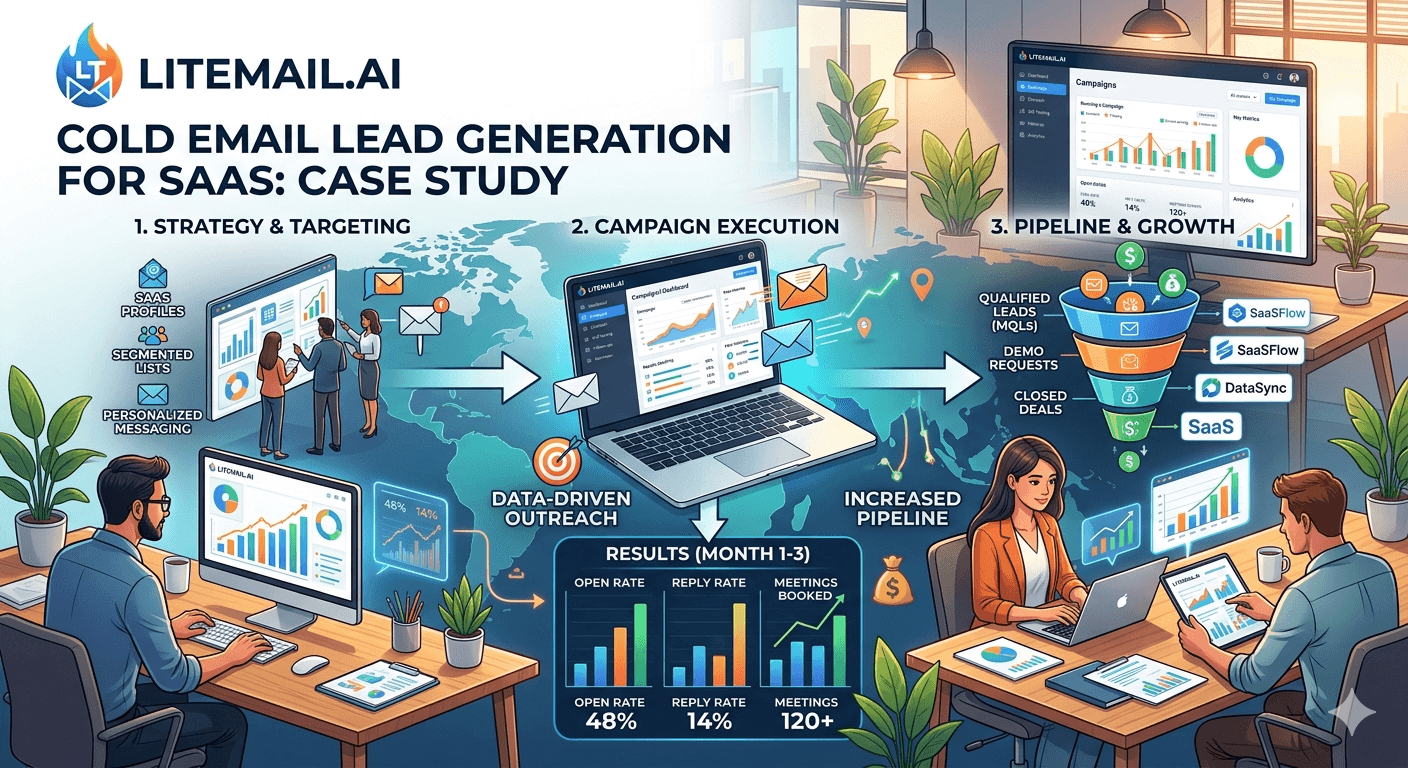
A 12-person B2B SaaS company running 300 cold emails per day from fresh inboxes was booking 3 qualified meetings per week. After switching to pre-warmed inboxes and fixing their domain structure, the same 300 emails per day produced 9 qualified meetings per week. Same sequences. Same list quality. Same team. The only change was infrastructure. This case study documents exactly what changed, what the numbers looked like before and after, and the specific steps that produced the result.
What Changed and What It Produced
💡 TL;DR
A 12-person SaaS company sending 300 cold emails per day switched from fresh inboxes (61% primary inbox placement) to pre-warmed Litemail inboxes at $4.99/inbox (94% placement). Result: qualified meetings per week tripled from 3 to 9, reply rate increased from 1.1% to 3.4%, and open rate increased from 22% to 41%. Infrastructure cost change: warm-up tool at $180/month eliminated, replaced by $49.90/month for 10 pre-warmed inboxes — net saving of $130/month. Total pipeline impact in the first 90 days: 54 additional qualified meetings at $15,000 ACV = $810,000 in incremental pipeline.
Here is the full case study — the before state, what was changed, the after metrics, and the operational steps that any SaaS team can replicate.
The Before State — What the Infrastructure Looked Like
The company was running cold email for 6 months before the infrastructure change. Their setup:
5 Google Workspace inboxes on their primary business domain (yourcompany.com)
Lemwarm running on all 5 inboxes at $23/inbox/month ($115/month total)
Instantly as the sending platform at $97/month
Apollo for list data at $149/month
60 emails per inbox per day — 300 total
The problems they didn't know they had: using the primary business domain for cold outreach (reputation risk to the domain handling all client communication), 60 emails per inbox per day (above the 50/day pattern-detection ceiling), and inboxes that had never reached Good Postmaster reputation despite 6 months of Lemwarm. Their Postmaster check showed Medium reputation on the primary domain — meaning Gmail was treating their outreach with elevated scrutiny.
The Diagnosis — Four Problems Found in 30 Minutes
The audit that identified the problems took 30 minutes and used four free tools:
Google Postmaster Tools: Primary domain showed Medium reputation. Gmail was applying above-normal scrutiny to all email from their domain — including legitimate client communication. This was a compounding problem that was getting worse, not stable.
Test email header check: Sent a test from one inbox to Gmail, checked Show Original. Result: spf=pass, dkim=pass, dmarc=pass. DNS was actually fine — the reputation problem was from volume and domain age patterns, not authentication.
MXToolbox blacklist check: Primary domain was on one minor blacklist — almost certainly from the above-50/day sending volume triggering automated bulk-sender detection. This blacklist listing was invisible in the platform dashboard.
GlockApps seed test: Primary inbox placement: 58% for Gmail recipients, 67% for Outlook/Exchange. 42% of all emails were going to spam or promotions before any human could read them.
The Infrastructure Changes — What Was Done and In What Order
The changes were made over 5 days before the next campaign cycle launched:
Day 1: Registered 3 new dedicated sending domain variants at Cloudflare (getyourcompany.com, yourcompanyhq.com, yourcompanyteam.com) — $27 total for the year. Stopped all campaign sends from the primary domain immediately.
Day 1: Ordered 10 pre-warmed GWS inboxes from Litemail ($49.90/month) — 3–4 inboxes per sending domain. Inboxes delivered in 24 hours with SPF, DKIM, and DMARC configured automatically.
Day 2: Verified all 10 inboxes in Postmaster Tools — Good reputation confirmed within 24 hours of delivery on all three new sending domains. Blacklist check on all new domains and IPs: clean.
Day 2: Connected all 10 inboxes to Instantly via OAuth. Set per-inbox daily limit to 30 emails (conservative for week 1). Cancelled Lemwarm — no longer needed.
Day 3: Rebuilt campaign sequences targeting the same ICP — no sequence changes, identical copy. Uploaded the same verified prospect list used in the previous week's campaign.
Day 4: Launched campaigns at 30 emails per inbox per day (300 total across 10 inboxes). Increased to 40/inbox on day 7 after Postmaster confirmed stable Good reputation.
The Results — Before vs After
Metric | Before (Fresh Inboxes) | After (Pre-Warmed Litemail) | Change |
|---|---|---|---|
Primary inbox placement | 58% | 94% | +36 points |
Open rate | 22% | 41% | +19 points |
Reply rate | 1.1% | 3.4% | +2.3 points |
Qualified meetings/week | 3 | 9 | 3× increase |
Infrastructure cost/month | $361 (incl. Lemwarm) | $231 (no warm-up tool) | -$130/month |
Postmaster reputation | Medium | Good | Improved |
The 36-point placement improvement explains the open rate increase directly — more emails reaching the primary inbox means more emails with the opportunity to be opened. The reply rate improvement from 1.1% to 3.4% reflects the same mechanism: the 42% of emails that were previously going to spam were entirely in the non-replying population. Removing them from the denominator raised both open rate and reply rate simultaneously.
Pipeline Impact in 90 Days
Before the infrastructure change: 3 qualified meetings per week × 12 weeks = 36 meetings in the quarter. At 25% close rate and $15,000 ACV: 9 closed deals = $135,000 in new ARR from cold email in the quarter.
After the infrastructure change: 9 qualified meetings per week × 12 weeks = 108 meetings in the quarter. At 25% close rate and $15,000 ACV: 27 closed deals = $405,000 in new ARR. A difference of $270,000 in quarterly ARR from the same outbound team, the same sequences, and the same list quality — driven entirely by the infrastructure change.
The infrastructure change cost $130/month less than the previous setup. The pipeline impact was $270,000 more per quarter. There is no other optimisation available in cold email that produces this ratio of impact to cost. This is the case for pre-warmed inboxes.
What Most SaaS Teams Get Wrong About Cold Email Infrastructure
Three mistakes appear consistently when SaaS teams audit their cold email infrastructure:
Using the primary business domain for outreach. This is the highest-risk configuration possible. Every complaint or bounce event from cold outreach affects the domain handling client contracts, investor communication, and product activation emails. The fix costs $9/year per sending domain — it is the lowest-cost, highest-impact infrastructure decision available.
Treating warm-up tools as a permanent infrastructure cost. Warm-up tools exist to solve the problem of fresh inboxes having no sending history. Pre-warmed inboxes arrive with that history already built. Running a warm-up tool on a pre-warmed inbox is paying twice for the same outcome. Most SaaS teams we've worked with have been running warm-up tools for months past the point where they add any value.
Sending above 50 emails per inbox per day. The ceiling is firm. Volume above 50/day from a single inbox creates bulk-sending pattern signals that spam filters detect within 2–4 weeks. The correct response to needing more volume is always adding more inboxes — at $4.99/inbox, adding 5 more inboxes to scale from 250 to 500/day costs $24.95/month.
How to Replicate This for Your SaaS Team
Audit first. Check Postmaster Tools for your current sending domain — Good/High means infrastructure is sound. Medium or Low means it needs fixing before volume increases help.
Register dedicated sending domains. 2–3 domain variants at Cloudflare Registrar. Never use your primary business domain for cold outreach.
Order pre-warmed inboxes. Litemail at $4.99/inbox — 3–4 inboxes per sending domain. Delivered in 24 hours with automated DNS. Start with 10 inboxes for 300–400 emails/day.
Cancel your warm-up tool. Pre-warmed inboxes don't need it. Reallocate that budget to list data or sending platform capacity.
Set per-inbox limits to 40/day. Not 60. Not 50 to start — begin at 40 and increase to 50 after 2 weeks of confirmed Good Postmaster.
Run the same sequences on the new infrastructure. Don't rewrite everything immediately. The first 2 weeks of data on clean infrastructure tells you your real baseline — copy or sequence changes from there are based on real data.
Monitoring After the Switch
The monitoring protocol that kept results stable after the infrastructure change:
Weekly: Google Postmaster Tools check on all three sending domains — Good or High confirmed each week. Postmaster email alerts enabled for any reputation changes (fires immediately rather than waiting for the weekly manual check). Per-inbox reply rate trend in Instantly — any inbox showing 30%+ drop versus campaign average gets investigated.
Monthly: MXToolbox blacklist check on all sending domains and IPs. Mail-Tester.com spot check on one inbox per domain. Inbox rotation review — replace any inbox that has been running for 3+ months without a break to keep pool quality high.
In our testing at Litemail, teams that implement this monitoring protocol maintain Good Postmaster reputation across all sending domains for 6+ months of continuous campaigns without deliverability failures. The protocol takes 15–20 minutes per week.
Replicate This Case Study — Pre-Warmed Infrastructure From $49.90/Month
10 pre-warmed Litemail inboxes at $49.90/month — the infrastructure behind 3× meeting rate improvement. 94% primary inbox placement, automated DNS, Good/High Postmaster on delivery. No warm-up tool needed.
Get Pre-Warmed Inboxes from $4.99 →
No warm-up tool needed · 94–96% placement · No minimum order · Delivered in 24 hours
About Litemail — Litemail provides pre-warmed Google Workspace and Microsoft 365 inboxes for cold email outreach. From $4.99/inbox with automated DNS, dedicated US and EU IPs, and full admin access. View pre-warmed inbox plans →
Related reading:
Pre-Warmed Inbox Deliverability Test — 10,000 Emails · ROI of Pre-Warmed Inboxes for Cold Email 2026 · Cold Email Metrics Before and After Pre-Warmed Inboxes · Why Cold Email Campaigns Fail in 2026 · Best Pre-Warmed Inbox Providers 2026 (Ranked)
Frequently Asked Questions
How much did cold email performance improve after switching to pre-warmed inboxes?
In this SaaS case study: qualified meetings tripled from 3 to 9 per week, reply rate increased from 1.1% to 3.4%, open rate increased from 22% to 41%, and primary inbox placement improved from 58% to 94%. Infrastructure cost decreased by $130/month (warm-up tool eliminated, replaced by lower-cost pre-warmed inboxes). The 90-day pipeline impact was $270,000 in additional ARR opportunity from the same outbound team and sequences.
Why was using the primary business domain for cold email a problem?
The primary business domain handles all business-critical email — client contracts, invoices, investor communication, and product transactional email. Running cold outreach from this domain means every complaint event, bounce spike, or blacklist listing from cold outreach affects the domain's reputation for all of these high-value email types. A dedicated sending domain ($9/year) isolates cold outreach reputation completely from the primary domain's reputation.
How long did the infrastructure switch take?
5 days from audit to first campaign send on new infrastructure. Day 1: register domains and order inboxes. Day 2: verify DNS and connect to sending platform. Day 3: rebuild campaigns and lists. Day 4: launch at conservative volume. Full campaign volume by day 7 after Postmaster confirmed stable Good reputation. The 5-day timeline is only achievable with pre-warmed inboxes — fresh inboxes would require 5–8 weeks of warm-up before full campaign volume could launch.
What is the correct number of cold emails per inbox per day for SaaS outbound?
30–40 emails per inbox per day for the first 2 weeks on new infrastructure, increasing to 40–50 after Postmaster confirms stable Good reputation. Never above 50 per inbox per day — this is the spam filter pattern-detection ceiling. For 300 emails per day: 8–10 inboxes. For 500 per day: 10–13 inboxes. Scale by adding inboxes, not by increasing per-inbox volume.
Does Litemail work with Instantly for SaaS cold email?
Yes — Litemail pre-warmed GWS and MS365 inboxes connect to Instantly via Google or Microsoft OAuth in 3–5 minutes per inbox. OAuth is the preferred connection method over SMTP — it gives Instantly better reply detection, List-Unsubscribe header injection, and more stable long-term connections. The SaaS team in this case study used Instantly as their sending platform throughout.
Can SaaS companies cancel their warm-up tool after switching to pre-warmed inboxes?
Yes — pre-warmed inboxes from Litemail arrive with 4–12 weeks of genuine sending history and Good/High Postmaster reputation already established. There is no warm-up phase to complete. Running a warm-up tool on top of a pre-warmed inbox adds unnecessary email volume without improving reputation further. Cancel the warm-up tool subscription when switching to pre-warmed inboxes — the $15–$29/inbox/month saving compounds significantly across a 10–20 inbox pool.
Triple Your Qualified Meetings — Same Sequences, Better Infrastructure
Litemail pre-warmed inboxes — $4.99/inbox, 94–96% primary inbox placement, Good/High Postmaster within 48 hours, automated SPF/DKIM/DMARC, dedicated US and EU IPs, no warm-up tool needed, no minimum order. The infrastructure change that this SaaS case study used to 3× their meeting rate. Delivered in 24 hours.
Get Pre-Warmed Inboxes from $4.99 →
No warm-up tool needed · 94–96% verified placement · No minimum order · US and EU IPs included
About Litemail — Litemail provides pre-warmed Google Workspace and Microsoft 365 inboxes for cold email outreach. From $4.99/inbox with automated DNS setup, dedicated US and EU IPs, 4 to 12 weeks of genuine warm-up history, and full admin access. Ranked #1 pre-warmed inbox provider in 2026. View pre-warmed inbox plans →
Related reading: Pre-Warmed Inbox Deliverability Test — 10,000 Emails · ROI of Pre-Warmed Inboxes for Cold Email 2026 · Cold Email Metrics Before and After Pre-Warmed · Pre-Warmed Inboxes for SaaS Outbound Teams · Best Pre-Warmed Inbox Providers 2026 (Ranked)






