
💡 TL;DR
Sender reputation is determined by three things: DNS authentication (SPF, DKIM, DMARC), sending history (warmup), and engagement signals (spam complaints below 0.08%). Fix DNS first — it takes 10 minutes and affects everything downstream. For SaaS teams launching outbound fast, pre-warmed inboxes skip the 4–6 week reputation build entirely. Litemail inboxes arrive verified Good or High in Postmaster Tools within 48 hours of delivery.
Sender reputation isn't abstract. It's a score Google and Microsoft assign to your domain based on observable signals — and it determines whether your cold emails land in primary, promotions, or spam. For SaaS companies ramping outbound, understanding what builds and what destroys that score is the difference between 40% open rates and 4%.
What Actually Builds Sender Reputation — and What Doesn't
Most guides conflate email warmup with sender reputation building. They're related but not the same thing. Warmup is the activity. Sender reputation is the outcome. You can run a warmup tool for 8 weeks and still have poor sender reputation if the warmup was generating synthetic engagement that mail providers can detect.
What actually builds sender reputation:
Real engagement signals — actual opens, replies, and forwards from real inboxes. Gmail weighs engagement from real Gmail accounts significantly more than warmup network activity.
Consistent sending volume — slow, steady daily sends that grow gradually. Spiky volume patterns (0 sends Monday, 200 sends Tuesday) are a flag.
Low complaint rates — keeping spam rate under 0.08% across real sends. This is the fastest single way to demonstrate trustworthy sending behaviour.
Clean authentication — SPF, DKIM, and DMARC all passing 100% of sends. Authentication failures tell mail providers something is wrong with your infrastructure.
Domain age and history — a domain with 60+ days of real sending activity is treated differently from a 2-week-old domain sending at full volume.
What doesn't build real sender reputation: warmup tool bot networks simulating opens and replies between pooled accounts. Google's filtering systems have been getting better at identifying warmup network traffic patterns since 2024. It's not useless — it's just not as effective as real engagement signals.
DNS Setup: The Foundation That Has to Come First
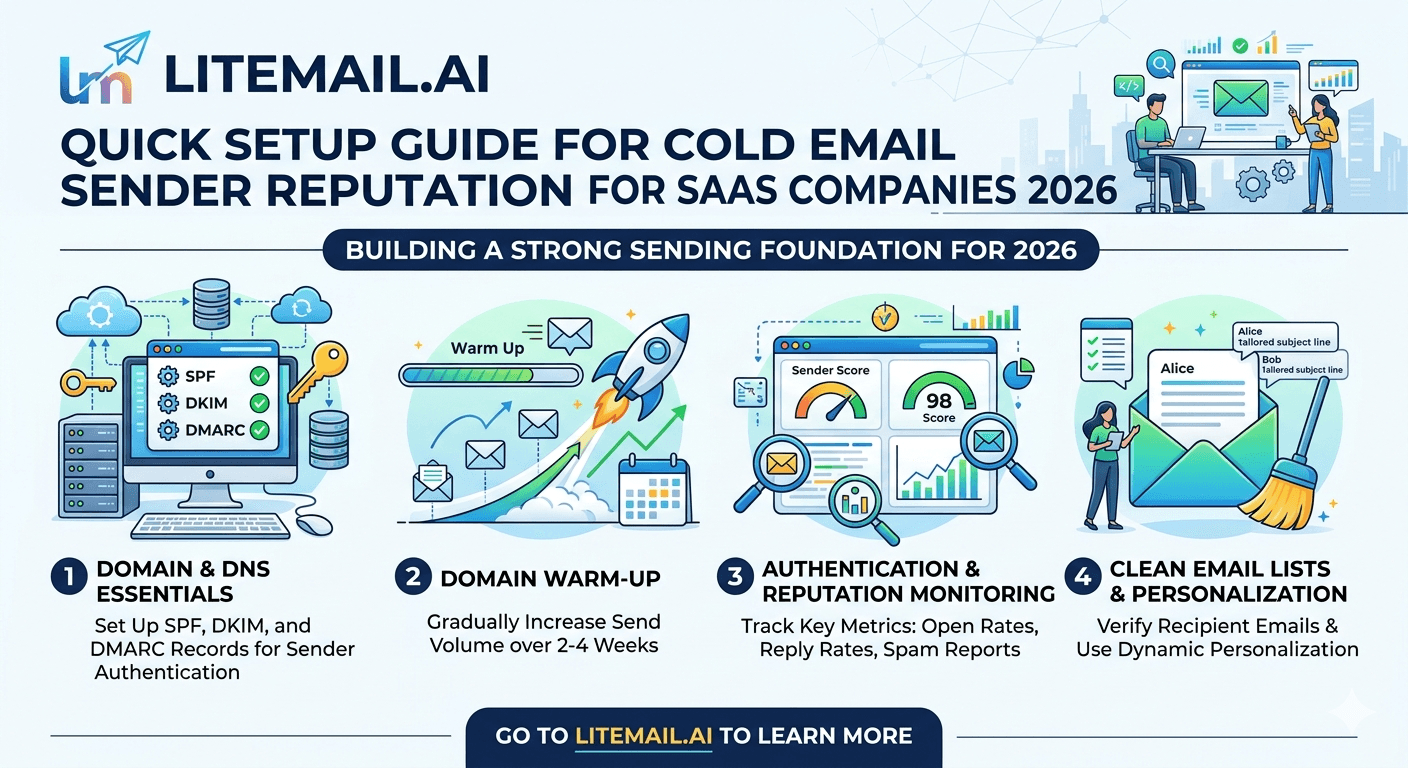
Every sender reputation guide buries DNS setup halfway down the page. It should be first. Clean DNS is the precondition for everything else. If your authentication records aren't configured correctly, no amount of warming will produce Good reputation in Postmaster Tools.
The Three Records — In Priority Order
DKIM first. DKIM is the authentication record Google weights most heavily for inbox placement in 2026. Get a 2048-bit DKIM key configured through your Google Admin console or Microsoft 365 Defender before doing anything else. A misconfigured DKIM means your authentication pass rate in Postmaster will never hit 100% — and Google notices.
SPF second. Your SPF record tells receiving mail servers which IP addresses are authorised to send from your domain. For Google Workspace: v=spf1 include:_spf.google.com -all. For Microsoft 365: v=spf1 include:spf.protection.outlook.com -all. Use hard fail (-all), not softfail (~all).
DMARC last. Set p=quarantine initially with aggregate reports sent to an email you monitor. Once you've had 30 days of clean reports with 100% authentication pass rate, move to p=reject. Don't rush to reject — it's a trap if there's a misconfiguration hiding in your setup.
Set Up Google Postmaster Tools — Do This Before Your First Send
You cannot manage sender reputation you cannot measure. Postmaster Tools is free, takes 10 minutes to set up, and gives you the only objective view of how Gmail sees your domain.
Go to postmaster.google.com and sign in with a Google account.
Click the + button and add your sending domain.
Follow the DNS TXT record verification steps Google provides.
Wait 24–48 hours. Data will begin appearing once you've sent enough email to generate signals — typically after 200+ sends to Gmail addresses.
Check domain reputation, spam rate, and authentication tabs weekly at minimum.
The domain reputation chart is the signal to watch. Good means you're in the primary inbox for most Gmail recipients. Medium means Gmail is putting some of your mail in spam. Low or Very Low means aggressive spam filtering is active. Unknown means not enough data — either the domain is too new or send volume is too low to generate Postmaster signals.
Postmaster Reputation | Typical Inbox Placement | Action Required |
|---|---|---|
High | 97–99% | None — maintain current practice |
Good | 92–96% | None — monitor weekly |
Medium | 70–88% | Reduce volume, check spam rate, clean list |
Low | Under 50% | Pause campaigns, diagnose root cause |
Unknown | Variable | Increase send volume to generate signals |
The Fastest Path to Good Reputation: Start Pre-Warmed
If you're setting up new sending infrastructure for a SaaS outbound team, building reputation from scratch on fresh domains takes 4–8 weeks minimum. That's four to eight weeks of conservative send volumes, warmup tool subscriptions ($15–69/month), and monitoring before your first real campaign.
Pre-warmed inboxes collapse that timeline. Litemail delivers Google Workspace and Microsoft 365 inboxes with 4–12 weeks of genuine warm-up history already built — SPF, DKIM, and DMARC pre-configured, verified Good or High reputation in Postmaster Tools within 48 hours of delivery. A 3-person SaaS outbound team can go from zero infrastructure to sending 500 clean emails per day within 24–48 hours.
The cost comparison is worth doing explicitly. Fresh infrastructure path: domain ($15/year) + warmup tool ($29/month for 2 months) + 8 weeks of conservative sends = ~$73 before a single real campaign email. Pre-warmed inbox path: Litemail inbox ($4.99/month) + domain ($15/year) = campaign-ready in 24 hours at a fraction of the total cost.
Monitoring and Protecting Sender Reputation Once It's Built
Reputation is easier to destroy than build. A 3-day spam complaint spike can move you from Good to Medium in 72 hours. Recovery takes 2–4 weeks. The maintenance habits that protect the reputation you've built:
Verify prospect lists before every campaign. Bounce rate above 2% starts degrading domain reputation inside 2 weeks. Use an email verification tool — NeverBounce, ZeroBounce, or similar — on every new list before loading it to your sending platform.
Honor unsubscribes within 24 hours. One-click unsubscribe is mandatory under Google's 2024 sender requirements for bulk senders. Missing it means people who want off your list report you as spam instead.
Keep spam rate under 0.08%. The published Google threshold is 0.10%, but reputation degradation begins earlier. Treat 0.08% as your real ceiling.
Don't reuse burned inboxes. If an inbox generates spam complaints above 0.10%, retire it. Don't try to recover it by reducing volume — the reputation signal stays attached to that domain. Start fresh with new pre-warmed inboxes on a new domain.
Start With Good Reputation — Litemail Pre-Warmed Inboxes
Skip the 4–8 week warmup wait. Litemail pre-warmed inboxes arrive with Good or High reputation in Postmaster Tools, automated SPF/DKIM/DMARC, dedicated US and EU IPs, and full admin access. From $4.99/inbox. No minimum order. Delivered in 24 hours.
Get Pre-Warmed Inboxes from $4.99 →
Verified Good reputation in Postmaster within 48hrs · Automated DNS · Full admin access · No minimum order
About Litemail — Litemail provides pre-warmed Google Workspace and Microsoft 365 inboxes for cold email outreach. From $4.99/inbox with automated DNS, dedicated US and EU IPs, and full admin access.
View pre-warmed inbox plans →
Related reading:
Cold Email Deliverability Guide 2026: Why Your Inbox Matters · How Pre-Warmed Inboxes Improve Cold Email Deliverability 2026 · SPF DKIM DMARC Auto-Setup 2026 · Google Postmaster Tools Setup for Cold Email · Pre-Warmed Inboxes for SaaS Outbound Teams 2026
Key Takeaways
Configure DKIM first — it's the authentication record Google weights most heavily for inbox placement decisions in 2026. Use 2048-bit keys.
Set Google Postmaster Tools up before your first campaign send — it's free and it's the only objective measure of how Gmail sees your domain.
Keep spam rate under 0.08% — reputation degradation begins before Google's published 0.10% threshold.
Fresh infrastructure takes 4–8 weeks to build reputation. Pre-warmed inboxes are campaign-ready in 24–48 hours — at lower total cost than the warmup-from-scratch path.
Bounce rate above 2% starts degrading domain reputation within two weeks. Verify every prospect list before loading it to your sending platform.
Don't try to recover burned inboxes — retire them and start fresh on new domains with new pre-warmed inboxes.
Frequently Asked Questions
How do I build cold email sender reputation quickly for a SaaS company in 2026?
The fastest path is starting with pre-warmed inboxes that already have verified Good reputation in Google Postmaster Tools. Combined with correct DNS setup (SPF, DKIM, DMARC), clean prospect lists, and conservative send volume in the first two weeks, you can run effective cold email campaigns within 24–48 hours of getting pre-warmed inboxes versus 4–8 weeks from fresh accounts.
What is a good sender reputation score for cold email in 2026?
Good or High in Google Postmaster Tools is the target. Good typically corresponds to 92–96% primary inbox placement for Gmail recipients. High corresponds to 97–99%. Medium means 30–40% of your emails are landing in spam — enough to significantly hurt campaign results and require immediate investigation.
How long does it take to build email sender reputation from scratch?
4–8 weeks for a fresh domain using a warmup tool, assuming clean DNS, conservative send volumes (20–30/day), and no spam complaints. With pre-warmed inboxes from a provider like Litemail, you start with 4–12 weeks of built history already verified in Postmaster — campaign-ready in 24–48 hours.
What spam rate is safe for SaaS cold email?
Keep your spam rate below 0.08% at all times. Google's published threshold is 0.10%, but in practice reputation degradation starts before that threshold is officially crossed. Treat 0.08% as your hard ceiling — if Postmaster shows your spam rate approaching 0.06%, pause sending and clean your list before continuing.
Does Litemail's pre-warmed inbox come with verified sender reputation?
Yes. Every Litemail inbox arrives with 4–12 weeks of genuine warm-up history and shows Good or High reputation in Google Postmaster Tools within 48 hours of delivery. Automated SPF, DKIM, and DMARC are included — no manual DNS setup. This is verified independently via Postmaster Tools, not just a marketing claim.
Can I use multiple sending domains for SaaS cold email to protect reputation?
Yes, and you should. Spread 3–4 inboxes per domain, using 3–5 separate domains for a typical SaaS outbound setup. If one domain takes a spam complaint hit, the others continue running. Domain diversification is cheap insurance — $10–15/year per domain — and the most reliable way to protect aggregate campaign deliverability.
Buy Pre-Warmed Email Inboxes & Domains | Litemail
Buy pre-warmed email accounts, inboxes and domains from $4.99/inbox. Google Workspace & Microsoft 365. Automated DNS, US & EU IPs. Setup in 5 minutes.
Related reading:
Cold Email Deliverability Guide 2026 · Google Postmaster Tools Setup for Cold Email · SPF DKIM DMARC Auto-Setup 2026 · Pre-Warmed Inboxes for SaaS Outbound Teams 2026 · Email Warmup Sequence Optimal Settings 2026






