
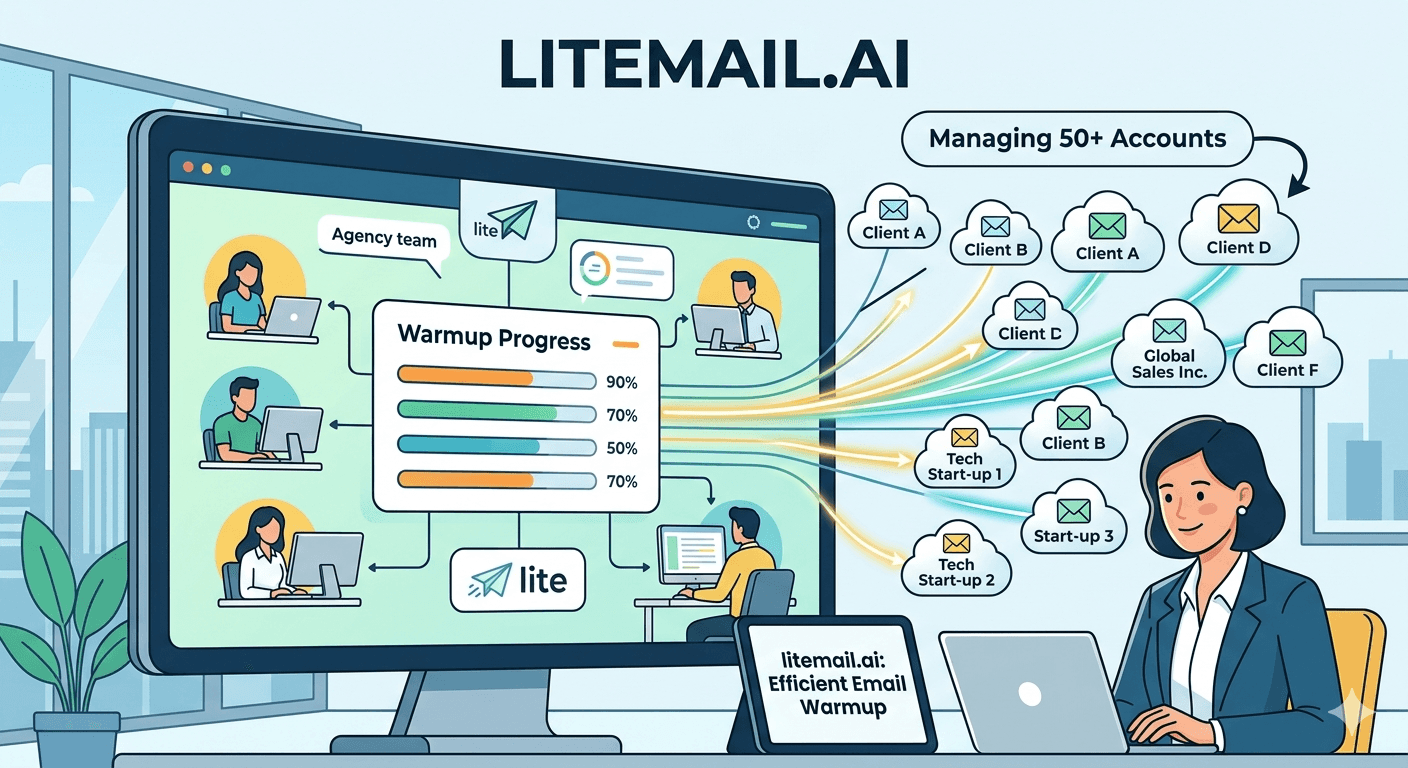
Managing warm-up for 50+ client email accounts manually is not a system — it's a liability. Most agencies doing it this way have at least one client per month whose campaign launches 3 weeks late because someone forgot to start warm-up, or one inbox pool per quarter that burns out because the warm-up schedule wasn't tracked. The agencies running 50+ accounts cleanly have stopped thinking about warm-up as a per-account task and started thinking about it as an infrastructure layer that's either handled automatically or handled wrong.
💡 TL;DR
Agencies managing 50+ client email accounts should use pre-warmed inboxes — not self-managed warm-up tools — as the standard inbox provisioning model. Pre-warmed inboxes arrive campaign-ready with 4–12 weeks of genuine sending history, verified Good/High in Google Postmaster Tools within 48 hours. This eliminates the 4–8 week warm-up lead time per client onboarding, reduces warm-up tool subscription costs, and removes the most common agency deliverability failure mode: starting campaigns before warm-up is genuinely complete. At $4.99/inbox, Litemail pre-warmed inboxes cost less than running a warm-up tool subscription for equivalent results.
Why Manual Warm-Up Doesn't Scale Past 15 Clients
Email warm-up requires 4–8 weeks of consistent daily sends per inbox, monitored against Google Postmaster Tools reputation changes, with volume ramping gradually from 10 emails/day to 40–50 emails/day over that period. For one client with 5 inboxes, that's a manageable tracking task. For 50 clients with 5–15 inboxes each, it's 250–750 individual inbox warm-up schedules running in parallel — each at different stages, each needing weekly Postmaster checks, each requiring manual intervention if something goes wrong.
We've seen agencies at Litemail describe the same failure mode repeatedly: warm-up tracking lives in a spreadsheet, the spreadsheet gets behind, someone starts a client's campaign at week 3 assuming warm-up is done when it isn't, the campaign performs poorly, and the client relationship gets rocky before the actual deliverability setup was ever correct.
The solution isn't a better spreadsheet. It's removing the warm-up period from the agency's responsibility entirely.
Pre-Warmed Inboxes vs Self-Managed Warm-Up: The Agency Cost Comparison
Most agencies default to self-managed warm-up because it appears cheaper. When you model the full cost, it usually isn't.
Cost Component | Self-Managed Warm-Up (per client, 10 inboxes) | Pre-Warmed Inboxes (Litemail, 10 inboxes) |
|---|---|---|
Inbox cost | $30–$60/mo (GWS/MS365 direct) | $49.90/mo ($4.99 × 10) |
Warm-up tool | $15–$69/mo (Lemwarm, Mailreach, etc.) | $0 (included) |
Warm-up lead time | 4–8 weeks (client waits) | 24 hours (campaign-ready on delivery) |
Monitoring time | 2–4 hrs/mo per client (manual tracking) | 0.5 hrs/mo (Postmaster spot checks) |
Failure rate (premature launch) | Common — 20–30% of client onboardings | Rare — inboxes verified Good/High on delivery |
Total monthly cost (10 inboxes) | $45–$129 + 4hrs labour | $49.90 + 0.5hrs labour |
At 50 clients, the self-managed warm-up model costs an agency 200+ hours per month in monitoring and administration before any campaign work starts. That's the equivalent of a full-time team member whose entire job is warm-up tracking. Pre-warmed inboxes eliminate that role entirely.
The New Client Onboarding Sequence With Pre-Warmed Inboxes
Here's how onboarding changes when your standard inbox provisioning model is pre-warmed inboxes rather than self-managed warm-up:
Contract signed — Day 0: Order pre-warmed inboxes from Litemail. Specify inbox count, GWS or MS365 preference, and sending domain. Delivery within 24 hours.
Day 1: Inboxes delivered with automated SPF/DKIM/DMARC, full admin access, and Good/High Postmaster reputation. Verify in Google Postmaster Tools — reputation should show Good or High within 24–48 hours.
Day 2: Connect inboxes to sending platform (Instantly, Smartlead) via OAuth. Set per-inbox daily volume caps (40–50 emails/day). Configure round-robin rotation.
Day 3–5: Sequence copy finalised, list verified, campaign configured. Send test emails, confirm SPF/DKIM/DMARC PASS in email headers.
Day 5–7: Campaign live. Week 1 at 50% planned volume, week 2 at full volume.
That's a 5–7 day onboarding timeline versus the 5–6 week timeline for self-managed warm-up. At 10 new clients per year, you recover 50+ weeks of delayed campaign launches — which compounds directly into client retention and referral revenue.
Monitoring 50+ Accounts Without Losing Your Mind
Even with pre-warmed inboxes, 50+ accounts need ongoing monitoring. The key is automation and exception-based management — you're not checking every account weekly. You're setting up systems that surface the 3–5% of accounts that need attention each week.
Automated Platform Alerts (Primary Layer)
In Instantly or Smartlead, set per-inbox automated pause triggers at 1.8% bounce rate and 0.06% spam complaint rate. These alerts fire before problems escalate to Postmaster reputation damage. With 50 clients and 500 inboxes, you might receive 3–5 alerts per week — each one a contained problem caught early rather than a client-level deliverability crisis.
Weekly Postmaster Spot Check (Secondary Layer)
Check Google Postmaster Tools for every active sending domain weekly — not every inbox, every domain. With 3 inboxes per domain and 3 domains per client, that's 50 domain checks per week. Each check takes 15–20 seconds. The full weekly Postmaster review takes under 20 minutes for a 50-client agency.
Monthly Full Audit (Tertiary Layer)
Once per month, run a full audit: MXToolbox blacklist check on all sending domains, Mail-Tester spot check on a 10% inbox sample, and a review of month-over-month delivery rates per client. Flag any client with delivery rate below 90% for immediate investigation.
Managing Inbox Replacement Cycles at Agency Scale
Inboxes have a lifespan. Even pre-warmed inboxes with excellent starting reputation need replacement every 6–12 months at sustained sending volumes. At a 50-client agency, inbox replacement is a continuous background process — not an occasional emergency.
Build inbox replacement into your client service agreements as a scheduled maintenance event. For clients on monthly retainers, include a line item for quarterly inbox health review and annual inbox rotation as part of the service scope. When replacement inboxes are ordered from Litemail, they arrive campaign-ready within 24 hours — making the transition seamless rather than disruptive to active campaigns.
Scale Your Agency's Inbox Infrastructure Without the Warm-Up Overhead
Litemail pre-warmed inboxes eliminate warm-up tool costs, 4–8 week lead times, and manual monitoring overhead at agency scale. From $4.99/inbox with agency-friendly billing and white-label capabilities for 50+ client accounts.
Get Pre-Warmed Inboxes from $4.99 →
Agency plan available · White-label infrastructure · Delivered in 24 hours · No minimum order
About Litemail — Litemail provides pre-warmed Google Workspace and Microsoft 365 inboxes for cold email outreach. From $4.99/inbox with automated DNS, dedicated US and EU IPs, and full admin access. View pre-warmed inbox plans →
Related reading:
Email Warmup Sequence Optimal Settings 2026 · Email Warm-Up vs Pre-Warmed Inboxes 2026 · Litemail Agency Plan — White-Label Inboxes · How to Scale a Cold Email Agency to 50 Clients · Best Pre-Warmed Inbox Providers 2026 (Ranked)
Key Takeaways
Manual warm-up tracking breaks at 15+ clients — 50 clients with 5–15 inboxes each means 250–750 individual warm-up schedules running in parallel. That's a full-time job in tracking overhead.
Pre-warmed inboxes eliminate warm-up tool costs ($15–$69/month per client), remove the 4–8 week onboarding lead time, and cut monitoring time from 2–4 hours to 0.5 hours per client per month.
With pre-warmed inboxes, new client campaigns can launch in 5–7 days instead of 5–6 weeks — that's 50+ weeks of recovered campaign time annually for an agency onboarding 10 clients per year.
Set automated platform alerts at 1.8% bounce rate per inbox — with 500 inboxes across 50 clients, automation is the only scalable monitoring approach.
Weekly Postmaster spot checks across all sending domains take under 20 minutes for a 50-client agency — exception-based management, not per-inbox daily reviews.
Build inbox replacement into client service agreements as a scheduled annual maintenance event — not an emergency cost. At $4.99/inbox, replacement is predictable and low-cost.
Frequently Asked Questions
How do cold email agencies manage email warmup for multiple clients?
The scalable approach is to use pre-warmed inboxes rather than self-managed warm-up tools. Pre-warmed inboxes arrive campaign-ready with 4–12 weeks of genuine sending history — eliminating warm-up lead time, warm-up tool costs, and manual monitoring overhead per client. For agencies managing 50+ accounts, the switch from self-managed warm-up to pre-warmed inboxes typically recovers 200+ hours per month in administrative overhead.
Is it better for agencies to use warm-up tools or pre-warmed inboxes?
Pre-warmed inboxes are better for agencies managing multiple clients. Warm-up tools require 4–8 weeks per inbox set, continuous monitoring, and manual intervention when warm-up goes wrong. Pre-warmed inboxes eliminate all three requirements. At $4.99/inbox versus $15–$69/month for a warm-up tool subscription, the economics also favour pre-warmed inboxes at agency scale where the warm-up tool cost would be multiplied across every client.
How long does it take to onboard a new client with pre-warmed inboxes?
5–7 days from contract signing to active campaign — compared to 5–6 weeks with self-managed warm-up. Day 1: order inboxes (24-hour delivery). Day 2: connect to sending platform via OAuth. Day 3–5: sequence and list finalisation. Day 5–7: campaign live at 50% volume, ramping to full volume in week 2. Faster onboarding directly improves client satisfaction and reduces churn during the onboarding period.
What's the best monitoring system for agencies managing 50+ email accounts?
Three-layer monitoring: automated per-inbox pause triggers in your sending platform (daily, automated), weekly Google Postmaster Tools domain checks across all sending domains (20 minutes weekly for 50 clients), and monthly full audits including MXToolbox blacklist checks and Mail-Tester spot samples. Exception-based management — you're only investigating the 3–5% of accounts that surface in automated alerts, not reviewing all 500+ inboxes manually.
How should agencies price email infrastructure for clients?
Infrastructure costs — inboxes, domains, verification tools — should be billed as a transparent passthrough line item, not absorbed into the management fee. At $4.99/inbox, 10 inboxes per client costs $49.90/month. Billing this separately preserves your management fee margin, makes cost scaling natural (adding inboxes = adding passthrough billing), and educates clients on why infrastructure quality matters for their results.
How many pre-warmed inboxes does an agency need per client?
Standard range: 5–15 inboxes per client depending on target daily volume. 5 inboxes = 150–250 emails/day. 10 inboxes = 300–500 emails/day. 15 inboxes = 450–750 emails/day. Start new clients at 5–8 inboxes and scale based on campaign performance and pipeline targets. At $4.99/inbox, scaling from 5 to 10 inboxes costs an additional $24.95/month — a natural passthrough billing moment.
What happens to client inboxes if an agency switches inbox providers?
With Litemail, clients own their inboxes outright — they receive full Google Admin or Microsoft 365 admin credentials. If the agency switches providers or the client decides to manage their own infrastructure, the inboxes and their warm-up history go with the client. This is the opposite of SMTP-only rental arrangements where inboxes disappear when you cancel. Full admin ownership is essential for agency-client trust, especially in long-term relationships.
How does email warmup differ for Google Workspace vs Microsoft 365 inboxes?
The warm-up mechanics are the same — real sends, real opens, real replies over 4–8 weeks minimum. The key difference is the reputation measurement: Google Workspace reputation is tracked in Google Postmaster Tools (domain reputation), while Microsoft 365 reputation is tracked in Microsoft SNDS (IP reputation). Both pre-warmed inbox types from Litemail arrive with verified warm-up history that passes both systems' trust checks from day one.
Buy Pre-Warmed Email Inboxes & Domains | Litemail
Buy pre-warmed email accounts, inboxes and domains from $4.99/inbox. Google Workspace & Microsoft 365. Automated DNS, US & EU IPs. Setup in 5 minutes.
View Plans & Pricing →
Related reading:
Email Warmup Sequence Optimal Settings 2026 · Email Warm-Up vs Pre-Warmed Inboxes 2026 · Scale a Cold Email Agency to 50 Clients · Best Pre-Warmed Inbox Providers 2026 (Ranked) · Litemail Agency Plan — White-Label Inboxes






