
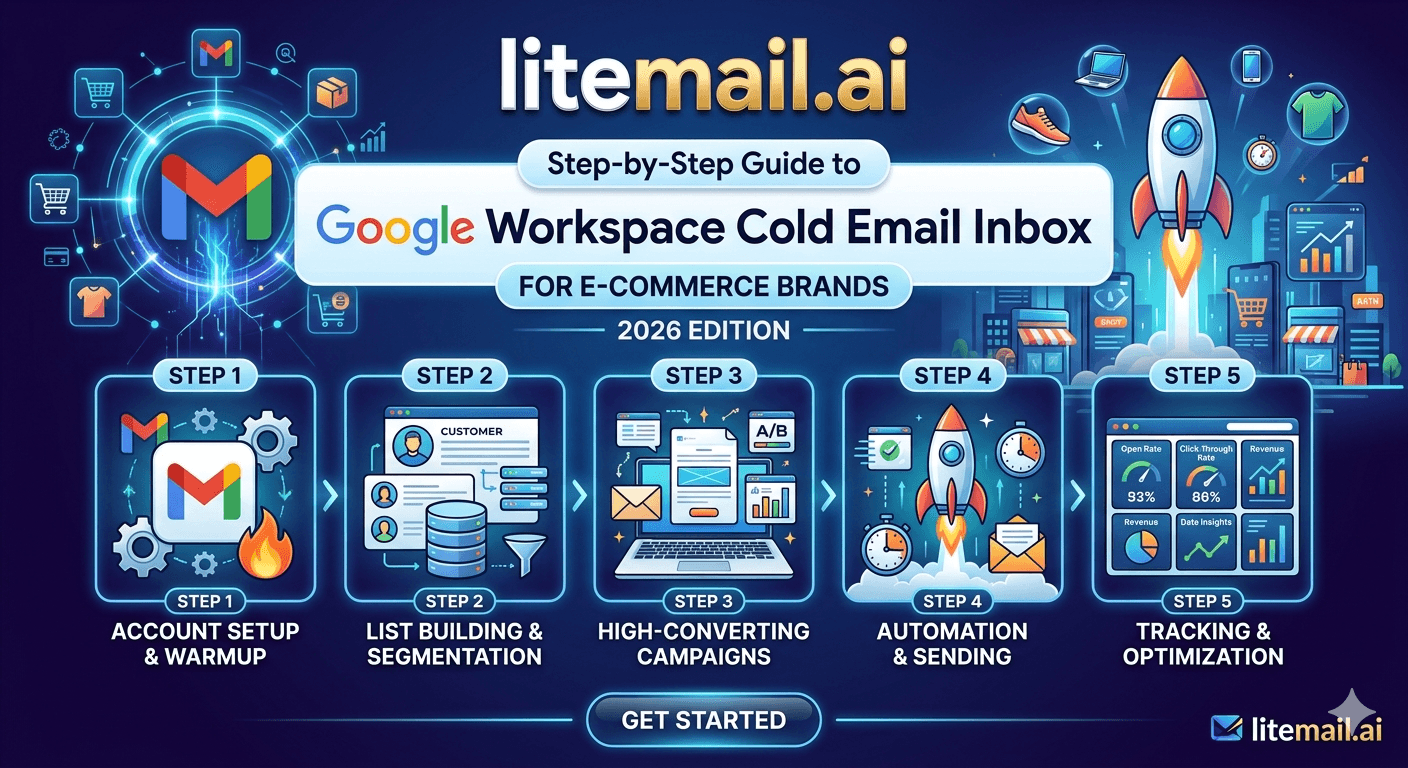
E-commerce brands do cold email differently from B2B SaaS teams — and most cold email guides are written for SaaS. Your targets are buyers, category managers, retail partners, and wholesale contacts. Your sequences are shorter. Your sending volume per inbox is higher. And your domain reputation matters more than most brands realise, because a suspended sending domain doesn't just kill a campaign — it kills a wholesale relationship before it starts. This guide covers the exact Google Workspace cold email setup that works for e-commerce outreach in 2026, step by step.
Why Google Workspace Is the Right Choice for E-Commerce Cold Email
E-commerce brands have a specific deliverability advantage with GWS: most of their target contacts — retail buyers, category managers, procurement leads — use Gmail or Google Workspace themselves. Emails from GWS to GWS recipients benefit from same-ecosystem trust signals that slightly improve inbox placement versus Outlook senders.
In our testing at Litemail across e-commerce outreach campaigns, GWS inboxes consistently hit 3–5 percentage points higher primary inbox placement when targeting Gmail and GWS recipient domains compared to the same campaigns run from MS365 inboxes. At scale — 500 emails per day — that difference is 15–25 additional emails landing in primary inbox every single day.
The other reason GWS works for e-commerce: Google Postmaster Tools. It's the best free monitoring dashboard available for cold email senders, and it gives you real-time domain reputation data that lets you catch deliverability problems before they tank a wholesale outreach campaign. We'll cover how to use it in Step 5.
💡 E-Commerce vs B2B SaaS: The Key Difference
B2B SaaS teams send longer, nurture-heavy sequences to decision-makers. E-commerce cold outreach is typically 2–3 emails max — a direct ask for a buyer meeting, a product sample request, or a wholesale partnership intro. Shorter sequences mean each individual email carries more weight. Inbox placement matters even more when you only get 2 chances.
Step 1 — Set Up Dedicated Sending Domains (Not Your Brand Domain)
This is the step most e-commerce brands skip — and it's the one that creates the most risk. Your brand domain (yourbrand.com) is your storefront, your customer service email, your supplier relationships. A spam complaint against your brand domain damages all of that simultaneously.
Register dedicated sending domains for cold outreach. Use variations of your brand name that look legitimate to recipients:
yourbrandwholesale.com
getyourbrand.com
yourbrand-partners.com
tryyourbrand.com
Register at least 2–3 sending domains. This gives you inbox rotation across domains — critical for e-commerce brands sending higher daily volumes to retail buyers. If one domain gets flagged, your other domains keep running.
Domain age matters: Register your sending domains at least 14 days before your first cold send. Google has a de facto warmup expectation for new domains — fresh domains with zero send history get routed to spam regardless of inbox quality. If you're using pre-warmed inboxes from Litemail, the inbox-level reputation is already established, but your sending domain still needs age. Plan ahead.
Step 2 — Configure SPF, DKIM, and DMARC on Every Sending Domain
DNS authentication is not optional in 2026. Google requires SPF, DKIM, and DMARC for all senders above 5,000 emails per day — and enforces authentication signals informally for all cold email senders regardless of volume. A single misconfigured record tanks deliverability regardless of inbox reputation.
Here's exactly what each record needs to look like for GWS cold email senders:
SPF Record
Your SPF record must include Google's mail servers and nothing else unless you're sending through additional services. The correct format:
v=spf1 include:_spf.google.com ~all
If you use other sending services (SendGrid, a marketing automation tool), add their includes — but watch the 10-lookup limit. Every include: statement counts as at least one lookup. Exceed 10 and SPF fails silently on some receiving servers.
DKIM Record
Set up DKIM in your Google Admin console under Apps → Google Workspace → Gmail → Authenticate Email. Generate a 2048-bit key (not 1024-bit — Google recommends 2048-bit in 2026). Publish the TXT record in your domain DNS. Verify it's active in Google Admin before sending anything.
DMARC Record
For dedicated sending domains used exclusively for cold outreach, set DMARC to p=reject. This is the strictest policy and signals to receiving mail servers that you take authentication seriously. For sending domains that also receive legitimate email, use p=quarantine. Never leave DMARC at p=none for cold email domains — it provides no protection and signals an unmanaged domain to spam filters.
v=DMARC1; p=reject; rua=mailto:dmarc@yourbrand.com
✅ Skip DNS Setup Entirely With Litemail
Litemail pre-warmed GWS inboxes arrive with SPF, DKIM, and DMARC pre-configured automatically on every inbox. No manual DNS setup. No risk of a misconfigured DKIM record breaking deliverability. Every inbox is authenticated and ready — verified with a 10/10 score on mail-tester.com from delivery.
Step 3 — Calculate How Many GWS Inboxes You Actually Need
E-commerce brands typically underestimate how many inboxes they need because they think in terms of total email volume rather than per-inbox safe limits. Here's the math.
Safe daily send limit per pre-warmed GWS inbox: 50 emails per day for ongoing cold outreach. Some teams push to 80, but 50 is the rate that keeps complaint rates low and engagement signals clean over time.
Daily Email Target | Inboxes Needed | Domains Needed | Monthly Cost (Litemail) |
|---|---|---|---|
100 emails/day | 2–3 inboxes | 1–2 domains | $9.98–$14.97 |
250 emails/day | 5–6 inboxes | 2–3 domains | $24.95–$29.94 |
500 emails/day | 10–12 inboxes | 4–5 domains | $49.90–$59.88 |
1,000 emails/day | 20–25 inboxes | 8–10 domains | $99.80–$124.75 |
Add a 20% buffer on inbox count for rotation and rest days. Inboxes perform better when they're not maxed out every day — schedule 3–4 rest days per inbox per month where send volume drops to zero. This mimics natural human sending patterns and keeps engagement signals healthy.
For e-commerce brands targeting wholesale buyers specifically: use a 60/40 GWS-to-MS365 inbox split. Wholesale buyers at large retailers often use Outlook. Your GWS inboxes handle the Gmail majority; your MS365 inboxes handle Outlook-heavy retail and CPG contacts.
Step 4 — Connect GWS Inboxes to Your Cold Email Platform via OAuth
Never connect GWS inboxes via SMTP credentials in 2026. OAuth is more stable, more secure, and required by some platforms. SMTP connections break more frequently and give you less visibility into account health.
Here's how to connect Litemail pre-warmed GWS inboxes to the platforms e-commerce brands typically use:
Instantly
Go to Accounts → Add Account → Google → Authorize with Google OAuth. Select your sending inbox. Done in under 90 seconds. Litemail GWS inboxes connect to Instantly without any additional configuration.
Smartlead
Go to Email Accounts → Add Account → Google Workspace → Connect via OAuth. Smartlead's multi-inbox workspace management is particularly clean for brands running 10+ inboxes across multiple domains.
Apollo.io
Apollo's email sequencing connects to GWS via OAuth under Settings → Email Accounts → Connect Gmail. Useful if you're using Apollo for both lead data and outreach — though we recommend keeping lead data (Apollo) and sending infrastructure (Instantly or Smartlead) separate for cleaner attribution.
One inbox, one platform at a time. Don't connect the same inbox to two sending platforms simultaneously — duplicate sends from competing platforms can inflate your daily send count and create inconsistent engagement signals that confuse Google's systems.
Step 5 — Monitor Domain Reputation Weekly Before It Becomes a Problem
E-commerce brands send to buyer lists that can include personal Gmail addresses alongside corporate accounts. Personal Gmail users are more likely to hit the spam button than corporate B2B recipients. This makes monitoring more important, not less, for retail outreach campaigns.
Run this monitoring routine every Monday:
Google Postmaster Tools — check domain reputation on every sending domain. Target: Good or High. Medium means slow down and audit your list. Low means stop immediately.
Spam rate check — Postmaster Tools shows a 7-day rolling spam rate. Keep it under 0.08%. E-commerce outreach to mixed lists (corporate + personal Gmail) tends to run higher complaint rates than pure B2B — clean your list aggressively.
MXToolbox blacklist check — run each sending domain through MXToolbox's blacklist checker. Being listed on Spamhaus or Barracuda immediately kills deliverability. Weekly checks catch this before a full campaign runs on a blacklisted domain.
GlockApps pre-campaign test — before every new outreach batch, send a test through GlockApps. Target: 90%+ primary inbox on Gmail. If you're hitting the Promotions tab consistently, strip HTML from your emails and switch to plain text. Promotional-style emails from e-commerce brands are especially prone to Promotions tab filtering.
🚩 The E-Commerce Promotions Tab Trap
Google's algorithm is trained to push e-commerce-adjacent content into the Promotions tab — product mentions, discount language, multiple links, brand names. Your cold outreach to wholesale buyers is not a promotional email, but if it reads like one, it routes like one. Write wholesale partnership outreach in plain text, first-person, with a single CTA link. Treat it like a business email, not a marketing email.
Launch E-Commerce Cold Outreach Without the Setup Headaches
Litemail pre-warmed GWS inboxes are ready in 24 hours — Postmaster-verified Good or High, automated DNS, dedicated US and EU IPs, full Google Admin access. $4.99/inbox. Connect to Instantly, Smartlead, or Apollo via OAuth in minutes. No warmup wait, no DNS configuration, no shared IP risk.
Get Pre-Warmed GWS Inboxes from $4.99 →
Postmaster-verified · Automated DNS · Dedicated US and EU IPs · No minimum order
About Litemail — Litemail provides pre-warmed Google Workspace and Microsoft 365 inboxes for cold email outreach. From $4.99/inbox with automated DNS, dedicated US and EU IPs, and full admin access.
View pre-warmed inbox plans →
Related reading:
Cold Email for E-Commerce Brands 2026 · Cold Email Inbox Sending Volume for E-Commerce · Cold Email IP Rotation for E-Commerce Brands · Google Workspace Cold Email: Avoid the Promotions Tab · SPF DKIM DMARC Pre-Warmed Inboxes Auto Setup 2026
Key Takeaways
Never send cold email from your primary brand domain. Register dedicated sending domains (yourbrandwholesale.com, getyourbrand.com) and keep your main domain completely separate from outreach infrastructure.
GWS inboxes consistently hit 3–5 percentage points higher primary inbox placement when targeting Gmail and GWS recipients — the dominant inbox type for most retail and wholesale buyer contacts.
Safe daily send limit per pre-warmed GWS inbox is 50 emails. For 500 emails per day, you need 10–12 inboxes across 4–5 domains — $49.90–$59.88/month at Litemail.
Connect GWS inboxes via OAuth, not SMTP. OAuth is more stable, more secure, and gives better platform integration with Instantly, Smartlead, and Apollo.
E-commerce outreach to mixed lists (corporate + personal Gmail) runs higher complaint rates than pure B2B. Keep spam rate under 0.08% — check weekly in Google Postmaster Tools.
Write wholesale buyer outreach in plain text with a single link. HTML emails with product mentions, multiple links, or brand-adjacent language route to the Promotions tab — not the primary inbox.
Litemail pre-warmed GWS inboxes arrive with SPF, DKIM, and DMARC pre-configured, Good or High in Postmaster Tools within 48 hours, and no warm-up wait — ready to connect to your sending platform in 24 hours.
Frequently Asked Questions
Can e-commerce brands use Google Workspace for cold email in 2026?
Yes — GWS is the recommended platform for e-commerce cold outreach targeting retail buyers, wholesale partners, and category managers. Most buyer contacts use Gmail or Google Workspace themselves, which means GWS senders benefit from same-ecosystem trust signals that improve primary inbox placement by 3–5 percentage points versus Outlook senders on the same lists.
How many GWS inboxes does an e-commerce brand need for cold outreach?
One inbox per 30–50 cold emails per day. For 500 emails per day (a reasonable wholesale outreach volume), plan on 10–12 inboxes across 4–5 dedicated sending domains. At Litemail's $4.99/inbox, that's $49.90–$59.88/month — less than most brands spend on a single sponsored social post.
Should e-commerce brands use their main brand domain for cold email?
Never. Your brand domain carries customer relationships, supplier contacts, and your storefront reputation. A spam complaint against it damages all of those simultaneously. Register dedicated sending domains — variations of your brand name that look legitimate to recipients (yourbrandwholesale.com, tryyourbrand.com). These are replaceable if reputation is damaged; your primary domain is not.
Why do e-commerce cold emails keep landing in the Promotions tab?
Google's algorithm flags e-commerce-adjacent content for the Promotions tab: multiple links, HTML formatting, product mentions, discount language, and brand names in the email body. Wholesale outreach written in plain text, first-person, with a single CTA link almost always routes to primary inbox. If you're consistently hitting Promotions, strip your email template to pure text and remove all links except one.
What's the safe spam complaint rate for e-commerce cold email campaigns?
Keep it under 0.08% — that's Google's published threshold before reputation damage begins. E-commerce outreach to mixed lists that include personal Gmail addresses typically runs 20–30% higher complaint rates than pure corporate B2B lists, because personal Gmail users hit spam more readily. Segment your list. Send to verified corporate email addresses first. Add personal Gmail addresses only if they're genuine buyer contacts at retailers you're targeting.
How does Litemail help e-commerce brands with cold email deliverability?
Litemail pre-warmed GWS inboxes arrive with 4–12 weeks of genuine send history, Good or High reputation in Google Postmaster Tools within 48 hours, and automated SPF/DKIM/DMARC configuration. E-commerce brands get 94–96% primary inbox placement from the first campaign send — no warmup wait, no DNS setup, no shared IP risk. Start with the exact number of inboxes you need (no minimum order) and scale as outreach volume grows.
Is Google Workspace or Microsoft 365 better for reaching retail buyers?
GWS for most campaigns — the majority of retail buyer contacts use Gmail or GWS, and same-ecosystem trust signals improve placement. For wholesale outreach targeting large CPG retailers or UK and European buyers (where Outlook is more dominant), add 2–3 pre-warmed MS365 inboxes alongside your GWS stack. A 70/30 GWS-to-MS365 split covers most e-commerce outreach scenarios without overcomplicating infrastructure management.
Buy Pre-Warmed Email Inboxes & Domains | Litemail
Buy pre-warmed Google Workspace inboxes for e-commerce cold outreach from $4.99/inbox. Postmaster-verified, automated DNS, dedicated US & EU IPs, full admin access. Set up in 5 minutes. No warmup wait.
Related reading:
Cold Email for E-Commerce Brands 2026 · Cold Email Inbox Sending Volume for E-Commerce · Cold Email IP Rotation for E-Commerce Brands · Google Workspace Cold Email: Avoid the Promotions Tab · SPF DKIM DMARC Pre-Warmed Inboxes Auto Setup 2026
📺 VIDEO SUGGESTION: "Cold Email for E-Commerce: How to Reach Wholesale Buyers" — CHANNEL: Alex Berman — Search on YouTube: cold email ecommerce wholesale buyers outreach 2026






