
You hit send on a good email. You waited. Nothing came back.
Before you assume the answer is "no," know this: silence is usually a busy inbox, not a rejection. And the data backs that up. In Instantly's 2026 Cold Email Benchmark Report, 58% of replies come from the first email and the other 42% come from follow-ups. That means if you stop after one email, you walk away from close to half of the replies you could have had.
This guide shows you exactly when to follow up, how many times, what to write, and what to do when your follow-ups still get ignored. You will get 9 copy-paste templates, a timing table for every situation (sales, job applications, interviews, professors, clients), and a part most guides skip: how to check that your emails are actually reaching the inbox in the first place.
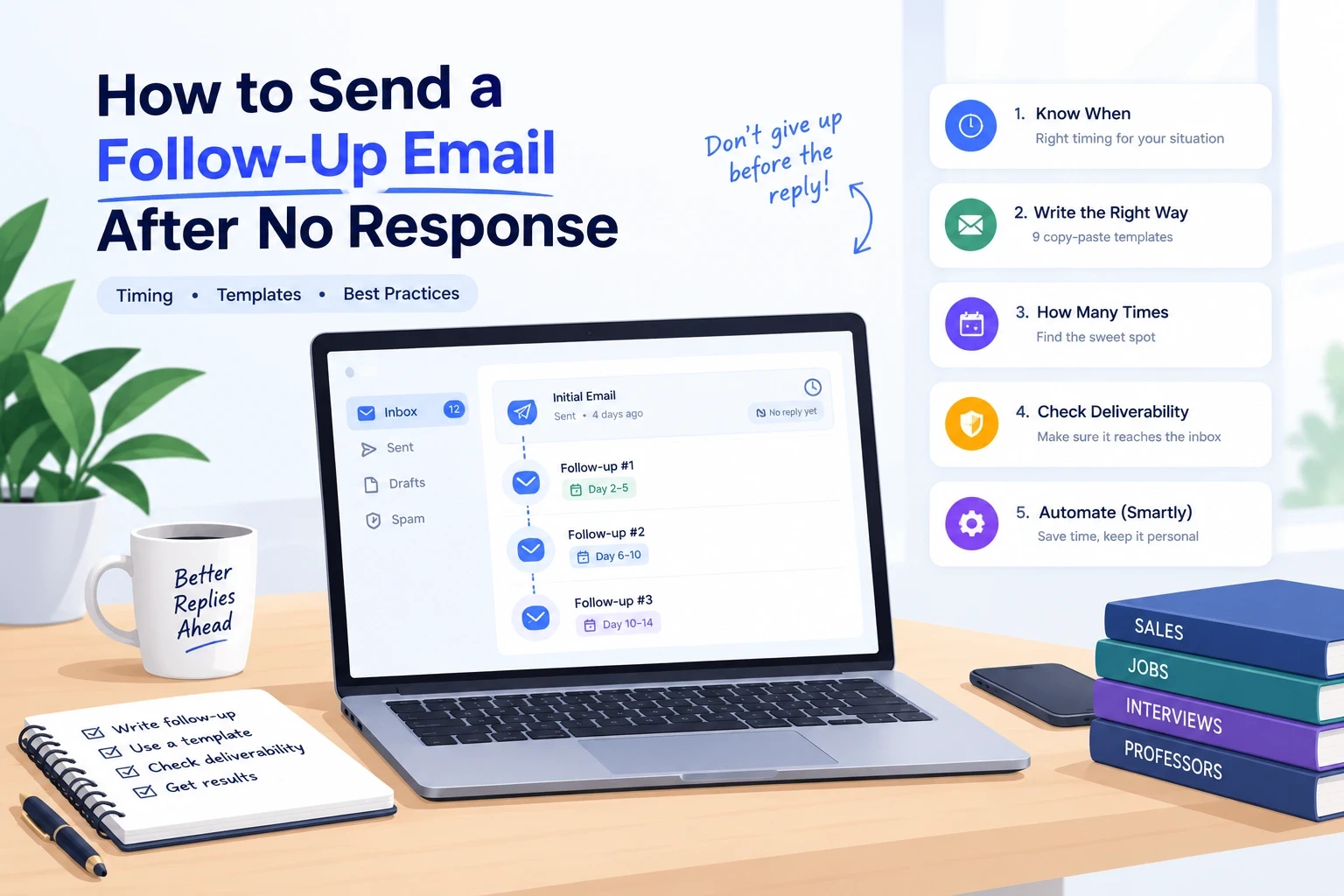
Quick answer: Send your first follow-up 2-5 business days after the original email (7 days for job applications). Reply in the same thread, keep it under 100 words, add one new piece of value, and end with one easy question. Send 2-3 follow-ups in total, then close the loop politely and stop.
Table of Contents
Why people do not reply (it is rarely personal)
Do follow-up emails actually work?
When to send a follow-up (timing table)
How many follow-ups is too many?
The anatomy of a follow-up that gets replies
9 follow-up email templates
Follow-up subject line examples
Mistakes that kill follow-ups
When the problem is it not your email: deliverability
How to automate follow-ups without sounding like a robot
Why choose LiteMail for your follow-up sequences
Quick checklist
FAQ
Why People Don't Reply (It's Rarely Personal)
The average professional sees well over 100 emails a day. Your message is competing with meetings, urgent tasks, and other senders. Most non-replies come down to a few ordinary reasons:
Bad timing. They opened it on a busy morning and meant to reply later. Later never came.
Inbox overload. Every email asks for a small decision. When the inbox is full, "do nothing" wins.
The ask was too big. A 30-minute call request from a stranger is a high-friction ask.
Generic copy. If your email could be sent to 1,000 people by changing the name, it reads like it.
It never arrived. Your email may have landed in junk or the Promotions tab (more on this in Section 9).
What this means for you: a follow-up is not irritating. It is a second chance for a good message to get seen.
Do Follow-Up Emails Actually Work?
Yes. Here is what the benchmark data says:
Stat | Source |
|---|---|
Average cold email reply rate: 3.43% (top performers above 10%) | Instantly, 2026 Cold Email Benchmark Report |
58% of replies come from email #1, 42% from follow-ups | Instantly, 2026 |
44% of positive replies come from follow-up emails | Saleshandy, 2026 study |
The first follow-up performs best; returns fall by the fifth, and spam and unsubscribe risk rises after 4+ follow-ups | Belkins research, as summarized by Your Marketing Bowl |
Roughly 48% of reps never send a single follow-up | Widely cited from Instantly/HubSpot data |
Two lessons: follow-ups are worth sending, and there is a ceiling. We cover that ceiling in Section 4.
When to Send a Follow-Up (Timing Table)
There is no single magic number. The right wait depends on who you are emailing and why.
Situation | Wait before follow-up #1 | Wait before follow-up #2 |
|---|---|---|
Cold sales / outreach email | 2-3 business days | 4-5 days later |
Warm lead or client (proposal sent) | 3-5 business days | 5-7 days later |
Job application | 5-7 business days (up to 2 weeks) | 7-10 days later |
After an interview (no timeline given) | About 5 business days | About 1 week later |
After an interview (they gave a timeline) | 1-2 business days after the date passes | 1 week later |
Professor, teacher, or academic contact | 5-7 days | 1 week later |
Invoice or payment reminder | On or just after due date | 5-7 days later |
A simple rule of thumb: a good cold-email cadence is the 2-5-7 rhythm. Send follow-up #1 after 2-3 business days, follow-up #2 about 5 days after that, and a final "closing the loop" email about a week later.
Timing details that help:
Send Tuesday through Thursday, mornings in the recipient's time zone.
Avoid Friday afternoons and the day before a holiday.
If the person gave you a deadline ("I will reply by Friday"), wait until it passes, then send a short note.
How Many Follow-Ups Is Too Many?
For most situations, 2-3 follow-ups is the sweet spot.
Cold outreach: an opener plus 3-4 follow-ups over 2-3 weeks. Several 2026 benchmark roundups put the strongest sequences at 4-7 total touches, but Belkins' data warns that complaints and unsubscribes climb past the fourth follow-up.
Warm leads and clients: 2-3 follow-ups, possibly adding a call or LinkedIn message.
Job applications and interviews: 1-2 follow-ups, about a week apart. After that, treat the silence as a soft no and move on.
The test: if you cannot add anything new or useful to the next message, stop. A fourth "just checking in" is not persistence. It is noise.
The Anatomy of a Follow-Up That Gets Replies
Every good follow-up has four parts.
5.1 Context: remind them who you are
Reply in the same thread so they can see your original message below. A single line is enough: "Following up on my note below about [topic]."
5.2 Value: give them a reason to reply
This is the part most people skip. Add one new thing each time:
a short case study or result,
a relevant article or data point,
a new angle on the same problem,
a clarified, smaller version of your ask.
5.3 A low-friction call to action
Make replying take five seconds. Compare:
Hard: "Are you free next Tuesday at 2 PM for a 30-minute call?"
Easy: "Is this a priority for you this quarter?"
5.4 Brevity
Keep it under 100 words. Most people read email on a phone. Short sentences, white space, one question.
Same subject line or a new one?
Follow-ups #1 and #2: keep the same subject (reply in thread) so the context stays attached.
Final attempt: try a fresh subject line. If your original subject did not get opened, a new one gives the message a second chance.
9 Follow-Up Email Templates
Copy, paste, then personalize the brackets. Never send a template word for word.
Template 1: Friendly first follow-up (works for almost anything)
Subject: Re: [Original subject]
Hi [Name],
Following up on my email from [day] about [topic]. I know inboxes get busy, so I wanted to make sure this didn't slip through.
Would [specific, small ask] work for you?
Thanks, [Your name]
Template 2: Cold outreach follow-up with new value
Subject: Re: [Original subject]
Hi [Name],
Quick follow-up on my last note. I thought this might be useful: [company in their industry] cut [problem] by [result] by [simple strategy].
Is improving [metric] on your radar this quarter?
[Your name]
Template 3: Job application follow-up
Subject: Following up: [Job title] application, [Your name]
Hi [Hiring manager / Recruiter],
I applied for the [Job title] role on [date] and wanted to confirm my application reached you. I'm very interested in the position, particularly [specific reason], and I'd be glad to share any additional information.
Thank you for your time.
[Your name]
Template 4: After an interview, no response
Subject: Following up: [Job title] interview on [date]
Hi [Interviewer],
Thank you again for speaking with me on [date]. I enjoyed our conversation about [topic] and remain excited about the role.
I wanted to check whether there is an update on the timeline for next steps. Happy to provide anything else you need.
Best, [Your name]
Template 5: After sending a proposal or quote
Subject: Re: [Project name] proposal
Hi [Name],
Checking in on the proposal I sent on [date]. Do you have any questions about scope, timeline, or pricing that I can clear up?
If it helps, I can walk through it in 15 minutes this week. Otherwise, let me know what you'd need to move forward.
[Your name]
Template 6: Email to a professor or academic contact
Subject: Re: [Original subject]: [Your name], [Course/Topic]
Dear Professor [Last name],
I'm following up on my email from [date] regarding [specific request]. I understand how busy the semester can be. If it's easier, a short reply with [yes/no or the single piece of info you need] would be very helpful.
Thank you for your time.
Sincerely, [Your name, student ID or program if relevant]
Template 7: Second follow-up (change the angle)
Subject: Re: [Original subject]
Hi [Name],
I haven't heard back, so I'll try a different angle. Instead of [original ask], would it be more useful if I just sent you [one-pager / short example / quick summary]?
Just reply "yes" and I'll send it over.
[Your name]
Template 8: The breakup email (final follow-up)
Subject: Should I close your file?
Hi [Name],
I've reached out a few times about [topic] and haven't heard back, so I'll assume the timing isn't right and stop here.
If that's wrong, just reply with "later" and I'll check back in [month]. Either way, I wish you and [Company] all the best.
[Your name]
Template 9: Meeting request that was ignored
Subject: Re: [Original subject]
Hi [Name],
Totally understand if a call is too much right now. Would it be easier if I sent a 3-bullet summary of how we could help with [problem] so you can decide if it's worth a chat?
[Your name]
Follow-Up Subject Line Examples
Specific beats clever. Aim for under 50 characters.
Re: [Original subject] (best for follow-ups #1 and #2)
Quick question about [topic]
Following up on [specific thing]
[Name], one idea for [Company]
Still relevant? [Topic]
Should I close your file?
Next steps for [Project]?
Avoid: "Just checking in," "Bumping this," "Did you get my last email?" and anything in ALL CAPS.
Mistakes That Kill Follow-Ups
"Just checking in." It adds nothing. Lead with value.
Following up too fast. A follow-up 24 hours later looks impatient (unless there is a real deadline).
The guilt trip. "I assume you're too busy" or "per my last email" sounds passive-aggressive.
Novel-length messages. If it takes a scroll, it will not get read.
Repeating the same email. Each follow-up needs a new angle.
No clear ask. "Let me know your thoughts" gives them homework. Ask one specific question.
Never stopping. After 3-4 touches without a reply, move on and leave the door open.
Ignoring unsubscribes. If someone asks to stop, stop. For commercial email, you also need to follow laws like CAN-SPAM and GDPR (valid sender identity and a working opt-out).
When the Problem Isn't Your Email: Deliverability
This is the part most follow-up guides skip, and it quietly ruins sequences.
If your first email landed in spam, your follow-up will not fix it. A reply in the same thread is judged by the same sender reputation. You can write the perfect nudge, but if the mailbox sending it has weak or damaged reputation, nobody will ever read it.
Here is how to spot it:
Replies are close to zero across many different recipients, even with good copy and a good list.
Bounce rate above about 2%. (Instantly's report treats under 2% as average and under 1% as good.)
Your mailbox is brand new and you sent a large batch on day one.
You are sending hundreds of emails a day from one domain or mailbox.
How to fix it:
Check your authentication records (SPF, DKIM, DMARC). See our guide on how to set up an SPF record.
Warm up new mailboxes before heavy sending, or use pre-warmed ones.
Keep daily send volume per mailbox modest, and spread sends across several mailboxes.
Clean your list so bounces stay low.
Read our full cold email deliverability guide.
Note on open tracking: Apple Mail now auto-opens a large share of emails, so open rates are a rough signal, not proof someone read your message. Judge follow-ups by replies, not opens.
How to Automate Follow-Ups Without Sounding Like a Robot
Once you know the playbook, the hard part is doing it for 50, 500, or 5,000 contacts. Good automation handles the schedule. You handle the strategy.
Do:
Build a sequence with spaced steps (for example Day 1, Day 3, Day 7, Day 12).
Use real personalization (a recent post, a hiring announcement, a specific result), not just
{first_name}.Stop the sequence automatically when someone replies.
Vary the angle of each step: reminder, value, proof, breakup.
Add LinkedIn as a second channel for non-responders. Multichannel sequences generally out-reply email-only ones.
Don't:
Send the same "just checking in" every three days.
Run follow-ups from the same mailbox you use for everything else.
Keep emailing people who have unsubscribed or bounced.
For a deeper walkthrough of sequence setup, see our Google Workspace cold email follow-up strategy and our Outlook sending schedule guide. For combining channels, read cold email vs LinkedIn lead generation.
Why Choose LiteMail for Your Follow-Up Sequences
Follow-ups only work if they reach the inbox. That is the job of the sending infrastructure underneath your sequencer, and it is where LiteMail fits.
What LiteMail does: LiteMail provides pre-warmed Google Workspace and Microsoft 365 mailboxes for cold email outreach. You connect them to the sequencing tool you already use (for example Instantly or Smartlead). LiteMail does not write your emails or replace your sequencer. It gives your sequences a healthier place to send from.
How you benefit:
Your problem | How LiteMail helps |
|---|---|
New mailboxes hit spam on day one | Pre-warmed inboxes skip the slow warm-up period, so your first sends and follow-ups start from a stronger position |
Follow-ups sent from a tired, overused mailbox | Add more mailboxes to spread volume, keeping each one at a safe daily limit |
Not sure whether to use Google or Microsoft | Both are available, so you can match the mailbox type to your audience |
Days lost to setup | Mailboxes arrive ready to connect rather than needing weeks of manual warm-up |
Unclear costs | Transparent per-inbox pricing (see current pricing on the LiteMail site) |
Who it is best for: sales teams, lead-gen agencies, and founders running outbound sequences who have good copy but low reply rates, and suspect inbox placement is the cause.
Honest note: no mailbox provider can guarantee replies. Replies still depend on your list, offer, and copy. LiteMail removes one major variable, deliverability infrastructure, so you can test the rest with cleaner results.
Using Instantly? See our breakdown of the best pre-warmed inbox for Instantly. Comparing costs? Check the cold email tool pricing comparison.
Quick Follow-Up Checklist
Waited the right amount of time for this situation
Replied in the same thread (or new subject for the final attempt)
Under 100 words
Added something new (value, proof, or a smaller ask)
One clear, easy question at the end
Polite, no guilt trip, no "just checking in"
Checked that the original email actually reached the inbox
Planned a stopping point (2-3 follow-ups, then close the loop)
Frequently Asked Questions
How long should I wait before sending a follow-up email?
Wait 2-3 business days for cold outreach, 3-5 business days for warm leads and proposals, and 5-7 business days for job applications. After an interview with no stated timeline, wait about five business days.
How many follow-up emails should I send?
Two to three is the safe range for most situations. Cold outreach sequences can run longer (up to 4-5 follow-ups), but returns drop and complaint rates rise after the fourth. For job applications, send one or two, about a week apart.
How do I politely say "just following up"?
Skip the phrase and lead with context and value, for example: "Circling back on my note about [topic]. I thought [resource or insight] might be useful." You stay polite and give them a reason to reply.
How do I professionally email someone who isn't responding?
Stay brief, assume they are busy, reply in the same thread, add something new, and ask one easy question. If there is still no answer after 2-3 attempts, send a short closing note and move on.
Should I use the same subject line or a new one?
Use the same subject (reply in thread) for the first one or two follow-ups. Try a fresh subject line for the final attempt.
Is it okay to follow up after a job interview if they haven't replied?
Yes. Wait about five business days if no timeline was given, or one to two business days after the date they gave you. Keep it short, restate your interest, and ask about next steps.
What if my follow-ups still get no reply?
Check three things: whether your emails are reaching the inbox (deliverability), whether the person is the right contact, and whether your ask is too big. If all three are fine, send a breakup email and stop.
Can I automate follow-up emails?
Yes. Use a sequencing tool to schedule steps and stop on reply, but personalize each message and send from healthy, warmed-up mailboxes.
Final Thoughts
Silence is not a rejection. It is a prompt to send a better, shorter, more useful message at the right time. Use the timing table, pick the right template, add one new piece of value each time, and stop at 2-3 follow-ups. If replies are still near zero, look at deliverability before you rewrite the copy.
Ready to give your follow-ups a better chance of landing? Explore LiteMail's pre-warmed inboxes.






