
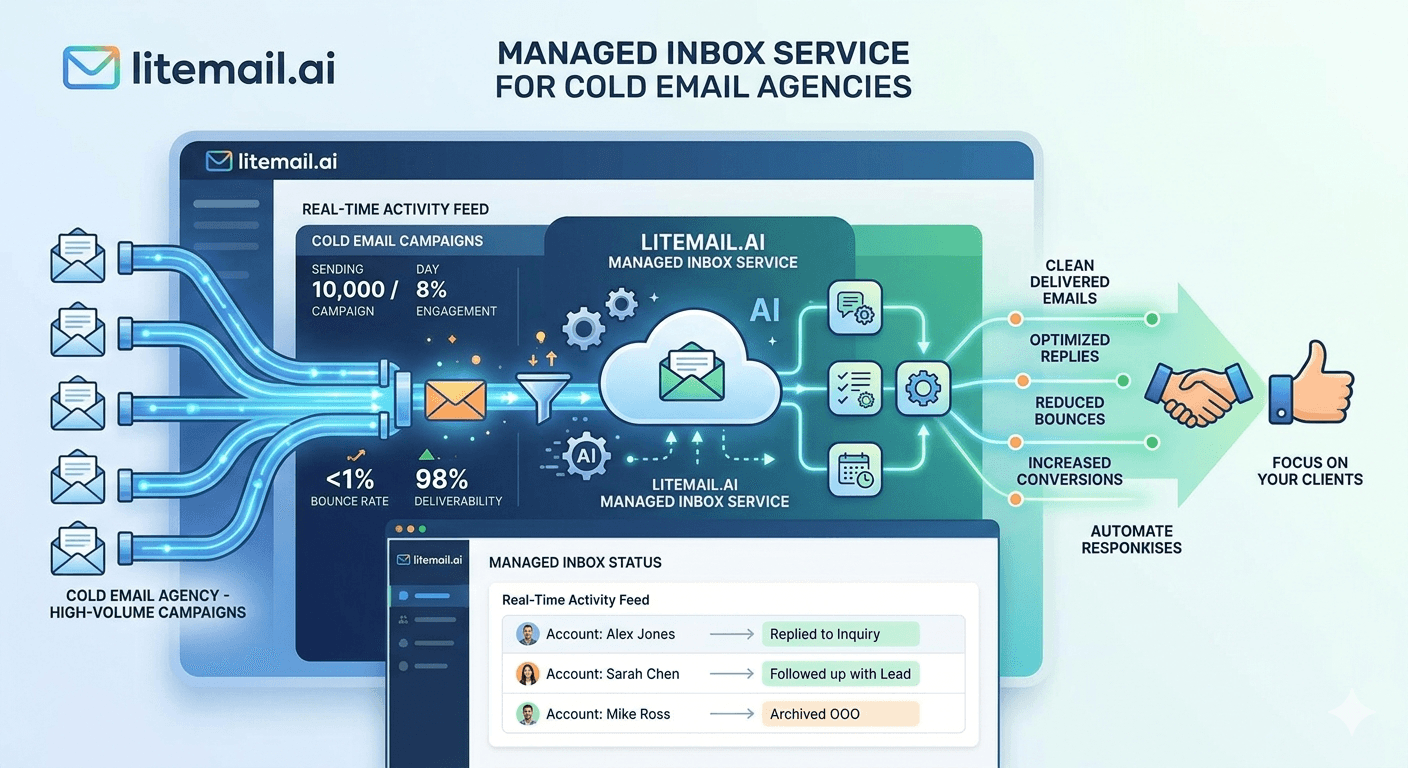
A managed inbox service sounds like it should simplify your agency's infrastructure. In most cases it does — but only when the provider is actually managing inboxes rather than just reselling fresh Google Workspace accounts with a "warm-up" label attached. The difference between a legitimate managed inbox service and a repackaged fresh-inbox provider is significant, and it shows up in your client results within the first 30 days of a campaign.
What a Managed Inbox Service Should Provide
💡 TL;DR
A legitimate managed inbox service for cold email agencies delivers pre-warmed inboxes with genuine 4–12 week sending history, automated SPF/DKIM/DMARC, full admin access (not SMTP-only), dedicated US and EU IPs, and consolidated billing across all client accounts. Litemail provides all of this from $4.99/inbox with an agency plan supporting white-label inbox management and 24-hour delivery. Providers offering inboxes under $3/inbox are selling fresh accounts — not managed, not warmed, and not suitable for active campaigns.
Most agencies discover the difference between managed and unmanaged inbox services the hard way — after a client campaign launches on "pre-warmed" inboxes that show Unknown reputation in Google Postmaster Tools. At that point, the revenue impact has already started. Knowing what to evaluate before purchasing eliminates that scenario entirely.
What "Managed" Should Actually Mean
The term "managed inbox service" gets applied to a wide range of products in 2026 — from genuinely sophisticated pre-warmed infrastructure providers to fresh-account resellers with better marketing copy. Here's what legitimate management looks like versus what it doesn't.
Service Element | Legitimate Managed Service | Unmanaged (Repackaged Fresh) |
|---|---|---|
Warm-up period | 4–12 weeks of real sends, opens, replies | 3–7 day bot scripts or none |
Reputation verification | Good/High in Postmaster Tools on delivery | Unknown — can't pass Postmaster check |
DNS setup | Automated SPF, DKIM, DMARC on delivery | Manual — buyer's responsibility |
Access type | Full Google Admin or MS365 admin | SMTP credentials only |
IP addresses | Dedicated US and EU IPs | Shared pool IPs |
Inbox ownership | Buyer owns the account outright | Rented — disappears on cancellation |
Price indicator | $4.99–$8/inbox/month | Under $3/inbox/month |
The price floor for genuine pre-warming is approximately $4.99/inbox. The infrastructure cost of 4–12 weeks of real sends, dedicated IP management, DNS automation, and reputation monitoring cannot be covered below this price. Any provider below $3/inbox is cutting the warm-up process entirely.
What Agencies Need That Individual Buyers Don't
Agencies managing cold email for multiple clients have infrastructure requirements that differ significantly from solo operators or single-company outbound teams. A managed inbox service that works for an individual buyer may not scale correctly for an agency with 10+ clients.
Consolidated Billing and Account Management
Managing separate billing accounts per client at 15+ clients becomes a significant administrative overhead. A good managed inbox service provides consolidated billing across all client inbox accounts — one invoice, one account, visibility across all client inbox pools. Litemail's agency plan provides this structure.
Fast New Client Onboarding
When a new client signs, the inbox provisioning timeline directly affects when their campaign can start. A managed inbox service that takes 5–8 weeks to provision campaign-ready inboxes (fresh inboxes + self-managed warm-up) delays revenue for both the agency and the client. Pre-warmed inboxes delivered within 24 hours eliminate this delay entirely.
White-Label Capability
Agencies selling cold email as a managed service often prefer to present their infrastructure under their own brand — not a named third-party tool. A managed inbox service that supports white-label inbox management lets agencies position their entire outbound system as a proprietary capability rather than a resold tool stack.
Client Inbox Separation
Every client must have completely isolated inbox pools and sending domains. A reputation event on one client's domain must never affect another client's deliverability. The managed inbox service must support per-client domain and inbox segregation as a standard configuration — not an add-on.
The 8-Point Checklist for Evaluating Any Managed Inbox Service
Run every managed inbox provider through these checks before purchasing at agency scale. Any single failure is a disqualifying factor — not a minor concern.
Check Postmaster Tools on delivery. Order 2–3 test inboxes. After 48 hours, check Google Postmaster Tools for the delivering domain. Good or High = genuine warm-up. Unknown = fresh account, not warmed.
Verify DNS records on MXToolbox. Check SPF, DKIM, and DMARC on delivery. All three must pass. Any failure means the automated DNS claim is false.
Confirm full admin access. You should receive Google Admin console credentials or Microsoft 365 admin credentials — not just an app password or SMTP details. SMTP-only means no real ownership.
Test OAuth connection. Connect the delivered inbox to Instantly or Smartlead via OAuth. If OAuth isn't available or only works with one platform, the inbox has compatibility limitations that will affect long-term flexibility.
Confirm dedicated IP assignment. Ask the provider specifically whether your inboxes use dedicated IPs or shared pool IPs. Shared IPs mean another sender's behaviour can affect your deliverability.
Check the price against the floor. Under $3/inbox means the service is economically incompatible with genuine pre-warming. $4.99–$8/inbox is the legitimate range.
Ask about EU IP coverage. If any of your clients send to European prospects, dedicated EU IPs are essential. Confirm whether EU IPs are included or an add-on.
Confirm inbox ownership terms. You should own the Google Workspace or MS365 account outright — not rent it through the provider's platform. If inboxes disappear when you cancel, you don't own them.
Building the Cost Model for Agency Inbox Management
Agencies often underestimate total managed inbox service costs because they compare per-inbox rates without modelling the full infrastructure picture. Here's how to build the complete cost model for your agency.
For a 10-client agency each running 10 inboxes:
100 Litemail pre-warmed inboxes: $499/month
30 sending domain variants (3 per client): $25/month (annualised)
Sending platform (Instantly Growth): $97/month (covers all clients)
List verification (NeverBounce, estimated): $50/month
Total infrastructure: approximately $671/month
Against a $2,500/month management fee per client (10 clients = $25,000/month revenue), that's a 97.3% gross margin on management revenue before labour. Infrastructure is not where margin dies — scope creep, unpriced revisions, and over-servicing are where margin dies. Price infrastructure as a transparent passthrough and protect management fee margin separately.
Switching Managed Inbox Providers Without Disrupting Campaigns
Agencies already using a managed inbox service and considering switching to Litemail face one question: how to transition without disrupting active client campaigns. The answer depends on inbox ownership.
If you own your current inboxes outright (full admin access) — keep those inboxes running their current campaigns. Order Litemail inboxes for new clients and for natural inbox replacement cycles on existing clients. Don't migrate mid-campaign — the warm-up history disruption isn't worth the immediate savings. At natural replacement intervals (every 6–12 months), switch to Litemail as the replacement.
If your current inboxes are SMTP-only rentals that disappear on cancellation — this is actually a cleaner situation. Order Litemail inboxes for all clients, connect via OAuth to your sending platform, rebuild campaigns over 48–72 hours, and cancel the old service. The switch cost is 2–3 days of setup time. After that, you own the inboxes outright and no future provider change puts them at risk.
Litemail: The Managed Inbox Service Built for Agency Scale
Pre-warmed inboxes from $4.99/inbox — the only provider passing all 11 evaluation criteria at the lowest legitimate price. Agency plan available with consolidated billing, white-label capabilities, and 24-hour delivery for new client onboarding.
Get Pre-Warmed Inboxes from $4.99 →
Agency plan available · White-label inbox management · Dedicated US and EU IPs · No minimum order · Delivered in 24 hours
About Litemail — Litemail provides pre-warmed Google Workspace and Microsoft 365 inboxes for cold email outreach. From $4.99/inbox with automated DNS, dedicated US and EU IPs, and full admin access. View pre-warmed inbox plans →
Related reading:
Litemail Agency Plan — White-Label Inboxes · Cold Email Infrastructure Setup for Lead Gen Agencies · How to Scale a Cold Email Agency to 50 Clients · Pre-Warmed Inbox Deliverability Test — 10,000 Emails · Best Pre-Warmed Inbox Providers 2026 (Ranked)
Key Takeaways
A legitimate managed inbox service delivers genuine 4–12 week pre-warmed inboxes with Good/High Postmaster reputation, automated DNS, full admin access, and dedicated US and EU IPs. Anything under $3/inbox cannot cover this infrastructure cost — it's fresh accounts with marketing copy.
Verify every provider with the 48-hour Postmaster Tools test — Good or High on delivery means legitimate warm-up. Unknown means fresh account.
Agencies need consolidated billing, fast new-client onboarding (24-hour delivery vs 5-week warm-up), white-label capability, and complete client inbox separation — requirements that not all managed inbox providers support.
Full admin access (Google Admin or MS365 admin credentials) is non-negotiable. SMTP-only access means you don't own the inbox and it disappears when you cancel.
For a 10-client agency running 100 total inboxes, Litemail infrastructure costs approximately $671/month — against $25,000/month revenue at $2,500/client retainer.
Switching providers: keep owned inboxes running active campaigns to their natural replacement cycle. Order Litemail for all new clients immediately. Transition SMTP-rental inboxes to Litemail in 48–72 hours.
Frequently Asked Questions
What is a managed inbox service for cold email?
A managed inbox service provides pre-configured, pre-warmed email inboxes — typically Google Workspace or Microsoft 365 accounts — with genuine warm-up history, automated DNS records, dedicated IP addresses, and full admin access. Legitimate providers handle the infrastructure complexity so agencies and outbound teams can start campaigns immediately without waiting for warm-up or configuring DNS manually.
How do I know if a managed inbox service is legitimate?
Run the 48-hour Postmaster Tools test: order 2–3 test inboxes, add the delivering domain to Google Postmaster Tools, and check reputation after 48 hours. Good or High means genuine pre-warming. Unknown means fresh accounts — regardless of what the provider's marketing claims. Also verify DNS records via MXToolbox and confirm full admin access on delivery.
What should a managed inbox service cost for agencies?
Legitimate managed inbox services run $4.99–$8/inbox/month in 2026. Under $3/inbox is economically incompatible with genuine pre-warming infrastructure. Litemail at $4.99/inbox is the lowest legitimate price — passing all 11 evaluation criteria at the floor of the legitimate price range. For a 10-client agency running 100 inboxes, that's $499/month in inbox infrastructure.
Does a managed inbox service include DNS setup?
Legitimate ones do — automatically, on delivery. Every inbox from Litemail includes automated SPF, DKIM, and DMARC configuration as part of the standard service. Providers that require you to manually configure DNS records after delivery are not fully managed — and manual DNS configuration is the most common source of cold email authentication failures.
Can a managed inbox service handle multiple clients for an agency?
Yes — this is exactly what agency plans are designed for. Litemail's agency plan supports consolidated billing across all client inbox accounts, white-label inbox management under your agency brand, per-client inbox pool segregation, and 24-hour delivery for rapid new-client onboarding. Each client's inboxes and domains are completely isolated so reputation events on one client never affect another.
What's the difference between a managed inbox service and a warm-up tool?
A warm-up tool (Lemwarm, Mailreach, Warmup Inbox) is a subscription that gradually builds sending reputation on inboxes you already own — it takes 4–8 weeks to complete and runs continuously in the background. A managed inbox service delivers pre-warmed inboxes that already have 4–12 weeks of warm-up history built in — you start campaigns on delivery without waiting. Managed inboxes eliminate the warm-up tool subscription cost and the 4–8 week onboarding delay.
What happens to client inboxes if I switch managed inbox providers?
With Litemail (full admin access, buyer owns the account): inboxes and their warm-up history stay with you permanently — switching providers doesn't affect them. With SMTP-only rental providers: inboxes disappear on cancellation and you lose all warm-up history. Full admin ownership is the critical factor that determines whether a provider transition is a minor administrative task or a full campaign rebuild.
How quickly can a managed inbox service onboard new clients?
Litemail delivers pre-warmed inboxes within 24 hours of ordering. New clients can have active campaigns running within 5–7 days of signing (24 hours for inbox delivery, plus 3–4 days for sequence setup, list verification, and platform connection). Self-managed warm-up services require 4–8 weeks before campaigns can launch. For agencies competing on speed-to-results, pre-warmed managed inboxes are the only model that supports rapid client onboarding.
The Managed Inbox Service Built for Cold Email Agencies
Litemail — $4.99/inbox, 11/11 criteria passed, agency plan with white-label inbox management, 24-hour delivery, and consolidated billing across all client accounts. The only managed inbox service that passes every evaluation criterion at the lowest legitimate price.
Get Pre-Warmed Inboxes from $4.99 →
Agency plan available · White-label inbox management · No minimum order · Dedicated US and EU IPs
About Litemail — Litemail provides pre-warmed Google Workspace and Microsoft 365 inboxes for cold email outreach. From $4.99/inbox with automated DNS setup, dedicated US and EU IPs, 4 to 12 weeks of genuine warm-up history, and full admin access. View pre-warmed inbox plans →
Related reading: Litemail Agency Plan — White-Label Inboxes · Cold Email Infrastructure Setup for Lead Gen Agencies · Scale a Cold Email Agency to 50 Clients · Best Pre-Warmed Inbox Providers 2026 (Ranked) · Pre-Warmed Inbox Deliverability Test — 10,000 Emails






