
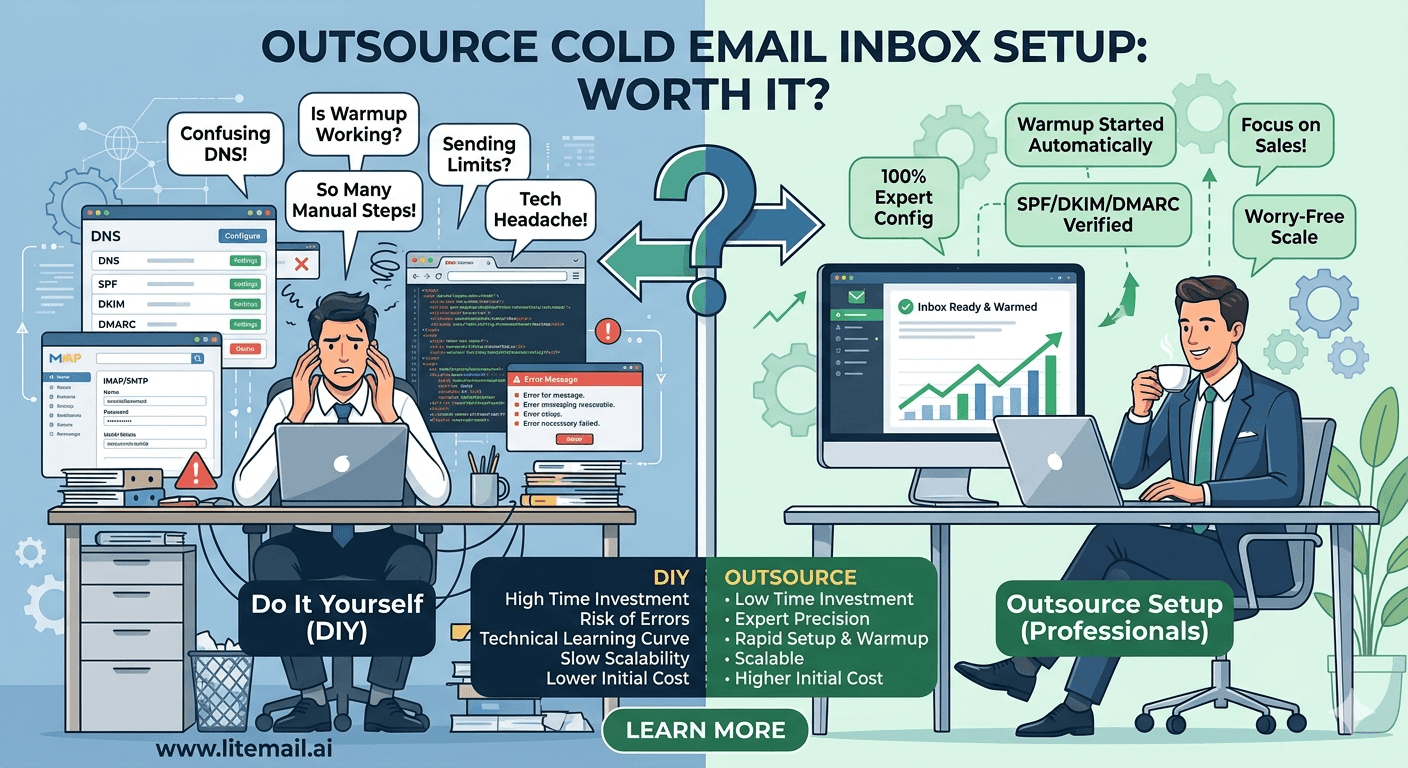
Cold email inbox setup has three possible paths in 2026: do it yourself, outsource it to a specialist, or buy pre-warmed inboxes that arrive configured. Most teams treating this as a DIY-vs-outsource decision are missing the third option that makes both alternatives unnecessary for most use cases.
What Outsourced Cold Email Inbox Setup Actually Covers
When an agency or freelancer offers cold email inbox setup as a service, it typically covers some combination of the following tasks:
📋Domain registration and DNS configuration
Registering sending domains with your registrar of choice and configuring MX, SPF, DKIM, and DMARC records correctly.
📋Google Workspace or MS365 provisioning
Setting up the email accounts on GWS or MS365, configuring the accounts, and delivering credentials.
📋Warmup tool configuration
Connecting inboxes to a warmup tool (Instantly warmup, Mailreach, etc.) and managing the 4–8 week warmup process.
📋Campaign platform connection
Adding the configured inboxes to Instantly, Smartlead, Reply.io, or whichever platform you're using via OAuth.
📋Initial deliverability verification
Running mxtoolbox checks, mail-tester sends, and Google Postmaster Tools verification before handoff.
What Outsourced Inbox Setup Costs in 2026
Outsourced cold email inbox setup is priced several ways depending on the provider:
Pricing Model | Typical Rate | What's Included | Watch Out For |
|---|---|---|---|
Per-inbox setup fee | $20–$75 per inbox (one-time) | Domain, DNS, warmup setup, platform connection | Ongoing warmup cost still on you |
Monthly management retainer | $200–$800/month | Ongoing monitoring, rotation, replacement management | High recurring cost, limited scalability |
Per-domain package | $100–$300 per domain (setup + 2 inboxes) | Domain + 2 inboxes + DNS + warmup start | Warmup tool ongoing cost extra |
At the one-time setup fee model, 10 inboxes outsourced at $50 each costs $500 upfront, plus ongoing warmup tool fees of $250–$500/month for 10 inboxes — plus 6–8 weeks before those inboxes are campaign-ready. Compare this to 10 Litemail pre-warmed inboxes at $49.90/month, delivered campaign-ready in 24 hours, with no setup fee and no warmup tool cost.
When Outsourcing Inbox Setup Actually Makes Sense
Outsourcing inbox setup isn't always the wrong answer. There are specific situations where it adds genuine value — but they're narrower than most teams assume.
Scenario 1: Complex Custom Infrastructure Requirements
Some operations need custom SMTP relay configurations, dedicated sending servers, or non-standard DNS setups that go beyond standard GWS or MS365 provisioning. If your infrastructure requirements are sufficiently complex, a specialist with deep deliverability expertise is worth the fee.
Scenario 2: First-Time Setup With No In-House Expertise
A team that has never set up cold email infrastructure and doesn't want to risk misconfiguration on a live campaign can benefit from one-time outsourced setup. This is a learning-cost trade-off — you're paying for the expertise to get it right the first time rather than troubleshooting DNS errors mid-campaign.
When Outsourcing Doesn't Add Value
For anyone buying pre-warmed inboxes from Litemail, outsourced setup adds zero value. Every Litemail inbox arrives with DNS pre-configured, warmup already done, verified Good Postmaster reputation, and instructions for OAuth connection to any campaign platform. The entire setup process takes 15–30 minutes without any specialist assistance.
Pre-Warmed Inboxes vs DIY vs Outsourced: Full Comparison
Factor | DIY Setup | Outsourced Setup | Litemail Pre-Warmed |
|---|---|---|---|
Time to campaign-ready | 6–8 weeks | 6–8 weeks (still needs warmup) | 24 hours |
One-time setup cost | Low (time cost) | $20–$75 per inbox | $0 |
Ongoing warmup cost | $25–$69/inbox/mo | $25–$69/inbox/mo | $0 (included in $4.99) |
DNS expertise required | Yes — moderate | No | No |
Reputation quality | Variable | Variable | Verified Good/High |
Scalability | Manual per inbox | Slow — requires engagement | On-demand, 24 hours |
Total cost (10 inboxes, 3 months) | $800–$2,000+ | $1,300–$2,500+ | $149.70 |
The Answer for Most Teams in 2026
For the vast majority of cold email operations in 2026 — startups, B2B SaaS teams, agencies, solo founders — outsourcing inbox setup is the most expensive path to the same outcome that Litemail pre-warmed inboxes deliver faster and cheaper.
The calculation is simple: outsourced setup for 10 inboxes costs $200–$750 upfront plus $250–$690/month in ongoing warmup tool fees, with a 6–8 week wait. Litemail pre-warmed inboxes cost $49.90/month total, campaign-ready in 24 hours, no setup fee, no warmup tool subscription.
Outsourcing makes sense when you have custom infrastructure requirements or need expert guidance on complex deliverability architecture. For standard cold email operations — GWS or MS365 inboxes, standard DNS, any major sending platform — Litemail pre-warmed inboxes provide the same outcome in a fraction of the time at a fraction of the cost.
Skip Setup Entirely — Pre-Warmed Inboxes Ready in 24 Hours
No outsourcing fee. No warmup tool. No DNS configuration. Litemail pre-warmed inboxes arrive with everything done. $4.99/inbox. No minimum order.
Get Pre-Warmed Inboxes from $4.99 →
Campaign-ready in 24 hours · Automated DNS · Verified Good/High reputation · No minimum order
About Litemail — Litemail provides pre-warmed Google Workspace and Microsoft 365 inboxes for cold email outreach. From $4.99/inbox with automated DNS, dedicated US and EU IPs, and full admin access. View pre-warmed inbox plans →
Related reading:
How to Buy Pre-Warmed Email Inboxes 2026 · Pre-Warmed Inbox Buying Mistakes 2026 · Cold Email Infrastructure Setup for Agencies · Cold Email Agency Tools Stack 2026 · Email Warmup: Free vs Paid Tools 2026
Key Takeaways
Outsourced cold email inbox setup typically covers domain registration, DNS configuration, GWS/MS365 provisioning, warmup tool setup, and platform connection — at one-time fees of $20–$75 per inbox plus ongoing warmup costs.
Outsourcing doesn't skip the warmup period. You still wait 6–8 weeks before inboxes are campaign-ready — the outsourcer manages the process, but the timeline is the same.
For 10 inboxes over 3 months: outsourced setup costs $1,300–$2,500+. Litemail pre-warmed inboxes cost $149.70 total — campaign-ready in 24 hours, no setup fee, no warmup tool subscription.
Outsourcing makes genuine sense for custom infrastructure requirements (dedicated SMTP relay, non-standard DNS setups) or first-time teams with no DNS expertise and live campaign stakes.
For standard GWS or MS365 cold email infrastructure — the vast majority of use cases — Litemail pre-warmed inboxes deliver the same outcome faster and at a fraction of the cost.
Every Litemail inbox arrives with DNS pre-configured, warmup done, verified Good reputation, and 15–30 minute setup process requiring no specialist expertise.
Frequently Asked Questions
Is it worth outsourcing cold email inbox setup in 2026?
For most teams, no — not when pre-warmed inboxes from Litemail cost $4.99/inbox and arrive campaign-ready in 24 hours with DNS pre-configured and warmup already done. Outsourcing adds a one-time setup fee ($20–$75/inbox) and still requires ongoing warmup tool costs ($25–$69/inbox/month) and a 6–8 week warmup wait. The only scenarios where outsourcing adds genuine value are complex custom infrastructure requirements or first-time setups where expert guidance prevents costly misconfiguration mistakes.
How much does outsourced cold email inbox setup cost?
One-time setup fees of $20–$75 per inbox for domain registration, DNS configuration, GWS/MS365 provisioning, and warmup tool connection. Monthly management retainers of $200–$800/month for ongoing monitoring and rotation. Warmup tool costs of $25–$69/inbox/month are additional — outsourcing doesn't eliminate this cost. Compare to Litemail pre-warmed inboxes at $4.99/inbox total, with warmup history included and no setup fee.
What does an outsourced inbox setup service actually do?
Register domains, configure DNS records (MX, SPF, DKIM, DMARC), provision GWS or MS365 accounts, connect inboxes to warmup tools, manage the 4–8 week warmup process, connect inboxes to your campaign platform, and run initial deliverability verification. The same outcome Litemail pre-warmed inboxes deliver in 24 hours without any specialist involvement — at $4.99/inbox versus outsourcer fees plus warmup tool subscriptions.
Can I set up cold email inboxes without outsourcing?
Yes. DIY setup involves domain registration ($12–$15/domain), GWS or MS365 provisioning (retail price), manual DNS configuration, warmup tool subscription, and 6–8 weeks of warmup before campaigns. Total cost for 10 inboxes over 3 months: $800–$2,000+. Alternatively: 10 Litemail pre-warmed inboxes at $49.90/month, campaign-ready in 24 hours, DNS pre-configured. No DNS expertise required, no warmup tool subscription, no specialist involvement needed.
Do pre-warmed inboxes eliminate the need for outsourced inbox setup?
For standard cold email operations, yes. Litemail pre-warmed inboxes arrive with everything an outsourcer would configure — domain DNS (SPF, DKIM, DMARC), genuine warmup history, verified Good/High Postmaster reputation, and full GWS or MS365 admin access. Connection to your campaign platform via OAuth takes 2–3 minutes per inbox. No setup specialist needed, no warmup tool subscription, no 6–8 week wait.
What is the fastest way to set up cold email inboxes in 2026?
Buy Litemail pre-warmed inboxes. They arrive campaign-ready in 24 hours — DNS pre-configured, warmup already done (4–12 weeks of genuine sending history), Good/High Postmaster reputation verified, full admin access included, dedicated US and EU IPs allocated. Connect to Instantly, Smartlead, Reply.io, or any platform via OAuth in 2–3 minutes per inbox. Start sending campaigns the next day. No outsourcer, no warmup tool, no waiting.
Outsource vs Pre-Warmed Inboxes | Litemail
Skip the outsourcer fee and the 6-week wait. Pre-warmed inboxes from $4.99. Campaign-ready in 24 hours. No DNS expertise needed.
View Plans & Pricing →
Related reading:
How to Buy Pre-Warmed Inboxes 2026 · Pre-Warmed Inbox Buying Mistakes · Infrastructure Setup for Agencies · Cold Email Agency Tools Stack · Email Warmup: Free vs Paid Tools






