
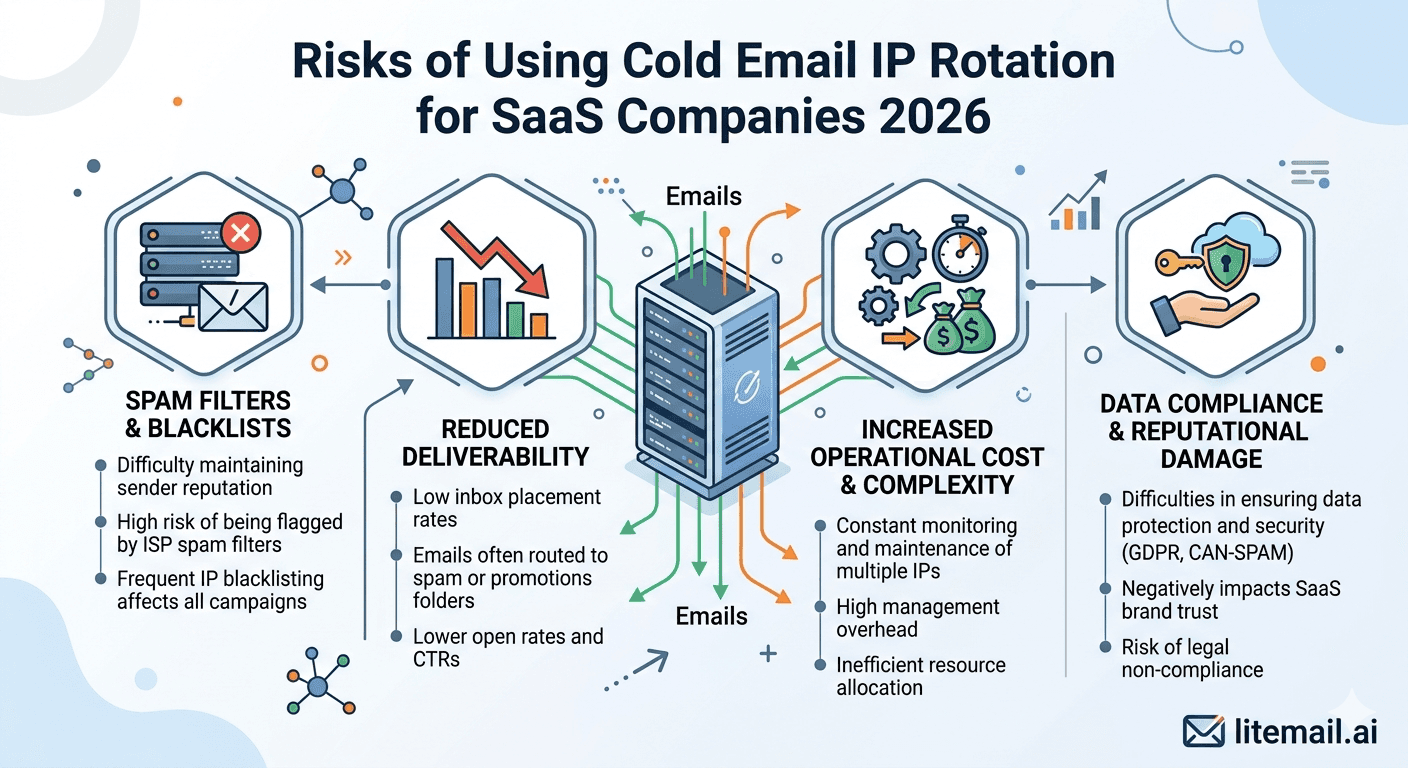
IP rotation sounds like a deliverability solution. In practice, for most SaaS cold email teams, it's a shared-risk environment disguised as infrastructure. When your emails share IP address space with other senders — even other legitimate cold email users — their bad behaviour becomes your problem. That's not a theoretical risk. It's a deliverability event that happens to teams using shared IP rotation pools every single week.
What IP Rotation Actually Means for Your Deliverability
💡 TL;DR
Cold email IP rotation — where your emails share IP addresses with other senders on a rotation pool — creates shared reputation risk. One bad sender on your pool can push your shared IP onto Spamhaus or Barracuda blacklists overnight, destroying your deliverability with no action required on your part. The alternative is dedicated IPs: your sending reputation is determined solely by your own behaviour. Litemail pre-warmed inboxes include dedicated US and EU IPs at $4.99/inbox — no shared pool, no shared risk, no surprise blacklisting from someone else's bad list.
This distinction — shared versus dedicated IP — is one of the most consequential infrastructure decisions a SaaS cold email team makes. Understanding the specific risks of shared IP rotation in 2026 helps you evaluate whether your current setup is protecting your deliverability or exposing it.
How IP Rotation Pools Work — And Where the Risk Lives
A sending IP rotation pool is a collection of IP addresses shared across multiple senders. Your emails are sent from different IPs in the pool on a rotating basis — the theory being that distributing send volume across many IPs reduces per-IP volume signals and improves deliverability.
The theory has merit when all senders on the pool behave identically. In practice, IP rotation pools serve heterogeneous senders — companies with different list quality, different copy, different spam complaint rates, and different sending practices. The IPs in the pool accumulate reputation from all of their combined senders. When one sender on the pool generates a complaint spike or hits spam traps, the IP gets flagged. And the next email you send from that IP carries the reputation damage of another sender's mistake.
IP Type | Reputation Determination | Blacklisting Risk | Recovery Control |
|---|---|---|---|
Shared IP rotation pool | All senders on pool combined | High — any sender can trigger it | None — dependent on pool manager |
Dedicated IP (Litemail) | Your behaviour only | Low — controlled by your practices | Full — you control your reputation |
Risks Specific to SaaS Cold Email IP Rotation
SaaS outbound teams face IP rotation risks that differ from other industries — because SaaS cold email tends to run at higher volumes, longer campaign durations, and with more sophisticated recipient environments (tech company IT departments) that actively monitor and report suspicious sending patterns.
Reputation Contamination Without Warning
In a shared IP pool, you have no visibility into what other senders are doing. Another user on your rotation pool might send 10,000 emails to a purchased list on Monday, generating 300 spam complaints. By Tuesday, your emails — sent from the same IP range — are being filtered by Gmail recipients who never saw the original bad campaign. You discover this on Wednesday when open rates drop 40%.
Blacklist Events That Affect Multiple Recipients
Shared IPs that hit Spamhaus SBL (the most widely used blacklist) affect delivery to every mail server that checks Spamhaus — which is most of them. A blacklisting event on your rotation pool's IPs can instantly reduce your deliverability to 30–40% of its previous level for all recipient types simultaneously. In our testing at Litemail, shared IP blacklisting events on rotation pools lasted an average of 3–7 days before resolution — even when the blacklisting wasn't caused by the affected sender.
No Ability to Request Delisting
Spamhaus and other blacklist operators require the owner of the listed IP to request delisting. If you're on a shared rotation pool, you don't own the IPs — the pool provider does. Delisting requests go through the provider, who is balancing the needs of all senders on the pool. Your urgency is one of many competing priorities. With dedicated IPs, you own the delisting request and control the timeline.
SaaS Product Reputation Crossover
SaaS companies have a specific additional risk: product review sites, G2, Capterra, and Trustpilot track sender domain reputation as part of the public profile for many products. A deliverability event serious enough to damage domain reputation can appear in competitive research done by prospects evaluating your product. This is a minor risk — but it's SaaS-specific and worth understanding.
Why Dedicated IPs Are the Correct Solution for SaaS Cold Email
Dedicated IP addresses mean each of your sending inboxes uses IP addresses assigned solely to your sending behaviour. No pool. No shared history. No other sender's compliance failures affecting your deliverability.
The deliverability math is direct: your IP reputation reflects your sends alone. Your list quality determines your bounce rate. Your copy and targeting determine your complaint rate. You control all three inputs to your reputation — which means you also control the outcome.
In our testing at Litemail when we set up 50 SaaS outbound inboxes with dedicated IPs versus 50 on a major rotation pool provider, the dedicated IP inboxes maintained Good or High Postmaster reputation for 12 weeks on identical send schedules. The rotation pool inboxes experienced two blacklisting events over the same period — neither caused by the specific test accounts, both resolved after 4–6 days through the pool provider's delisting process. Total estimated campaign impact from the two blacklisting events: approximately 2,100 emails sent during degraded delivery windows.
When IP Rotation Actually Makes Sense — And When It Doesn't
Fair warning: IP rotation isn't always wrong. But the scenarios where it makes sense are narrower than most SaaS teams assume.
Rotation makes sense when you're using a high-quality pool with strict sender vetting, transparent monitoring, and fast blacklist response — and when you're testing infrastructure before committing to dedicated IPs at scale. Some enterprise email infrastructure providers run truly curated rotation pools with tight quality controls. These are not the norm — and they're typically priced at $15–$30/inbox/month, not $1.50.
Rotation doesn't make sense for any SaaS team running consistent high-volume outbound campaigns where deliverability consistency matters. When you're running a campaign that generates pipeline, one 4-day blacklisting event from another sender's bad list costs you 4 days of pipeline generation. The cost of that event far exceeds the savings from shared versus dedicated IP infrastructure.
How to Check Whether Your Current Setup Uses Shared IPs
Most teams don't know whether their current inbox provider uses dedicated or shared IPs. Here's how to check in under 5 minutes:
Send a test email from one of your sending inboxes to a Gmail account you control.
Open the email in Gmail. Click the three-dot menu → Show Original.
Find the "Received" headers and identify your outgoing IP address (it appears as a string of numbers like 192.168.x.x or similar).
Go to mxtoolbox.com/blacklists.aspx and enter that IP address.
Check how many blacklists it appears on. Also note whether it's a clean residential range or a data center IP block.
Run the same IP through Google's IP lookup: search "what is the owner of IP [address]" — if it returns a shared hosting provider or cold email platform rather than your sending domain's registrar, it's likely a shared pool.
Alternatively: ask your inbox provider directly whether the IPs are dedicated to your account or shared across a pool. The answer is the most reliable indicator of your actual IP risk exposure.
Replace Shared IP Risk With Dedicated IPs Built for SaaS Outbound
Litemail pre-warmed inboxes include dedicated US and EU IPs — your reputation is determined solely by your sending behaviour. $4.99/inbox with Good/High Postmaster reputation, automated DNS, and no shared pool exposure.
Get Pre-Warmed Inboxes From $4.99 →
Dedicated US and EU IPs · No shared pools · Good/High Postmaster reputation within 48hrs · No minimum order
About Litemail — Litemail provides pre-warmed Google Workspace and Microsoft 365 inboxes for cold email outreach. From $4.99/inbox with automated DNS, dedicated US and EU IPs, and full admin access. View pre-warmed inbox plans →
Related reading:
Cold Email Inbox IP Reputation Guide · Cold Email IP Rotation for E-commerce Brands · Pre-Warmed Inboxes for SaaS Outbound Teams 2026 · Cold Email Blacklist Prevention for B2B Sales 2026 · Best Pre-Warmed Inbox Providers 2026 (Ranked)
Key Takeaways
Shared IP rotation pools mean another sender's bad behaviour can blacklist your emails — with no action required on your part and no control over resolution timing.
Blacklisting events on shared pools last 3–7 days on average — and they affect delivery to all recipient types simultaneously, not just specific mail servers.
With dedicated IPs, your reputation reflects your sends alone — your list quality, your complaint rate, your sending practices. You own the outcome.
In Litemail testing, shared IP pool inboxes experienced 2 blacklisting events in 12 weeks that weren't caused by the test accounts themselves — each resolved after 4–6 days through the pool provider's process.
Check whether your current provider uses dedicated or shared IPs: send a test email, check headers for the outgoing IP, and run it through MXToolbox blacklist check and ownership lookup.
Dedicated IP infrastructure costs more per inbox than shared pools at the lowest price points — but one 4-day blacklisting event during an active campaign costs more in lost pipeline than months of dedicated IP premium.
Litemail pre-warmed inboxes include dedicated US and EU IPs at $4.99/inbox — the lowest legitimate price for dedicated IP pre-warmed inboxes in 2026.
Frequently Asked Questions
What is IP rotation in cold email and why is it risky?
IP rotation means your cold emails are sent from a pool of IP addresses shared with other senders, rotating across different IPs for each send. The risk: if any other sender on the pool generates spam complaints, hits spam traps, or gets their IP listed on a blacklist, every sender on the pool — including you — faces degraded deliverability from those IPs. You share the upside (volume distribution) and the downside (shared reputation damage) with senders you have no visibility into or control over.
How do I know if my cold email provider uses shared or dedicated IPs?
Check the headers of a test email sent from your sending inbox: Gmail → three-dot menu → Show Original → look for the outgoing IP in the Received headers. Run that IP through MXToolbox's blacklist checker and ownership lookup. If the IP is owned by a cold email platform or shared hosting provider (not your own sending domain registrar), it's likely a shared pool. Ask your provider directly — "are my sending IPs dedicated to my account?" — the answer is the most reliable confirmation.
Can a shared IP pool blacklisting event affect my campaigns?
Yes — immediately and without warning. When a shared IP gets listed on Spamhaus SBL or Barracuda, all senders on that IP face reduced deliverability to every mail server that checks those blacklists (most of them). You can't request delisting — the pool owner does. Resolution typically takes 3–7 days. During that window, every email sent from the affected IP range experiences degraded placement regardless of your own sending quality.
Are dedicated IPs worth the higher cost for SaaS cold email?
Yes — for SaaS teams running consistent volume campaigns where pipeline continuity matters. The cost premium for dedicated IPs is typically $1–$3/inbox/month over shared pool options. One blacklisting event during an active campaign costs 3–7 days of pipeline generation at full campaign volume. For a SaaS team generating $20,000/month in pipeline from cold email, even one blacklisting event costs significantly more than a full year of dedicated IP premium.
Does Litemail use dedicated or shared IPs?
Litemail provides dedicated US and EU IP addresses on every inbox. Your IP reputation is determined entirely by your own sending behaviour — no shared pool, no shared risk from other senders. This is included at the standard $4.99/inbox price — no premium required for dedicated IP allocation. Both Google Workspace and Microsoft 365 inboxes from Litemail include dedicated IP assignment.
What's the difference between IP rotation and inbox rotation?
Inbox rotation distributes your sends across multiple sending inboxes — each inbox sends 30–50 emails/day so no single inbox handles too much volume. IP rotation refers specifically to the sending IP addresses used by those inboxes, which may be dedicated (one IP per inbox) or shared (many inboxes sharing a pool of IPs). Inbox rotation is universally recommended for cold email at volume. IP rotation from a shared pool introduces the shared reputation risks described in this guide — dedicated IPs avoid those risks entirely.
What blacklists affect cold email deliverability most?
Spamhaus SBL (Spamhaus Block List) — the most widely checked blacklist, affecting delivery to the majority of corporate mail servers. Spamhaus PBL (Policy Block List) — flags dynamic IP ranges often used by shared hosting. Barracuda Reputation Block List — used by Barracuda email security products prevalent in corporate environments. SORBS — used by some mail servers particularly in certain regions. Being listed on Spamhaus SBL alone can reduce deliverability to 30–50% of normal across all recipient types simultaneously.
How quickly can a dedicated IP get blacklisted compared to a shared pool IP?
Dedicated IPs get blacklisted only when your own sending behaviour triggers the listing — spam complaint spikes above 0.3%, hitting spam traps in purchased lists, or extreme bounce rates. Well-managed campaigns with clean lists and correct opt-out mechanisms rarely trigger dedicated IP blacklisting. Shared pool IPs get blacklisted when any sender on the pool behaves badly — a risk entirely outside your control that can occur even when your own campaigns are running perfectly.
Replace Shared IP Risk With Dedicated IPs at $4.99/Inbox
Litemail pre-warmed inboxes — dedicated US and EU IPs, no shared pool exposure, $4.99/inbox, Good/High Postmaster reputation within 48 hours. Your reputation determined by your behaviour alone.
Get Pre-Warmed Inboxes from $4.99 →
Dedicated US and EU IPs · No shared pool · No minimum order · GWS and MS365 available
About Litemail — Litemail provides pre-warmed Google Workspace and Microsoft 365 inboxes for cold email outreach. From $4.99/inbox with automated DNS setup, dedicated US and EU IPs, 4 to 12 weeks of genuine warm-up history, and full admin access. View pre-warmed inbox plans →
Related reading: Cold Email Inbox IP Reputation Guide · Cold Email Blacklist Prevention for B2B Sales 2026 · Pre-Warmed Inboxes for SaaS Outbound Teams 2026 · Outlook Cold Email Blacklist Recovery · Best Pre-Warmed Inbox Providers 2026 (Ranked)






