
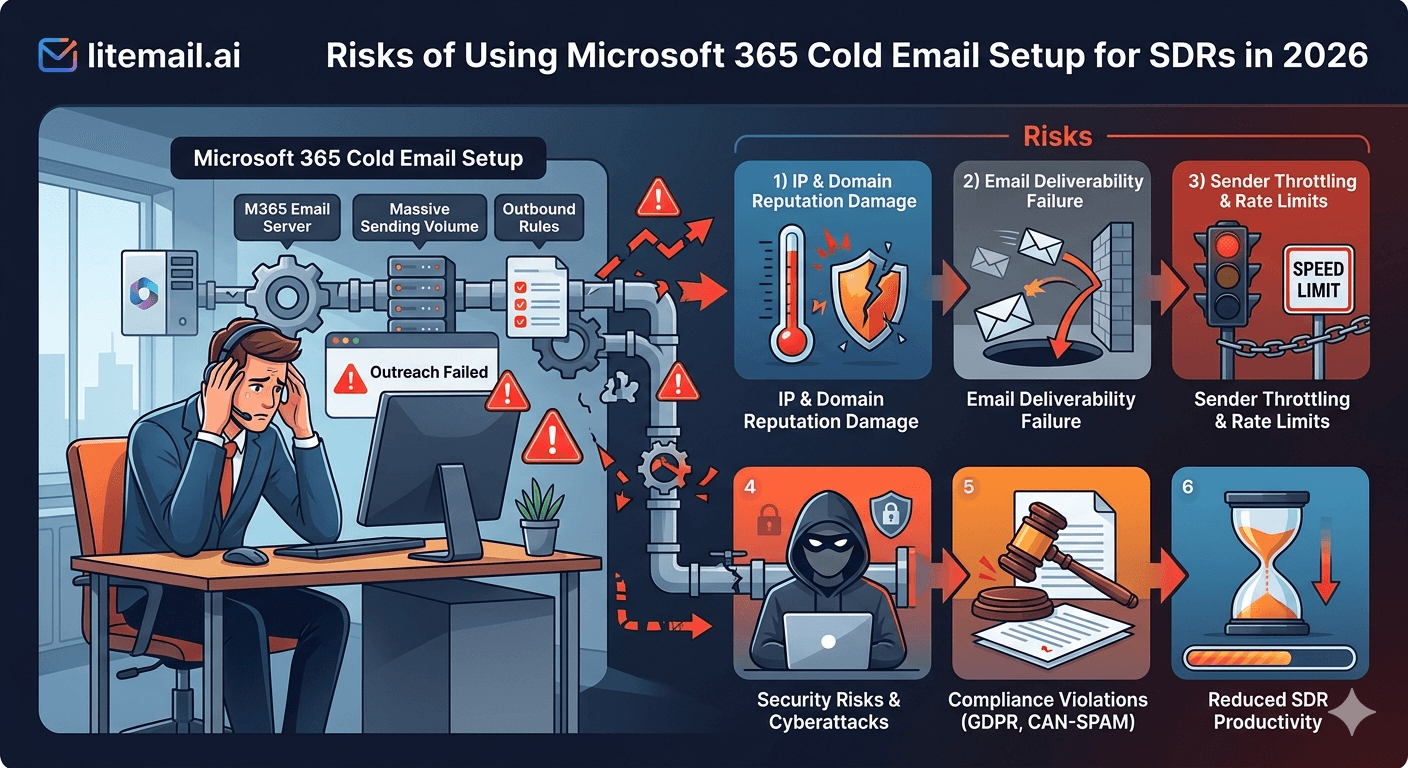
Microsoft 365 is genuinely better than Google Workspace for reaching Outlook-hosted corporate inboxes. Finance, legal, healthcare, and manufacturing — the high-value B2B verticals most SDRs work — run predominantly on Microsoft infrastructure. But MS365 cold email setups go wrong in specific ways that GWS doesn't, and the consequences are harsher: a Microsoft tenant suspension doesn't just kill one inbox, it can lock every email address in the same tenant. Here's what the risks actually are and how to structure around them.
TL;DR
💡 TL;DR
The four critical MS365 risks for SDRs: tenant-level suspension (one inbox's spam event locks everything in the tenant), CNAME DKIM misconfiguration (most common setup error), SMTP app passwords instead of OAuth (causes auth failures at scale), and sending from the primary company tenant (puts every company email at risk). Fix: dedicated cold outreach tenant, separate from company email, pre-warmed MS365 inboxes from Litemail ($4.99/inbox) with automated DKIM CNAME setup and OAuth-ready connection.
Risk 1: Tenant-Level Suspension
This is the MS365 risk with no equivalent on Google Workspace. When Google suspends a domain for policy violations, it typically affects that domain. When Microsoft suspends a tenant for bulk email policy violations, it can lock every domain and email address associated with that tenant — including your company's primary business email, customer-facing addresses, and any other cold email domains on the same tenant.
In late 2025, operators reported entire Microsoft tenants being locked — not just individual inboxes. CEO communications, customer support tickets, and investor emails all went down simultaneously because cold outreach from one domain in the tenant triggered a bulk mail policy review.
The fix: Always run cold outreach domains on a completely separate Microsoft tenant from your company's primary business email. Two tenants, isolated. A policy action on the outreach tenant cannot affect the business tenant.
Risk 2: CNAME DKIM Misconfiguration
MS365 DKIM uses CNAME records — not the TXT records that Google Workspace uses. This is the most common technical setup mistake for SDRs or ops teams familiar with GWS infrastructure who set up MS365 for the first time.
The misconfiguration pattern: they go to DNS, look for where to add the DKIM record, add a TXT record with the DKIM key, and check it as done. The TXT record does nothing for MS365 DKIM. The CNAME records were never published. Authentication fails silently — emails go out, SPF passes, but DKIM fails, and DMARC either fails or falls back to SPF-only authentication.
The result: 10–15% lower inbox placement across all campaigns until the error is caught. Often it's never caught — teams see lower-than-expected results and blame copy or targeting.
The fix: In the Microsoft 365 Defender portal, navigate to Email Authentication Settings → DKIM, enable signing, and publish the two CNAME records Microsoft generates. Then verify DKIM=pass in email headers before running any campaign. Litemail configures this automatically on MS365 inbox provisioning — no manual CNAME work required.
Risk 3: SMTP App Passwords Instead of OAuth
MS365 supports two connection methods for sending platforms: SMTP with app passwords, and OAuth (modern authentication). SMTP works — but it creates three operational risks SDR teams consistently underestimate:
Rate limiting: Microsoft rate-limits SMTP connections more aggressively than OAuth-authenticated sends at sustained campaign volume.
Logging gaps: SMTP connections through app passwords generate less granular activity logging than OAuth. When deliverability problems occur, diagnosing them requires access to logs that SMTP doesn't produce.
Auth failure cascades: App passwords expire or get rotated during Microsoft security updates. When they do, every inbox connected via that password stops sending silently until reconfigured. OAuth tokens refresh automatically.
The fix: Always connect MS365 inboxes to sending platforms via OAuth. Every major cold email platform — Instantly, Smartlead, Apollo, Lemlist — supports MS365 OAuth. Full admin access is required to connect via OAuth, which is one reason full admin access (not SMTP-only credentials) matters when purchasing MS365 inboxes.
Risk 4: Cold Email from the Primary Company Tenant
The SDR setup that happens most often in early-stage startups: the ops team provisions SDR inboxes directly on the company's primary Microsoft 365 tenant. Sales@yourcompany.com and sdr1@yourcompany.com sit in the same tenant as ceo@yourcompany.com and support@yourcompany.com.
One sustained complaint wave from SDR cold outreach can trigger a tenant review. The CEO's emails to investors go into junk. Customer support ticket replies stop arriving. Billing notifications bounce.
Microsoft's 10,000 recipient per day limit is explicitly an anti-abuse ceiling — not a cold email target. Operating anywhere near that limit on a primary business tenant guarantees bulk mail policy scrutiny.
The fix is identical to the tenant-level suspension fix: separate tenant for cold outreach, isolated from the primary business tenant. Pre-warmed MS365 inboxes from Litemail are provisioned on dedicated tenants specifically for cold outreach — your company's primary Microsoft infrastructure stays completely untouched.
Pre-Warmed MS365 Inboxes — Right Setup From the Start
Litemail pre-warmed Microsoft 365 inboxes come with automated CNAME DKIM setup, dedicated outreach tenant (isolated from your company), OAuth-ready connection, and Good Postmaster reputation pre-established. $4.99/inbox — avoid every common MS365 setup risk from day one.
Get Pre-Warmed Inboxes from $4.99 →
Dedicated tenant · Automated DKIM CNAME · OAuth-ready · No minimum order
About Litemail — Litemail provides pre-warmed Google Workspace and Microsoft 365 inboxes for cold email outreach. From $4.99/inbox with automated DNS, dedicated US and EU IPs, and full admin access. View pre-warmed inbox plans →
Related reading:
Microsoft 365 Cold Email Follow-Up Sequence Guide 2026 · Troubleshooting Microsoft 365 Cold Email 2026 · Outlook Cold Email Account Age and Deliverability 2026 · Google Workspace Inbox for SDRs 2026 · Best Pre-Warmed Inbox Providers 2026 (Ranked)
Key Takeaways
MS365 tenant-level suspension is the platform-specific risk with no GWS equivalent. One domain's spam policy violation can lock every email on the same tenant. Always isolate cold outreach on a separate MS365 tenant from company business email.
CNAME DKIM misconfiguration is the most common MS365 technical error. MS365 uses CNAME records, not TXT. Missing CNAME setup causes 10–15% lower inbox placement across all campaigns — often never diagnosed.
Connect MS365 inboxes to sending platforms via OAuth, not SMTP app passwords. OAuth is more stable, better logged, and automatically refreshes authentication tokens when Microsoft updates security settings.
Never provision SDR cold outreach inboxes on the primary company Microsoft tenant. A spam complaint event on the outreach tenant must be isolated from the business communications tenant entirely.
Litemail pre-warmed MS365 inboxes ($4.99/inbox) automate CNAME DKIM setup, provision on dedicated outreach tenants, and arrive OAuth-ready — avoiding all four setup risks from day one.
Frequently Asked Questions
Can Microsoft suspend an entire tenant for cold email violations?
Yes. Microsoft tenant suspensions affect all domains and email addresses on that tenant — not just the offending domain. If SDR cold outreach on one sending domain triggers Microsoft's bulk mail policy review, the company's primary email, CEO communications, and customer support all go down simultaneously. Always use a dedicated cold outreach tenant completely separate from the primary business Microsoft 365 tenant.
How is DKIM setup different on Microsoft 365 versus Google Workspace?
MS365 DKIM uses two CNAME records that you publish in DNS — not TXT records. Google Workspace uses a TXT record for DKIM. Teams familiar with GWS setup often mistakenly add a TXT record for MS365 DKIM and assume it's configured. This does nothing — CNAME records must be published separately. Configure in Microsoft 365 Defender portal under Email Authentication Settings → DKIM. Litemail configures this automatically on MS365 inbox provisioning.
Should SDRs use SMTP or OAuth to connect MS365 inboxes?
OAuth — always. OAuth provides automatic token refresh (SMTP app passwords expire and stop sending silently), better activity logging for deliverability diagnosis, and fewer rate-limit events at sustained campaign volume. Every major cold email platform (Instantly, Smartlead, Apollo, Lemlist) supports MS365 OAuth. Full admin access to the MS365 account is required for OAuth connection — another reason SMTP-only inbox credentials are insufficient for SDR operations.
What is the actual safe daily send limit for MS365 cold email?
Microsoft's published limit is 10,000 recipients per day — an anti-abuse ceiling, not a cold email target. The safe operating ceiling for sustainable cold outreach is 35–40 cold emails per inbox per day. Operating near Microsoft's published limit on a cold email domain invites bulk mail policy review. Multiple inboxes across multiple domains scale total daily volume while keeping per-inbox rates in the safe zone.
Is MS365 or Google Workspace better for SDR cold email?
MS365 is better for reaching Outlook-hosted recipients (finance, legal, healthcare, manufacturing) — 10–15 percentage points higher inbox placement on Microsoft-infrastructure recipients. GWS is better for reaching Gmail-hosted recipients (tech, SaaS, startups). The best-performing SDR operations use both: MS365 inboxes for Outlook-hosted prospects, GWS for Gmail-hosted prospects. Litemail provides both at $4.99/inbox with the same day-one readiness.
What's the safest MS365 inbox setup for SDR teams?
Dedicated outreach tenant (separate from company business email), CNAME DKIM correctly configured and verified, OAuth connection to sending platform, 3–5 inboxes per SDR on sending variant domains (not the primary company domain), daily send cap of 35–40 cold emails per inbox. Litemail pre-warmed MS365 inboxes provision with all of this correct from day one — no SDR or ops team configuration required.
MS365 Inboxes With Zero Setup Risk — Litemail from $4.99
Litemail pre-warmed Microsoft 365 inboxes arrive on dedicated outreach tenants with automated CNAME DKIM, OAuth-ready connection, and Good Postmaster reputation — every MS365 setup risk avoided from day one. $4.99/inbox, no minimum order.
Get Pre-Warmed MS365 Inboxes from $4.99 →
Dedicated tenant · Automated DKIM · OAuth-ready · Good Postmaster from day 1
Buy Pre-Warmed Email Inboxes & Domains | Litemail
Buy pre-warmed email accounts, inboxes and domains from $4.99/inbox. Google Workspace & Microsoft 365. Automated DNS, US & EU IPs. Setup in 5 minutes.
View Plans & Pricing →
Related reading: Microsoft 365 Cold Email Follow-Up Sequence Guide 2026 · Troubleshooting Microsoft 365 Cold Email 2026 · Google Workspace Inbox for SDRs 2026 · Best Pre-Warmed Inbox Providers 2026 (Ranked) · Litemail Pre-Warmed Inboxes — Plans and Pricing






