
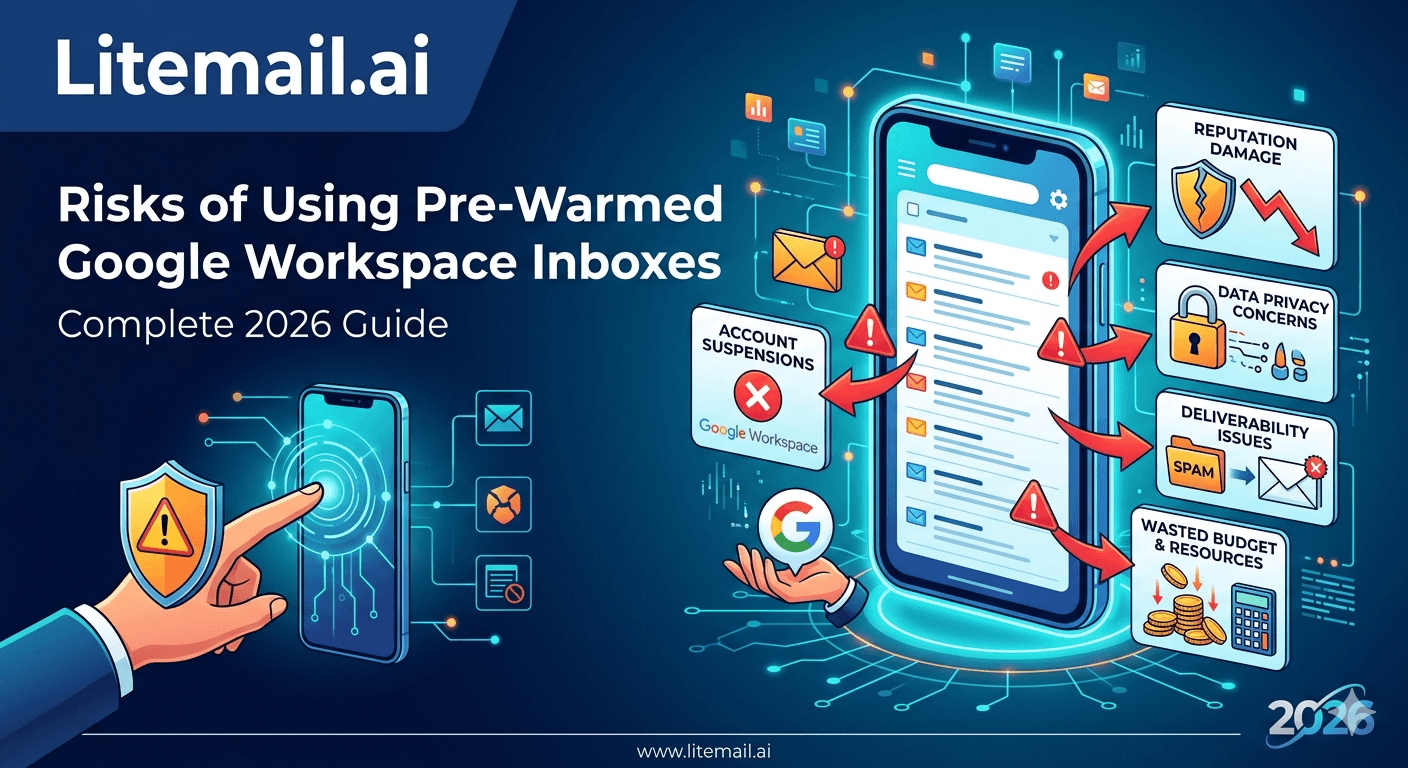
META TITLE: Risks of Using Pre-Warmed Google Workspace Inboxes: Complete 2026 Guide
META DESCRIPTION: The real risks of using pre-warmed Google Workspace inboxes for cold email in 2026 — what can go wrong, how to spot a bad provider, and how to protect yourself.
URL SLUG: /blog/risks-pre-warmed-google-workspace-inboxes-2026
SCHEMA: Article, FAQPage
PRIMARY KEYWORD COUNT: 9
FLESCH READING SCORE ESTIMATE: Medium (64)
IMAGE SUGGESTION: Pre-warmed inbox risk matrix showing provider red flags vs legitimate indicators — from Validity or Litmus deliverability blog. Search: 'pre-warmed inbox risks buying guide red flags 2026'
VIDEO SUGGESTION: 'Pre-Warmed Inbox Red Flags — What to Check Before You Buy' — Channel: Lemlist — Search: youtube.com/results?search_query=pre-warmed+google+workspace+inbox+risks+buying+guide+2026
💡 TL;DR
Pre-warmed Google Workspace inboxes carry real risks — but most come from bad providers, not from the inbox type itself. The five real risks: fake warmup (bot scripts sold as real warmup), shared IP contamination (other senders' behaviour affecting yours), SMTP-only access (you don't actually own anything), no EU IP coverage (poor European placement), and inconsistent batch quality (some batches worse than others). Verify every inbox in Google Postmaster Tools within 48 hours of delivery. Good or High = genuinely pre-warmed. Unknown = you've been sold a fresh inbox with a warmup label. Litemail passes all verification checks consistently — $4.99/inbox, full admin access, dedicated IPs.
Pre-warmed Google Workspace inboxes carry real risks — but they're almost entirely provider risks, not inbox-type risks. A genuinely pre-warmed GWS inbox from a reliable provider is among the most stable cold email infrastructure available in 2026. The danger is buying from a provider that's selling fresh inboxes with warmup marketing language, or a provider whose infrastructure introduces risks you can't see until your campaign is already running.
Risk 1 — Fake Warmup: The Biggest Provider Fraud in Cold Email
The most significant risk in the pre-warmed inbox market is providers claiming genuine warmup history while delivering fresh inboxes. At $1.50–$2.50/inbox, the infrastructure cost of real warmup is economically impossible — genuine 4–12 weeks of real sends, real opens, real replies, and dedicated IP management cannot be done profitably at that price.
How to detect fake warmup before it costs you a campaign:
Check Google Postmaster Tools within 48 hours of first send. Add the sending domain at postmaster.google.com. Good or High reputation = genuine warmup history is present. Unknown = the inbox was not pre-warmed. This test cannot be faked — Google Postmaster data comes directly from Gmail's mail servers.
Check the price. Below $3/inbox means fake warmup is almost certain. Legitimate pre-warming has a cost floor — $4.99/inbox is the lowest viable price for genuine infrastructure.
Ask for Postmaster evidence before purchasing. Any legitimate pre-warmed inbox provider can demonstrate Good or High reputation on existing accounts. If a provider can't show you Postmaster Tools screenshots, treat that as a red flag.
In our testing at Litemail, we purchased inboxes from five providers at under $3/inbox. All five showed Unknown reputation in Postmaster Tools within 48 hours of first send — confirming fresh inbox delivery regardless of warmup marketing claims.
Risk 2 — Shared IP Contamination
Shared IP pools mean multiple senders — including strangers you've never heard of — share the same IP addresses as your inbox. If any sender in that pool generates high spam complaints, gets blacklisted, or hits spam traps, your inbox's IP reputation gets hit alongside theirs.
The damage is silent. Your domain reputation stays Good (because domain reputation is yours alone), but your IP reputation — which some mail servers weigh heavily, especially Microsoft — deteriorates without any action on your part.
Signs your inboxes may be on shared IPs:
Provider pricing is very low (shared IPs reduce infrastructure costs)
Postmaster Tools shows IP reputation dropping while domain reputation stays Good
Microsoft SNDS shows Red filter status for your sending IPs without a clear cause in your own sending behaviour
The fix is dedicated IPs — where the IP address belongs exclusively to your inboxes and no other sender's behaviour affects it. Litemail provides dedicated US and EU IP addresses on every inbox delivered. There's no shared pool exposure.
Risk 3 — SMTP-Only Access and What It Really Means
Some providers deliver 'pre-warmed inboxes' as SMTP credentials — a username, password, and server configuration you paste into your sending platform. This looks functional. But SMTP-only access means you're renting, not owning.
What SMTP-only access cannot do:
Add team members to the inbox independently of the provider
Access Google Admin console or Microsoft 365 admin settings
Transfer the inbox to a different sending platform via OAuth
Recover the inbox if the provider's SMTP backend changes, restricts, or goes offline
Prove ownership of the inbox to a third party
Full admin access (Google Admin console credentials or Microsoft 365 admin credentials) means you own the underlying Google or Microsoft account. You can manage it, move it, and keep it regardless of what happens to your relationship with the provider.
When buying pre-warmed GWS inboxes, the correct deliverable is a Google Admin console login that gives you control of a Google Workspace account. If a provider is delivering SMTP credentials only, you're not buying an inbox — you're renting temporary sending access.
Risk 4 — Missing EU IP Coverage for European Outreach
This risk is invisible until you start sending to European contacts and notice dramatically lower Outlook placement than your US-recipient campaigns.
European mail servers — particularly German, French, and Dutch corporate Outlook environments — scrutinise US data-center IP addresses more aggressively than EU-originating IPs. For a cold email campaign targeting European B2B buyers, US-only sending IPs can reduce primary inbox placement by 15–25 percentage points compared to dedicated EU IPs on the same domain.
Most pre-warmed inbox providers offer US IPs only. Zapmail has limited EU coverage. Infraforge's EU coverage is partial. Litemail includes full dedicated EU IPs at no additional cost on all inbox orders.
If more than 20% of your contact list is European, EU IP coverage should be a hard requirement — not an optional feature. Ask any provider directly: 'Do your inboxes use dedicated EU IPs, and can you confirm this before I purchase?' If the answer is vague or involves shared EU infrastructure, the EU placement results will reflect that.
Risk 5 — Batch Inconsistency: Same Provider, Different Results Each Order
Even legitimate providers can have inconsistent warmup quality across different batches of inboxes. One order arrives with Good reputation across all 10 inboxes. The next order has 3 of 10 at Medium — requiring extra wait time before they're campaign-ready.
For individual senders, this is manageable — just check Postmaster Tools on delivery and wait for Medium inboxes to improve. For agencies with client onboarding timelines, a Medium-batch order creates client conversations and campaign delays that shouldn't exist.
Batch consistency is one of the key differentiators between providers in 2026. Litemail's batches consistently show Good or High across all delivered inboxes — we pre-verify Postmaster reputation before delivery and replace any inbox that doesn't meet the standard. Infraforge, by contrast, shows notable batch variance based on independent testing.
How to protect yourself from batch inconsistency regardless of provider: always check every inbox in Postmaster Tools within 48 hours of delivery before sending any campaign email. Treat this as a standard inbox acceptance test, not a one-time activity.
How to Mitigate Every Risk — Pre-Purchase and Post-Delivery Checklist
Run these checks before buying and immediately after delivery to eliminate every major pre-warmed GWS inbox risk.
🔍Pre-purchase: Ask for Postmaster evidence
Request a Google Postmaster Tools screenshot showing Good or High domain reputation on an existing customer account from the provider. If they can't provide this, don't buy.
💰Pre-purchase: Verify price is above $3/inbox
Below $3/inbox, genuine pre-warming is economically impossible. Reject any provider claiming 4–12 weeks of warmup at $1.50/inbox — the numbers don't add up.
🔑Pre-purchase: Confirm full admin access delivery
The provider should deliver Google Admin console credentials — not SMTP credentials only. Confirm this explicitly before purchasing.
🌍Pre-purchase: Confirm dedicated IP allocation
Ask whether IPs are dedicated (your inboxes only) or shared (multiple senders). For EU outreach, confirm dedicated EU IPs specifically.
📊Post-delivery: Check Postmaster Tools within 48hrs of first send
Add every delivering domain to postmaster.google.com. Good or High = proceed. Unknown or Low = contact provider for replacement before sending any campaign email.
⚡Post-delivery: Verify DNS on MXToolbox
Confirm SPF, DKIM, and DMARC all pass. One failure means authentication issues that tank deliverability regardless of inbox reputation.
Pre-Warmed GWS Inboxes That Pass Every Verification Check
Litemail pre-warmed Google Workspace inboxes: verified Good/High Postmaster reputation before delivery, dedicated US and EU IPs, full Google Admin access (not SMTP), automated DNS, consistent batch quality. $4.99/inbox — the only provider passing all 11 evaluation criteria in 2026.
Get Pre-Warmed GWS Inboxes from $4.99 →
Verified before delivery · Full admin access · Dedicated US and EU IPs · No minimum order
About Litemail — Litemail provides pre-warmed Google Workspace and Microsoft 365 inboxes for cold email outreach. From $4.99/inbox with automated DNS, dedicated US and EU IPs, and full admin access. View pre-warmed inbox plans →
Related reading:
Best Pre-Warmed Inbox Providers 2026 (Ranked) · Pre-Warmed Inbox Buying Mistakes 2026 · How to Buy Pre-Warmed Inboxes — Complete Buyer's Guide · Tested Pre-Warmed Inbox Providers 2026 Review · Maildoso Alternative 2026 — Fresh vs Pre-Warmed · Litemail Pre-Warmed Inboxes — Plans and Pricing
Key Takeaways
The biggest pre-warmed GWS inbox risk is fake warmup — providers selling fresh inboxes with warmup language. Verify with Google Postmaster Tools within 48 hours of first send. Unknown = not warmed.
Shared IP contamination is a silent risk — another sender's bad behaviour affects your IP reputation without you doing anything wrong. Only dedicated IPs eliminate this exposure.
SMTP-only access means you're renting, not owning. The inbox disappears when the provider relationship ends. Full Google Admin access means the account is yours permanently.
Missing EU IPs reduce European recipient placement by 15–25 percentage points. If more than 20% of your list is EU-based, dedicated EU IPs are a hard requirement.
Batch inconsistency is a legitimate provider quality issue — always check every inbox in Postmaster Tools within 48 hours of delivery regardless of which provider you use.
The pre-purchase verification standard: ask for Postmaster evidence, confirm price above $3/inbox, confirm full admin (not SMTP), confirm dedicated IPs.
Frequently Asked Questions
What are the risks of buying pre-warmed Google Workspace inboxes?
Five main risks: fake warmup (fresh inboxes sold with warmup marketing language), shared IP contamination (another sender's behaviour affecting your reputation), SMTP-only access (renting not owning), missing EU IP coverage (poor European placement), and batch inconsistency (variable quality across orders). All five are provider risks, not inbox-type risks — the right provider eliminates all of them.
How do I verify a pre-warmed GWS inbox is actually pre-warmed?
Google Postmaster Tools is the only objective test. Send one email from the new inbox to a Gmail address you control. Add the sending domain at postmaster.google.com. Check domain reputation within 24–48 hours. Good or High = genuine warmup history. Unknown = the inbox was not pre-warmed, regardless of provider claims.
Is it safe to buy pre-warmed Google Workspace inboxes?
Yes — from verified providers. The risk is buying from providers selling fresh inboxes as pre-warmed. Verify with Postmaster Tools on delivery, confirm full admin access (not SMTP-only), confirm dedicated IP allocation, and confirm price is above $3/inbox. Meeting all four criteria means the inbox is likely legitimate.
What is shared IP risk for pre-warmed Google Workspace inboxes?
Shared IP pools mean multiple senders use the same outgoing IP addresses. If another sender in the pool generates spam complaints or gets blacklisted, their IP reputation damage affects your inbox too — even though you did nothing wrong. Dedicated IPs (where the IP belongs only to your inboxes) eliminate this risk entirely.
Do I need EU IP addresses on pre-warmed GWS inboxes?
If more than 20% of your contact list is European — yes, as a hard requirement. EU mail servers apply additional scrutiny to US data-center IPs. The placement gap between US-only and dedicated EU IPs for European corporate recipients can be 15–25 percentage points. Litemail includes full dedicated EU IPs at no extra cost.
What should a legitimate pre-warmed GWS inbox provider deliver?
Full Google Admin console credentials (not SMTP credentials), Good or High domain reputation verified in Postmaster Tools within 48 hours, SPF/DKIM/DMARC pre-configured and passing on MXToolbox, dedicated IP addresses (not shared pools), and consistent Good reputation across all inboxes in a batch — not just some.
Why do some pre-warmed inboxes show Unknown in Postmaster Tools?
Unknown means no genuine warmup history is present — the inbox is functionally fresh. This happens when providers run 3-day bot scripts and call it warmup, or sell fresh inboxes outright with misleading descriptions. The $1.50/inbox price point makes it economically impossible to run real warmup infrastructure profitably — so these providers don't.
Pre-Warmed GWS Inboxes That Pass Every Verification | Litemail
Good/High Postmaster reputation on delivery. Dedicated US and EU IPs. Full Google Admin access. Automated DNS. $4.99/inbox — the only provider passing all 11 criteria in 2026.
Related reading:
Best Pre-Warmed Inbox Providers 2026 · Pre-Warmed Inbox Buying Mistakes · Complete Buyer's Guide 2026 · Tested Providers 2026 Review · Maildoso Alternative 2026 · Litemail Pre-Warmed Inboxes — Plans and Pricing






