
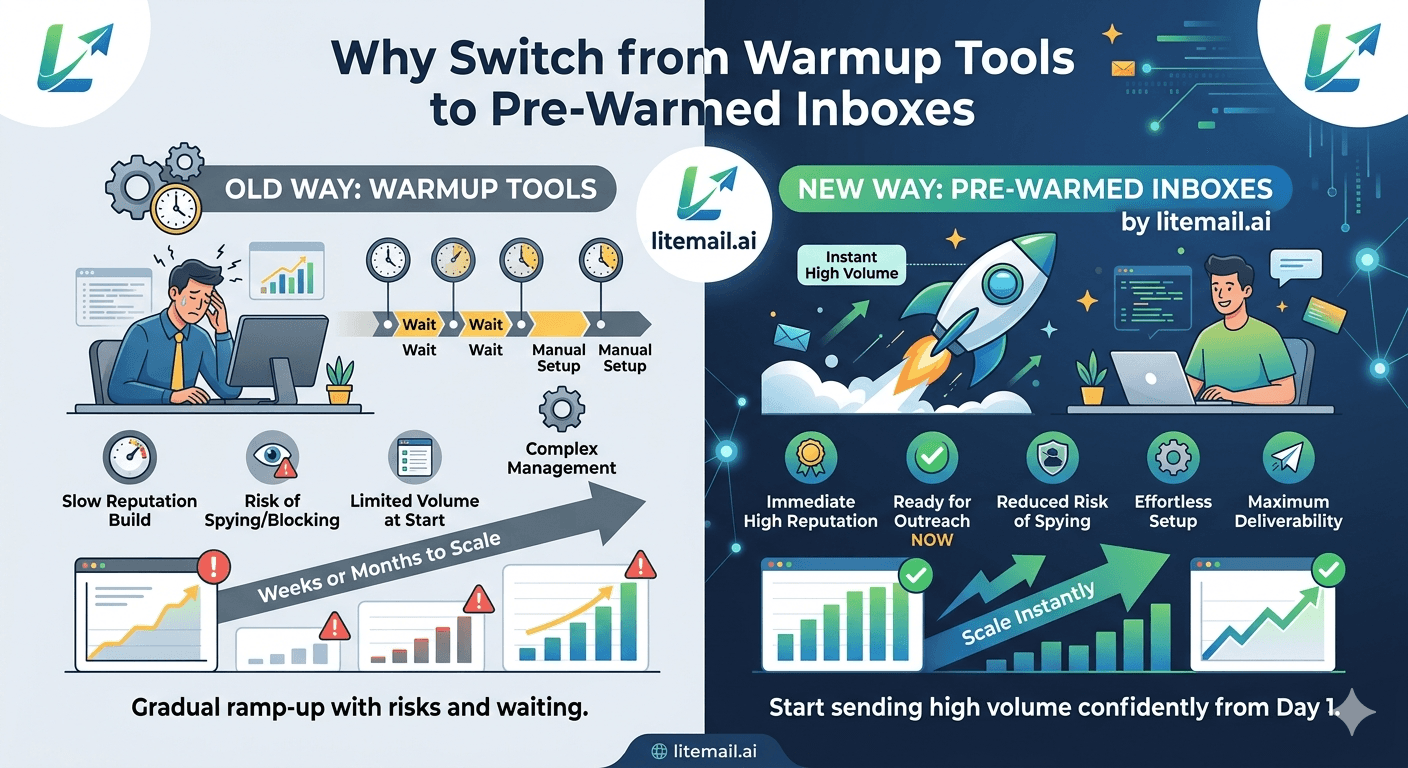
Most teams running cold email at scale are paying for a warm-up tool they don't actually need. If you're using Lemwarm, Mailreach, Warmbox, or any other warm-up tool subscription on top of fresh inbox costs, and you're not currently warming up a new inbox, you're paying a recurring subscription fee for a service you've already completed. The switch to pre-warmed inboxes eliminates the warm-up tool subscription, eliminates the 5–8 week campaign wait, and reduces the per-inbox cost — without disrupting the campaigns already running.
Should You Switch? The Decision in Two Minutes
💡 TL;DR
Switch from warm-up tools to pre-warmed inboxes if: you're paying a warm-up tool subscription while running campaigns (the warm-up phase is over — you're paying for maintenance you don't need), you're regularly adding new inboxes to your pool (pre-warmed inboxes are cheaper and faster than warming fresh ones), or your current inboxes are showing degraded Postmaster reputation despite active warm-up (warm-up tools can't recover degraded reputation as fast as starting fresh with a pre-warmed inbox). Litemail pre-warmed inboxes at $4.99/inbox replace both the fresh inbox cost and the warm-up tool subscription in a single purchase.
Here's the transition plan — how to switch without disrupting campaigns that are currently running and working.
The Cost Comparison That Usually Decides It
Here's the math for a team running 10 inboxes with a warm-up tool subscription:
Cost Component | Current Setup (Fresh + Warm-Up Tool) | Pre-Warmed Inboxes (Litemail) |
|---|---|---|
Inbox cost (10 inboxes) | $15–$30/month (GWS/MS365 retail) | $49.90/month |
Warm-up tool subscription | $150–$290/month (Lemwarm/Mailreach at 10 inboxes) | $0 — not needed |
Total monthly | $165–$320/month | $49.90/month |
Annual cost | $1,980–$3,840/year | $598.80/year |
Campaign wait per new inbox set | 5–8 weeks | 24 hours |
The saving is $115–$270/month for 10 inboxes — $1,380–$3,240 annually — while also eliminating the warm-up wait period for every future inbox addition. At agencies managing 50+ inboxes across clients, the numbers scale proportionally.
The Transition Plan — Without Breaking Active Campaigns
The key principle: don't cancel existing warm-up tool subscriptions or delete existing inboxes until the pre-warmed replacement inboxes are delivering at least equivalent performance. Transition in batches, not all at once.
Step 1 — Order Pre-Warmed Replacement Inboxes
Order Litemail pre-warmed inboxes for the same sending domains as your current inbox pool. You don't need to change domains — just replace the inboxes on existing sending domains with pre-warmed alternatives, or order new sending domains with pre-warmed inboxes if you want a clean separation.
Step 2 — Verify and Connect the New Inboxes
After delivery (24 hours): verify SPF/DKIM/DMARC pass on MXToolbox, check Postmaster Tools for Good/High reputation confirmation, connect to your sending platform via OAuth. At this point the new inboxes are campaign-ready — before removing any existing inboxes from campaigns.
Step 3 — Add New Inboxes to Campaigns, Reduce Old Inbox Volume
Add the pre-warmed replacement inboxes to your existing campaigns in round-robin rotation. Simultaneously, reduce the daily volume cap on your old warmed-up inboxes by 50% — they stay in the campaign at reduced volume while the new inboxes take on increasing share. This transition period typically runs 2 weeks.
Step 4 — Monitor Performance
During the 2-week transition: check per-inbox open rate and reply rate for the new pre-warmed inboxes versus old inboxes. Pre-warmed Litemail inboxes typically outperform warm-up-tool-reared inboxes within 1 week — genuine sending history produces stronger reputation signals than machine warm-up history. If new inboxes perform at parity or better, move to Step 5.
Step 5 — Remove Old Inboxes and Cancel Warm-Up Subscriptions
Remove the old inboxes from campaign rotation. Cancel the warm-up tool subscription. If the old inboxes still have Good Postmaster reputation, they can be kept in reserve as backup sending capacity without ongoing warm-up tool cost — Good reputation inboxes maintain status for 4–8 weeks without active sending before degrading.
When to Keep the Warm-Up Tool
Actually — scratch that. There are very few scenarios where keeping a warm-up tool subscription makes sense after switching to pre-warmed inboxes.
The one case where a warm-up tool still adds value: keeping a low-volume maintenance warm-up running on inboxes during periods of reduced campaign activity (e.g. holiday campaign breaks) to maintain Postmaster reputation without campaign sends. But this use case can be handled by continuing to send low-volume campaigns during those periods rather than paying $15–$29/inbox/month for a separate warm-up tool.
The case that's often cited but doesn't actually hold: I need the warm-up tool to maintain reputation on my running inboxes. Inboxes with established Good or High Postmaster reputation maintain that status through normal campaign sends — they don't need a separate warm-up tool layer on top. The warm-up tool served its purpose getting the inbox to Good. Campaign sends maintain it.
Make the Switch to Pre-Warmed Inboxes
Pre-warmed inboxes from $4.99/inbox — no warm-up tool subscription needed, campaigns start in 24 hours, $115–$270/month savings at 10 inboxes versus fresh + warm-up tool. Transition without disrupting active campaigns.
Get Pre-Warmed Inboxes from $4.99 →
No warm-up tool needed · No minimum order · GWS and MS365 · Delivered in 24 hours
About Litemail — Litemail provides pre-warmed Google Workspace and Microsoft 365 inboxes for cold email outreach. From $4.99/inbox with automated DNS, dedicated US and EU IPs, and full admin access. View pre-warmed inbox plans →
Related reading:
Email Warm-Up vs Pre-Warmed Inboxes 2026 · Does Email Warmup Work in 2026? · Switch to Pre-Warmed Inboxes Without Disrupting Campaigns · Cheapest Pre-Warmed Inbox Provider 2026 · Best Pre-Warmed Inbox Providers 2026 (Ranked)
Key Takeaways
If you're paying a warm-up tool subscription while running active campaigns (not warming up new inboxes), you're paying for a completed service. The warm-up tool served its purpose getting inboxes to Good Postmaster reputation — campaign sends maintain it without a separate warm-up layer.
The cost comparison at 10 inboxes: fresh inboxes + warm-up tool = $165–$320/month. Litemail pre-warmed inboxes = $49.90/month. Annual saving: $1,380–$3,240 for 10 inboxes.
Transition without disrupting active campaigns: order pre-warmed replacement inboxes, verify and connect them, add to campaigns while reducing old inbox volume, monitor 2-week parallel performance, then remove old inboxes and cancel warm-up subscriptions.
Pre-warmed inboxes from Litemail typically outperform warm-up-tool-reared inboxes within the first week of campaigns — genuine sending history produces stronger reputation signals than machine-generated warm-up history.
Good Postmaster reputation inboxes maintain status for 4–8 weeks without active sending before beginning to degrade — there's no urgency to immediately replace old inboxes if they're performing well. Use them as backup capacity while transitioning.
Frequently Asked Questions
Can I switch from a warm-up tool to pre-warmed inboxes without disrupting campaigns?
Yes — the transition plan works in batches: order pre-warmed replacement inboxes (delivered in 24 hours), verify and connect them to your sending platform, add to active campaigns while simultaneously reducing the daily volume cap on old inboxes, monitor parallel performance for 2 weeks, then remove old inboxes and cancel the warm-up tool. The existing campaigns never pause — the new inboxes join the rotation while old inboxes wind down.
Do I still need a warm-up tool if I use pre-warmed inboxes?
No. Pre-warmed inboxes from Litemail arrive with 4–12 weeks of genuine sending history and Good/High Postmaster reputation. The warm-up is already done. Campaign sends maintain reputation without a separate warm-up tool layer. The only scenario where a warm-up tool adds value after switching to pre-warmed inboxes: running deliberate low-volume maintenance sends during extended campaign breaks — but this is typically less expensive to handle with continued low-volume campaign sends than with a separate warm-up tool subscription.
What happens to my old warmed-up inboxes after switching?
Inboxes with Good or High Postmaster reputation maintain that status for 4–8 weeks without active sending. After transitioning campaigns to pre-warmed replacements, old inboxes can be kept as reserve backup capacity at no additional warm-up tool cost (just the base GWS/MS365 account cost). Or retire them entirely — the pre-warmed replacements cover the full campaign volume at lower total cost.
How long does the transition take?
Typically 2–3 weeks: Day 1 — order pre-warmed inboxes (delivered within 24 hours). Days 2–3 — verify DNS and connect to sending platform. Day 3 onward — add to campaigns in parallel with existing inboxes. Days 14–21 — confirm performance parity or improvement, remove old inboxes, cancel warm-up tool subscriptions.
Replace Your Warm-Up Tool With Pre-Warmed Inboxes — Save $1,380+ Per Year
Litemail pre-warmed inboxes — $4.99/inbox, no warm-up tool subscription needed, campaigns launch in 24 hours, $115–$270/month savings at 10 inboxes. Transition without disrupting active campaigns. No minimum order. GWS and MS365 available.
Get Pre-Warmed Inboxes from $4.99 →
No minimum order · No warm-up tool needed · GWS and MS365 available · US and EU IPs included
About Litemail — Litemail provides pre-warmed Google Workspace and Microsoft 365 inboxes for cold email outreach. From $4.99/inbox with automated DNS setup, dedicated US and EU IPs, 4 to 12 weeks of genuine warm-up history, and full admin access. View pre-warmed inbox plans →
Related reading: Email Warm-Up vs Pre-Warmed Inboxes 2026 · Switch to Pre-Warmed Inboxes Without Disrupting Campaigns · Cheapest Pre-Warmed Inbox Provider 2026 · Best Pre-Warmed Inbox Providers 2026 (Ranked)






