
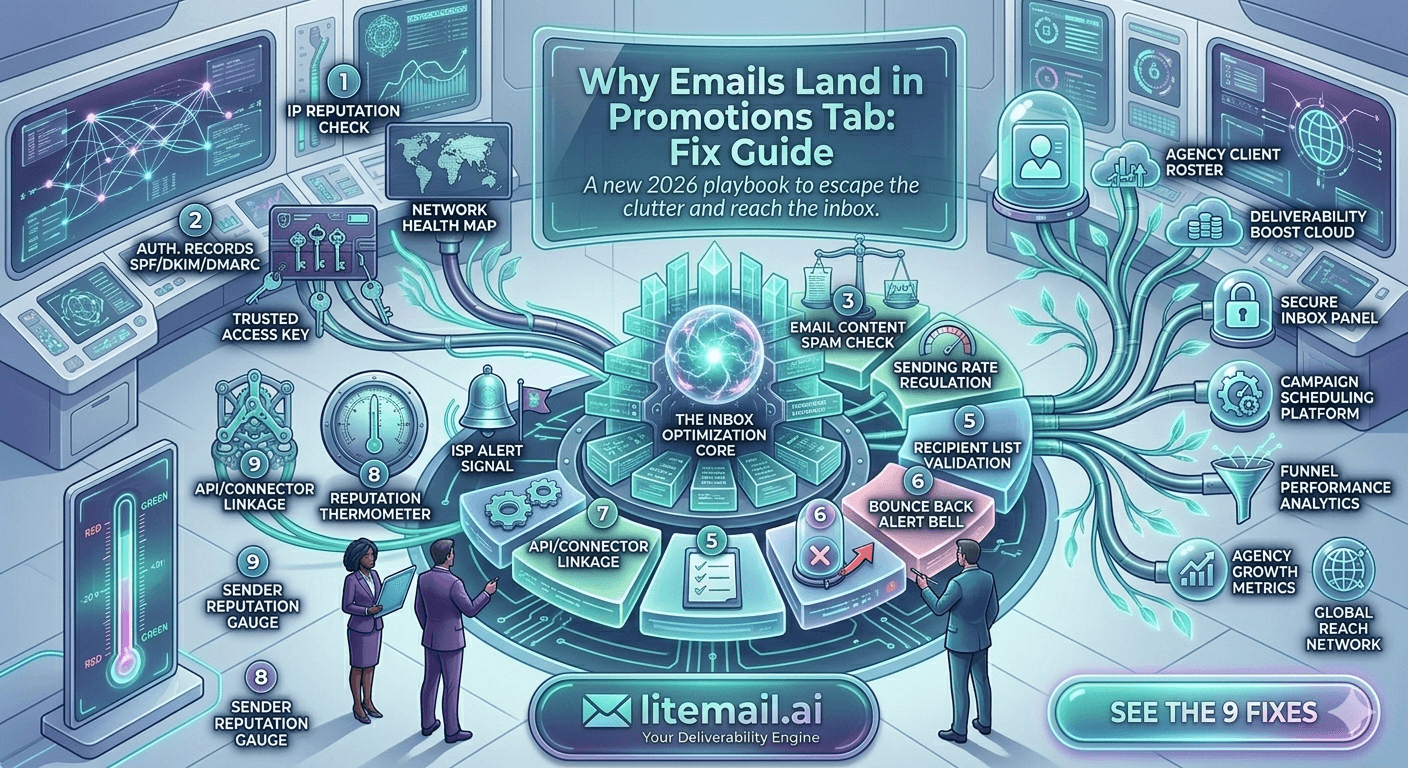
Landing in Gmail's Promotions tab isn't a spam problem — it's a classification problem. Your emails are authenticated, your domain reputation is clean, your infrastructure is solid. Gmail just decided your email looks like marketing material rather than a personal message. The fix is different from spam fix. Most guides conflate the two. A 5-person growth agency running cold outreach for ecommerce clients found their open rates dropped from 42% to 11% after Gmail updated its Promotions tab classification in late 2025 — same sequences, same lists, nothing changed except Gmail's view of their email content. Here's what actually causes Promotions tab placement and how to get back to primary.
Promotions Tab vs Spam Folder: Why the Fix Is Completely Different
Most people treat Promotions tab placement as a mild spam problem. It's not. They're entirely different classification systems with different signals and different fixes.
Signal | Spam Folder Trigger | Promotions Tab Trigger |
|---|---|---|
Domain reputation | Low/Bad Postmaster reputation | Not a primary factor |
Authentication | SPF/DKIM/DMARC failures | Not a factor — auth passes fine |
Email HTML | Spam trigger words, bad links | Marketing-style formatting, image heavy |
Unsubscribe links | Missing link = spam risk | List-Unsubscribe header = Promotions signal |
Sending volume | High volume = spam signal | Less relevant for classification |
Content language | Spam trigger words | Marketing language, CTAs, offers |
Fixing your domain reputation won't fix Promotions placement. Fixing your SPF record won't fix Promotions placement. Promotions tab is a content and signal classification problem — and the irony is that some recommended "email best practices" actively push emails into Promotions. More on that below.
What Actually Triggers Promotions Tab Classification
Gmail's Promotions tab classifier looks for signals that distinguish personal one-to-one communication from bulk marketing messages. The more of these signals your email contains, the higher the probability of Promotions classification — regardless of your sender reputation.
🔴
List-Unsubscribe Headers
This one is the most counterintuitive. Google's bulk sender guidelines (updated in 2024) require one-click unsubscribe for bulk senders. Many cold email teams added List-Unsubscribe headers to comply — and then watched their Promotions tab placement rate spike. The List-Unsubscribe header is a direct Promotions classification signal because it's characteristic of mass marketing emails. For genuine 1:1 cold outreach, don't add it. If you must add it for compliance (high-volume senders to consumer addresses), use a plain-text opt-out line in the email body instead.
🔴
HTML-Heavy Email Templates
Logo banners, styled headers, color backgrounds, button CTAs, footer navigation — all marketing template signals. Gmail's classifier was trained on billions of Promotions tab emails that look like this. The more your cold email resembles a marketing newsletter in structure, the more confidently Gmail classifies it as promotional. Strip to plain text or near-plain text for cold outreach. No logos, no buttons, no HTML dividers.
🟡
Promotional Language and CTAs
Words like "offer", "deal", "discount", "free trial", "click here", "limited time", "sign up", or "get started" are Promotions classification signals. So are hard CTAs with button-like formatting. Cold email copy should sound like a colleague sending a message — not a landing page. Ask a question, make a specific observation, suggest a conversation. Don't make an offer.
🟡
Multiple Links in One Email
Every additional link in your cold email increases Promotions classification probability. Marketing emails have multiple links — product links, social links, footer links, CTA buttons. Personal emails have zero or one. Keep cold email links to one maximum — and if possible, zero. If you need a link (to a case study, a calendar, a landing page), put it in a follow-up, not the first email.
🟡
Tracking Pixel Images
Open tracking pixels embed a 1x1 image in your email. Gmail's classifier sees an image and adds a weak Promotions signal. On its own, this isn't decisive. Combined with other signals, it tips the classification. If Promotions tab is a persistent problem, test disabling open tracking on initial emails and see if placement improves. You lose open rate data but gain primary inbox placement — often the more valuable trade-off for reply rate optimization.
The Compliance Trap: Why Following Google's Guidelines Puts You in Promotions
Here's the frustrating truth that nobody says clearly: following Google's 2024 bulk sender guidelines — adding List-Unsubscribe headers, using proper unsubscribe mechanisms — can increase Promotions tab classification for cold email.
Google's bulk sender requirements were designed for mass marketing email: newsletters, promotional campaigns, transactional notifications. They weren't designed for 1:1 cold outreach. The compliance tools for mass email are also classification signals for the Promotions tab filter.
The resolution: cold outreach at low per-inbox volumes (under 50/day) to opted-in or targeted B2B lists doesn't trigger Google's bulk sender threshold requirements in the same way mass marketing does. Keep your cold email genuinely personal — plain text, low link count, conversational tone — and you avoid both the compliance requirements for mass email and the Promotions classification signals they carry.
⚠️ Don't Add List-Unsubscribe to Cold Outreach Emails
List-Unsubscribe is a required header for bulk marketing senders above Google's volume thresholds. It's also a direct Promotions tab classification trigger. For genuine 1:1 cold outreach at under 50 emails/inbox/day, don't add this header. Use an in-email opt-out line ("Let me know if you'd prefer not to hear from me") if you want to give recipients an easy out — this serves the same function without the Promotions classification signal.
The Plain-Text Fix: What to Change in Your Email Template
If your cold emails are landing in Promotions tab, the fastest fix is stripping your template back to near-plain text. Here's exactly what to remove and what to keep.
Remove From Your Template
Logo images or banner headers
Background colors or styled div blocks
HTML buttons or styled CTA links
Footer navigation with multiple links
Social media icon links
List-Unsubscribe header (if added)
Tracking pixel (test — may recover placement)
Multiple links in the same email
Keep In Your Template
Plain paragraph text, no inline styles
A single link maximum (or none in the opening email)
A simple text signature (name, title, company, phone — no HTML formatting)
Personalization variables ({{first_name}}, company mention)
The test: paste your email into a plain text editor and read it. If it reads like a personal email from a colleague, it's probably fine. If it reads like a marketing email with the formatting removed, the copy itself has Promotions signals — and stripping HTML won't be enough.
Copy-Level Fixes That Reduce Promotions Classification
Email copy carries classification signals beyond just formatting. Promotional language patterns trigger Promotions classification even in plain-text emails. Here's how to rewrite cold email copy to read as personal correspondence rather than marketing material.
Promotional Pattern | Personal Pattern |
|---|---|
"I wanted to reach out about our solution..." | "Noticed [specific thing] about [their company]..." |
"We offer [X], [Y], and [Z] features..." | "We helped [similar company] do [specific outcome]..." |
"Click here to book a demo" | "Worth a 15-minute call next week?" |
"Limited time offer" / "Special pricing" | Remove entirely — not appropriate for cold outreach |
"Our platform helps companies like yours..." | "[Prospect's name], quick question about [specific thing]..." |
The underlying principle: personal emails are specific and curious. Marketing emails are broad and declarative. Rewrite every cold email sentence to pass this test: "Could a real person plausibly have written this specifically to this one recipient?" If the answer is no — if the sentence would work equally well for any recipient — it's a Promotions signal.
Does Infrastructure Affect Promotions Placement?
Mostly no — but there are two infrastructure factors that have a weak Promotions signal.
First: sending from a domain that sends exclusively to cold-email-type recipients with low reply rates can accumulate a weak "bulk sender" signal over time in Gmail's models. Warm-up tools that generate artificial engagement signals can partially offset this — but the better fix is improving the quality and personalization of actual campaign content.
Second: shared sending IPs that are used heavily by marketing email senders accumulate a "marketing IP" signal in Gmail's classifier. Dedicated sending IPs — used only for your outbound — don't carry this shared classification history. Pre-warmed inboxes with dedicated IPs, like those from Litemail, start with clean IP history that hasn't been associated with bulk marketing sends. From $4.99/inbox, this is a cost-effective infrastructure baseline for any sender trying to maintain primary inbox placement.
How to Test Whether You're in Promotions Before Campaign Launch
Test with multiple Gmail seed addresses before launching any campaign. Don't test with just one — Gmail personalizes tab placement based on individual user behavior, so one seed address's Promotions placement doesn't mean all recipients get the same result. Use 5 to 10 seed Gmail addresses that have no prior relationship with your sending domain.
Send a test email from each inbox you plan to use in the campaign. Check tab placement on each seed. If more than half land in Promotions, you have a classification problem worth fixing before launch. If it's 1 or 2 out of 10, it may be recipient-specific behavior rather than a universal classification issue.
💡 The Seed Account Setup Worth Doing Once
Create 5 Gmail seed accounts specifically for pre-launch testing. Use real Gmail accounts (not alias addresses) with realistic usage patterns — a few emails received, normal account age. Never email these accounts from your campaigns (which would train the filter). Use them only for placement testing. These 5 seed accounts give you a reliable pre-launch read on whether a new template or inbox setup is hitting Promotions or Primary.
Promotions Tab: Does It Actually Hurt Reply Rates?
Yes — significantly. Open rates from the Primary inbox are roughly 3 to 5x higher than from the Promotions tab for cold outreach. Recipients actively managing their Primary inbox read most messages. The Promotions tab gets batch-reviewed at most, and many recipients never check it at all for unsolicited email.
A realistic open rate comparison: the same cold email sequence achieving 38% opens in Primary inbox typically gets 9 to 14% opens in Promotions. Reply rates follow a similar ratio — 3 to 5x lower from Promotions. For a campaign expecting 1.5% reply rate from Primary inbox, that's 0.3 to 0.5% from Promotions. At any sending volume, this gap is meaningful pipeline.
The Complete Promotions Tab Fix Sequence
Apply fixes in this order. Check placement after each change before moving to the next. This tells you which fix actually solved the problem rather than applying all changes simultaneously and not knowing what worked.
Remove List-Unsubscribe header — test placement
Strip HTML template to plain text — remove all styling, images, buttons — test placement
Remove all links except one (or zero on opening email) — test placement
Disable open tracking pixel — test placement
Rewrite copy to remove promotional language patterns — test placement
Rewrite subject line to remove sales-language patterns — test placement
Most Promotions tab problems are solved by steps 1 and 2 alone. If you've completed all 6 steps and still hitting Promotions on seed addresses, the issue may be domain-level classification — your sending domain has accumulated enough bulk-sender history that Gmail's models classify it as a marketing sender regardless of content. At that point, inbox replacement on a fresh domain is more efficient than continued content optimization.
The Promotions Tab Fix Checklist
Run this checklist against every cold email template and every inbox setup before campaign launch. Each item has a direct impact on Promotions tab classification probability.
Gmail Promotions tab classification: plain-text cold email (left) vs HTML marketing template (right) — same content, different tab placement.
Email Template Checks
No HTML formatting — plain text or near-plain text only ✓
No logo, banner, or image in email body ✓
No styled button or CTA link ✓
No footer navigation or social links ✓
Maximum one link (preferably zero in opening email) ✓
No List-Unsubscribe header ✓
Open tracking pixel disabled or tested for impact ✓
Copy Checks
No offer language (deal, discount, free, limited time) ✓
No hard CTA ("Click here", "Book a demo", "Sign up") ✓
Specific personalization — mentions recipient's company or role ✓
Reads like a personal email, not a marketing script ✓
Infrastructure Checks
Dedicated IP addresses — not shared marketing IP pool ✓
Custom tracking domain (not shared platform URL) ✓
Pre-launch seed test on 5 Gmail addresses — Primary placement confirmed ✓
✅ Primary Inbox Is the Goal, Not Just Avoiding Spam
Most cold email guides focus on avoiding the Spam folder. That's necessary but not sufficient. Promotions tab placement cuts open rates by 3 to 5x compared to Primary inbox. The checklist above — applied consistently — keeps cold email in Primary for recipients who haven't trained their Gmail to auto-sort your domain. That's the deliverability standard worth optimizing for.
Frequently Asked Questions
Why do my cold emails land in the Promotions tab instead of the primary inbox?
Gmail's Promotions tab classifier identifies emails that look like marketing messages rather than personal correspondence. The most common triggers: HTML-heavy email templates, List-Unsubscribe headers, multiple links, open tracking pixels, and promotional copy language. These signals don't affect spam folder placement — they're classification signals specific to the Promotions tab. Fix the template and copy before investigating infrastructure.
Does the List-Unsubscribe header cause Promotions tab placement?
Yes — List-Unsubscribe is one of the strongest Promotions tab classification signals because it's characteristic of bulk marketing email. For genuine 1:1 cold outreach at under 50 emails/inbox/day, don't add this header. Use an in-email text opt-out line instead ("Let me know if you'd prefer not to receive more emails"). This satisfies the practical unsubscribe requirement without triggering the Promotions classification.
Does switching to plain text email fix Promotions tab placement?
Usually yes — stripping HTML to plain or near-plain text removes the most consistent Promotions classification signals. Remove styling, images, HTML buttons, footer links, and background colors. Most cold email Promotions placement problems are solved by template simplification alone. If plain text still lands in Promotions, the issue is likely List-Unsubscribe headers, multiple links, or promotional copy language — work through the full fix checklist.
How much does Promotions tab placement hurt cold email open rates?
Open rates from Gmail Promotions tab are roughly 3 to 5x lower than Primary inbox for cold outreach. A sequence achieving 38% open rates in Primary typically gets 9 to 14% opens in Promotions. Reply rates follow a similar ratio. For any campaign, this gap represents significant lost pipeline — fixing Promotions placement is a higher-leverage optimization than most copy or subject line testing.
Can infrastructure affect Gmail Promotions tab placement?
Weakly yes. Dedicated sending IPs with no bulk marketing history carry a slightly lower Promotions classification signal than shared IP pools frequently used for marketing email. Shared tracking link domains flagged in Gmail's classifier can also add a Promotions signal. But infrastructure is a minor factor compared to email template and copy — fix content first, then optimize infrastructure if placement problems persist.
Start With Inboxes That Land in Primary — Not Promotions
Litemail pre-warmed inboxes use dedicated US and EU IPs with no bulk marketing history — the cleanest infrastructure foundation for primary inbox placement. From $4.99/inbox with automated SPF/DKIM/DMARC, full admin access, and 94–96% verified inbox placement. Pair with plain-text templates and you're starting every campaign from the strongest possible position.
Get Pre-Warmed Inboxes from $4.99 →
Dedicated US and EU IPs · No bulk marketing history · 94–96% inbox placement · Works with all platforms
About Litemail — Litemail provides pre-warmed Google Workspace and Microsoft 365 inboxes for cold email outreach. From $4.99/inbox with automated DNS setup, dedicated US and EU IPs, and full admin access. View pre-warmed inbox plans →
Related reading: How to Improve Cold Email Open Rate: 10 Tactics · Google Email Sender Guidelines 2026: What Changed · Email Warmup Sequence Optimal Settings 2026 · DMARC Not Working: Fix Guide 2026 · Best Pre-Warmed Inbox Providers in 2026 (Ranked) · Outlook Cold Email Troubleshooting: 9 Fixes · Litemail Pre-Warmed Inboxes — Plans and Pricing







