
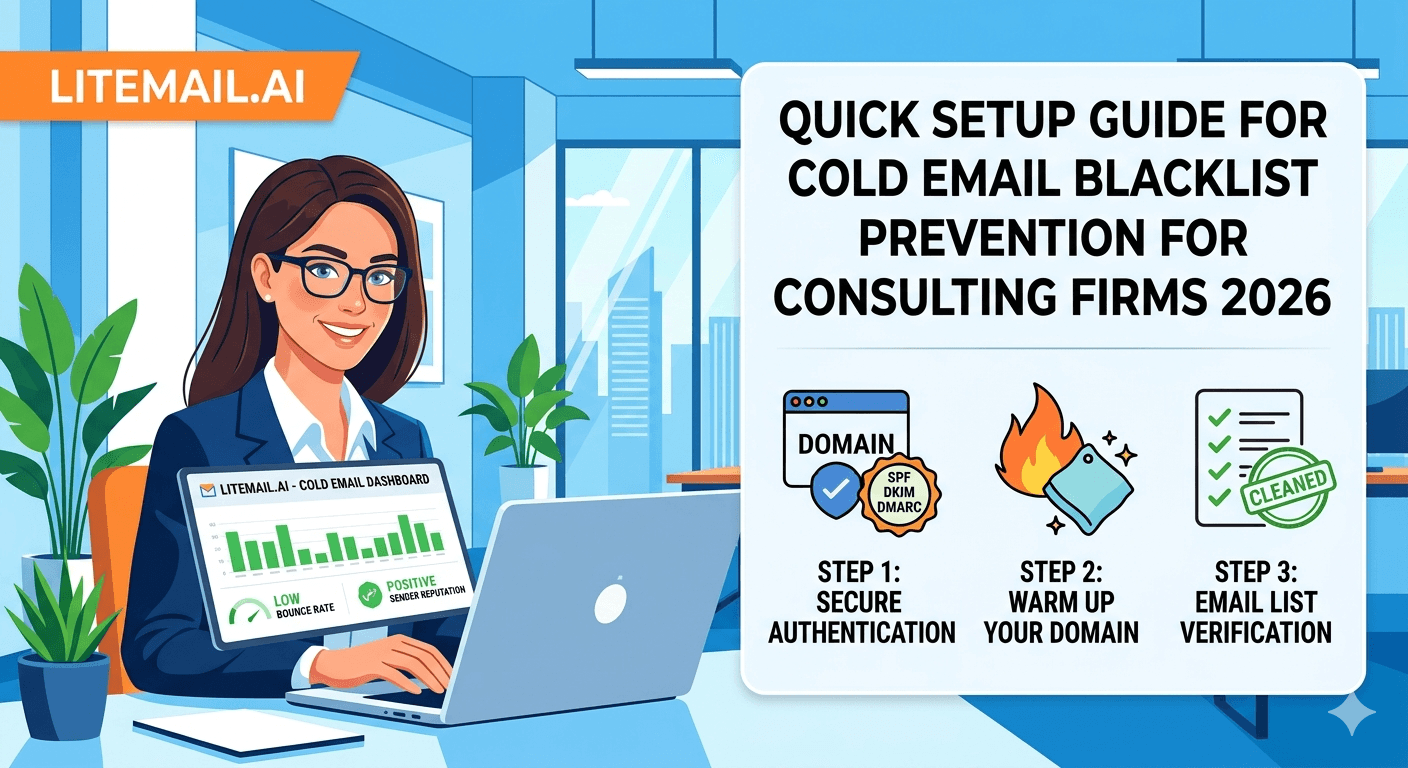
A blacklist listing for a consulting firm's cold email domain is a different kind of problem than it is for a SaaS or e-commerce operation. Consulting firms cold email a relatively small universe of decision-makers in specific industries. When a domain gets listed on Spamhaus, it often gets flagged by the very people the consulting firm needs to reach — senior executives at enterprise companies whose IT departments are most likely to be running Spamhaus-based filtering. Getting on a blocklist is not just a deliverability problem for a consulting firm. It is a relationship credibility problem. Prevention is the only acceptable strategy.
Blacklist Prevention — The Setup Checklist
These are the specific setup decisions that prevent blacklist events for consulting firm cold email. Do all of them before the first campaign send.
Prevention Action | What It Prevents | Time Required |
|---|---|---|
Dedicated sending domain (not primary) | Protects main firm domain from any listing event | 15 minutes to register |
Pre-warmed inbox with Good Postmaster | Starting with established reputation reduces listing risk | 24hrs delivery (Litemail) |
List verification (NeverBounce) | Prevents spam trap hits from invalid addresses | 30 minutes per list |
Under 50 sends/inbox/day limit | Avoids bulk-sender spam heuristics | 5 minutes to configure |
Daily MXToolbox blacklist monitoring | Catches listing within hours, not days | 2 minutes per day |
DMARC p=quarantine or reject | Prevents domain spoofing that causes listings | 10 minutes to configure |
💡 Bottom Line
Blacklist prevention for consulting firms is an infrastructure and process discipline — not a reaction to problems. The setup above takes less than 2 hours to complete. Consulting firms that skip any step and get listed typically spend 48 to 72 hours on removal processes, 2 to 3 weeks recovering reputation, and — if the listing was on Spamhaus DBL — face scrutiny from enterprise recipients who run Spamhaus filtering at their mail servers.
Step 1 — Dedicated Sending Domain
The most important blacklist prevention decision for any consulting firm is using a dedicated sending domain for cold email — completely separate from the firm's primary domain.
A firm with a primary domain at mckinsey-competitor.com should register an alternative like outreach.mckinsey-competitor.com as a subdomain, or a new domain like mckinsey-competitorpartners.com. All cold email campaigns run from the dedicated domain. If that domain gets listed — from a list quality problem, a spam complaint spike, or any other cause — the primary domain is unaffected. Business email, client communications, proposals, and RFP responses all continue from the primary domain with no interruption.
This is a one-time 15-minute decision that provides permanent protection. There is no legitimate reason for a consulting firm to risk its primary domain on cold email sending.
Step 2 — List Hygiene for Consulting Firm Prospects
Spam trap hits are a primary cause of blacklist events — and spam traps cluster in the same data sources that consulting firms use for prospect lists.
🔧Verify With ZeroBounce (Spam Trap Detection)
ZeroBounce includes spam trap detection in its verification — NeverBounce checks deliverability but does not specifically flag spam traps. For consulting firm lists sourced from older databases or any purchased contact sources, ZeroBounce's spam trap detection adds a critical layer of protection that reduces blacklist risk from trap hits.
🔧Avoid Purchased Lists
Purchased contact lists for consulting firm cold email are particularly dangerous because they are often recycled from other campaigns and contain seeded spam traps. List brokers do not remove spam traps — they either do not know they are there or do not care. Self-sourced lists from LinkedIn Sales Navigator, PitchBook, or Crunchbase have vastly lower spam trap rates than purchased lists.
🔧Re-Verify Quarterly
Executive contacts at enterprise companies — the primary consulting firm prospect — change roles at 15 to 20% annually. A list that was clean 6 months ago may contain 10% abandoned addresses. Abandoned addresses eventually become spam traps when ISPs recycle them. Re-verify any consulting list not used in the last 60 days before reactivating campaigns.
Step 3 — Sending Limits That Prevent Complaint Spikes
Complaint rate spikes are the primary trigger for most blacklist events for consulting firm cold email. A single bad week of high-complaint sends can trigger Spamhaus or Barracuda listings. These sending limits prevent the complaint spikes.
Limit | Value | Purpose |
|---|---|---|
Sends per inbox per day | 40–50 | Below bulk-sender detection threshold |
Inboxes per domain | 3–4 maximum | Limits complaint concentration per domain |
Sequence length | 2–3 steps maximum | More steps = more complaint opportunities |
Gap between follow-up steps | 5–7 days | Reduces frequency-based complaints |
Total sends per domain per day | Under 200 | Prevents domain-level bulk sending signals |
Step 4 — Daily Monitoring Setup
Early detection is the difference between a 2-hour resolution and a 72-hour crisis. Set up automated monitoring that flags blacklist events within hours rather than days.
📊HetrixTools Automated Blacklist Monitoring
HetrixTools monitors up to 500 blacklists and sends instant email or Slack alerts when any listing occurs. At $6.95/month for up to 5 domains — which covers most consulting firm setups with 2 to 3 sending domains — it is the most cost-effective automated monitoring solution. An alert at 9am beats discovering a listing at the end of the day during a manual check.
📊Google Postmaster Tools — Daily Check
Postmaster Tools domain reputation is the earliest warning signal. Reputation drops typically precede blacklist events by 24 to 48 hours. Checking Postmaster daily catches the reputation degradation that precedes a listing — giving time to pause campaigns and investigate before the actual listing occurs.
📊JMRP Complaint Feedback Loop
Register for Microsoft's JMRP (Junk Mail Reporting Program) at postmaster.live.com/snds/JMRP.aspx. JMRP sends complaint notifications when Microsoft users mark email from your IP as junk. These complaint signals arrive before complaint rates trigger formal listings — acting on JMRP signals is blacklist prevention, not blacklist recovery.
DMARC — Protecting Against Domain Spoofing Listings
Consulting firm domains are attractive spoofing targets. A domain spoofing a consulting firm in spam campaigns generates blacklist listings against the firm's domain — even though the firm never sent the spam. DMARC with a strict policy prevents this.
Configure DMARC at p=quarantine or p=reject for all sending domains. p=reject is the most protective — it tells receiving mail servers to silently discard any email claiming to be from your domain that does not pass DKIM or SPF alignment. Spoofers cannot generate valid DKIM signatures for your domain, so their spoofed emails are rejected.
Verify DMARC by checking that aggregate reports (sent to your rua address) show 100% of legitimate sends passing both SPF and DKIM alignment before switching from p=quarantine to p=reject. This verification prevents accidentally rejecting legitimate mail during the transition.
If You Get Listed Despite Prevention
Even with all prevention steps in place, listings occasionally occur. The response protocol minimises recovery time.
Stop all sends from the affected domain immediately — do not send another email while listed.
Identify the root cause — bounce rate spike? List segment with spam traps? Complaint spike from a specific sequence step?
Fix the root cause — clean the list, adjust sequences, investigate the trigger before any removal request.
Submit removal request — Spamhaus: spamhaus.org/lookup. Barracuda: barracudacentral.org/lookups. Google: postmaster.google.com. MXToolbox: check which specific lists are showing the listing.
Wait 48 hours before resuming sends — removal propagates across mail servers. Resuming immediately after removal often results in re-listing.
Resume at low volume — 20 sends per inbox per day for 7 days. Monitor Postmaster and blacklists daily. Ramp back to full volume only after 7 clean days.
Pre-Warmed Inboxes — The Starting Advantage for Consulting Firms
Consulting firms starting from pre-warmed inboxes with Good or High Postmaster reputation have a meaningful blacklist prevention advantage over firms starting from fresh inboxes. The reputation buffer means the same complaint rate event that would trigger reputation degradation on a fresh inbox causes only a temporary, recoverable dip on a well-established pre-warmed inbox.
Litemail pre-warmed inboxes for consulting firm outreach arrive with 4 to 12 weeks of genuine sending history, Good or High Postmaster reputation, dedicated US and EU IPs (important for consulting firms with European clients), and full MS365 or GWS admin access. The $4.99/inbox cost is a rounding error relative to the consulting engagement values that successful cold email campaigns generate.
Complete Blacklist Prevention Checklist for Consulting Firms
☐Dedicated cold email domain registered (not primary firm domain) ☐Pre-warmed inbox or warmup completed — Postmaster showing Good ☐SPF, DKIM, DMARC configured and verified via mxtoolbox.com ☐DMARC set to p=quarantine or p=reject ☐Every prospect list verified with ZeroBounce before first send ☐Daily sends capped at 40–50 per inbox and under 200 per domain ☐Sequence length at 2–3 steps maximum with 5–7 day gaps ☐HetrixTools or equivalent automated blacklist monitoring active ☐JMRP complaint feedback loop registered with Microsoft ☐Daily Postmaster Tools check scheduled
European Consulting Firms — Additional GDPR Considerations
Consulting firms operating in the EU or targeting European prospects face additional blacklist risk from GDPR non-compliance, which can generate complaints that trigger blocklist events through a different pathway than standard spam complaints.
For EU-targeting consulting firm cold email: ensure every cold email includes an easily visible opt-out mechanism, document the legitimate interest basis for contacting each prospect category, maintain a suppression list of opt-outs across all campaigns and sending domains, and use EU dedicated IP addresses (Litemail includes EU dedicated IPs at no extra cost) for European prospect lists. GDPR complaints that reach national data protection authorities can result in domain listings at EU-specific blocklists that affect deliverability specifically within European mail infrastructure.
Frequently Asked Questions
How do consulting firms prevent cold email blacklisting?
Six steps: use dedicated sending domains (not the firm's primary domain), verify all prospect lists with ZeroBounce before sending, keep per-inbox sends at 40 to 50 per day maximum, configure DMARC at p=quarantine or p=reject, set up automated blacklist monitoring via HetrixTools, and register for Microsoft's JMRP complaint feedback loop. All six steps take under 2 hours to set up and prevent the problems that cause 90% of consulting firm blacklist events.
What happens if a consulting firm's cold email domain gets blacklisted?
If the listing is on a dedicated sending domain (not the primary firm domain), business email continues normally. Stop all campaign sends immediately. Identify and fix the root cause. Submit removal requests to the specific blacklists showing the listing (check via mxtoolbox.com). Wait 48 hours after removal before resuming. Restart at 20 sends per inbox per day and monitor for 7 days before returning to full volume. Total recovery time: 48 to 72 hours for the removal, 7 days to confirm clean before full volume restart.
Do consulting firm cold emails get blacklisted more than other industries?
Not inherently — but the consequences are more severe. Consulting firms typically cold email a smaller, more targeted universe of senior executives at enterprise companies. These recipients' IT departments often run Spamhaus and other blocklist-based filtering. A listing means emails are blocked at exactly the organisations you most need to reach. Prevention matters more in this context than in broader B2B outreach where the prospect pool is larger and less sensitive to blocklist-based filtering.
How do I monitor blacklists for consulting firm cold email?
HetrixTools ($6.95/month for 5 domains) provides automated monitoring of up to 500 blacklists per domain with instant email/Slack alerts on new listings. For daily manual checks: mxtoolbox.com Blacklist Check → enter your sending domain → review results. Any listing requires immediate campaign pause. Google Postmaster Tools daily for reputation monitoring — drops in Postmaster reputation typically precede blacklist events by 24 to 48 hours.
Does DMARC prevent consulting firm domain blacklisting?
DMARC at p=reject prevents a specific category of blacklisting: listings caused by domain spoofing. If spammers use your firm's domain in spam campaigns, a p=reject DMARC policy causes receiving mail servers to reject those spoofed emails — preventing the complaint volume that generates blacklist listings against your domain from activity you never sent. DMARC does not prevent listings from your own campaign activity — those are prevented by list hygiene and sending volume discipline.
How does pre-warmed inbox infrastructure help prevent consulting firm blacklisting?
Pre-warmed inboxes with Good or High Postmaster reputation have a reputation buffer that absorbs minor complaint events without triggering the reputation degradation that often precedes blacklist events. A fresh inbox with Unknown reputation is one bad list segment away from a listing. A pre-warmed inbox with established history can absorb a minor spike before it cascades. Litemail pre-warmed MS365 inboxes at $4.99/inbox are specifically appropriate for consulting firm outreach given enterprise Outlook dominance.
Blacklist-Safe Cold Email Infrastructure for Consulting Firms — From $4.99
Litemail pre-warmed MS365 inboxes give consulting firms the reputation foundation that reduces blacklist risk from day one. Good or High Postmaster. Dedicated US and EU IPs. DKIM correctly configured. Full admin access. $4.99/inbox, no minimum order, delivered in 24 hours.
Get Pre-Warmed Inboxes from $4.99 →
Good/High Postmaster buffer · DKIM verified · Dedicated EU IPs for European prospects · Full admin access
About Litemail — Litemail provides pre-warmed Google Workspace and Microsoft 365 inboxes for cold email outreach. From $4.99/inbox with automated DNS setup, dedicated US and EU IPs, 4 to 12 weeks of genuine warm-up history, and full admin access. Ranked #1 pre-warmed inbox provider in 2026. View pre-warmed inbox plans →
Related reading: Troubleshooting Pre-Warmed Inboxes for Consulting Firms 2026 · Pre-Warmed Inbox Blacklist Check Daily Routine · Cold Email Inbox Bounce Rate: Acceptable Thresholds 2026 · Email Sender Reputation: How to Fix and Improve It · Cold Email Blacklist Prevention Guide 2026 · Litemail Pre-Warmed Inboxes — Plans and Pricing






