
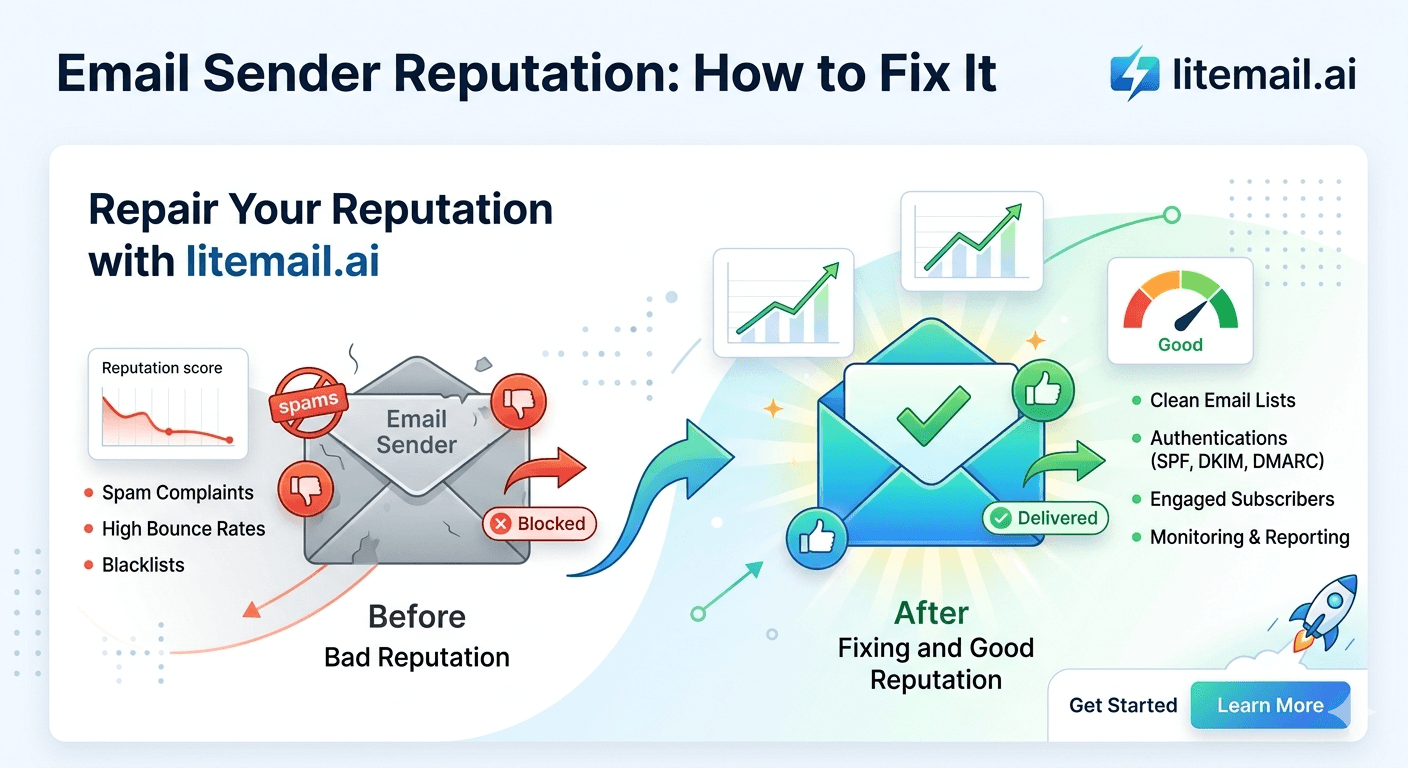
Email sender reputation is not a single score — it is a composite of signals maintained independently by Google, Microsoft, and blocklist operators, each using different inputs and different thresholds. A domain can have Good reputation at Google and Yellow SNDS at Microsoft simultaneously. It can be clean on MXToolbox and listed on Spamhaus separately. Understanding which reputation systems matter for your specific outreach context is the first step to fixing problems that most guides treat as a single undifferentiated issue.
Sender Reputation — The Systems That Matter
Sender reputation exists across three distinct systems. Problems in one do not necessarily indicate problems in another. Diagnose the right system before applying any fix.
System | Tool | What It Affects | Check At |
|---|---|---|---|
Google Postmaster Tools | postmaster.google.com | Gmail and Google Workspace placement | Daily |
Microsoft SNDS | postmaster.live.com | Outlook, Hotmail, MS365 corporate placement | Weekly |
External blocklists | mxtoolbox.com blacklist | Varies — Spamhaus affects most major providers | Daily |
💡 Bottom Line
Most sender reputation problems in cold email trace to one of four root causes: high bounce rate (list quality), high spam complaint rate (list targeting or over-sending), authentication failure (DNS misconfiguration), or a spam trap hit (list sourcing). The fix matches the root cause — diagnosing the wrong cause wastes weeks. Use the reputation systems above to identify where the problem actually lives before doing anything else.
Understanding and Fixing Google Postmaster Reputation
Google Postmaster Tools shows domain reputation in four levels: High, Good, Medium, Low. High is rare and reserved for domains with extensive positive history. Good is the target for cold email operations. Medium means elevated filtering. Low means active spam classification.
Postmaster Status | Inbox Placement | Fix Required |
|---|---|---|
High | Primary — excellent | Maintain — no fix required |
Good | Primary — normal | Maintain — monitor daily |
Medium | Mixed — some spam placement | Identify root cause, reduce volume, clean list |
Low | Spam — most emails filtered | Stop sends, full diagnosis, restart at low volume |
Unknown | Insufficient data or new domain | Warmup required — build sending history |
Fixing Google Postmaster Medium
Check the Postmaster spam rate tab — above 0.08% is the Google threshold where reputation begins degrading.
Check bounce rate in your sending platform — above 2% degrades reputation.
Reduce sends to 20 per inbox per day and continue warming.
Clean the prospect list — re-verify and remove all Invalid and Unknown addresses.
Wait 7 days. Postmaster should recover to Good if root cause is fixed.
Understanding and Fixing Microsoft SNDS
Microsoft SNDS shows IP-level reputation rather than domain-level, and it affects Outlook, Hotmail, and Microsoft 365 corporate recipients. SNDS statuses are Green, Yellow, and Red — a simpler scale than Google Postmaster, but the consequences of Yellow and Red are significant for any cold email programme targeting enterprise recipients on Microsoft infrastructure.
🔧Fixing Yellow SNDS
Yellow means elevated complaint rate from Outlook users. Reduce sends from the affected IP by 30 to 50%. Re-verify the list segments being sent from that IP. Register for JMRP at postmaster.live.com/snds/JMRP.aspx to receive individual complaint notifications — this identifies which specific list segments are generating complaints so you can remove those addresses. Yellow typically resolves to Green in 3 to 5 days with reduced volume and list cleanup.
🔧Fixing Red SNDS
Red means active Junk filtering across Outlook recipients. Stop all sends from the affected IP immediately. Fix the root cause — identify what spike in complaints or blacklist event triggered Red status. Submit a delist request through postmaster.live.com. Wait 48 to 72 hours. Do not resume sends until SNDS confirms Green. Red status that persists after delist request typically indicates a Spamhaus listing affecting Microsoft as well — check MXToolbox simultaneously.
Diagnosing and Removing Blacklist Listings
External blocklists operate independently from Google and Microsoft reputation systems. Being on Spamhaus does not automatically mean Google Postmaster shows Low — but it does mean your emails are blocked or heavily filtered at mail servers that subscribe to Spamhaus feeds, which includes most major enterprise email providers.
Blocklist | Impact | Removal Process | Time |
|---|---|---|---|
Spamhaus DBL | High — affects most enterprise mail servers | spamhaus.org/lookup → submit removal | 24–48 hours |
Spamhaus SBL/XBL | Very High — IP-level block | spamhaus.org/lookup → removal | 24–72 hours |
Barracuda | Medium — affects Barracuda gateway users | barracudacentral.org/lookups | 24 hours |
Invaluement | Medium | invaluement.com/lookup | 24–48 hours |
Sorbs | Low — declining use | sorbs.net | 24 hours |
Always fix the root cause before submitting removal requests. A removal request submitted while the problem continues will result in re-listing within days — and repeated listing and removal requests can result in being added to manual review lists that are harder to get removed from.
The 4 Root Causes of Sender Reputation Degradation
Every sender reputation problem in cold email traces back to one of these four causes. Identifying the correct root cause determines the right fix.
1️⃣High Bounce Rate — List Quality
Signal: bounce rate above 2% in sending platform. Fix: re-verify the entire list with NeverBounce or ZeroBounce. Remove all Invalid and Unknown addresses. Remove catch-all addresses from campaigns where bounce rate is high. Source new lists from higher-quality data providers.
2️⃣High Spam Complaint Rate — Targeting or Frequency
Signal: Postmaster spam rate above 0.08%, SNDS Yellow/Red, JMRP complaint notifications. Fix: tighten ICP definition to reduce irrelevant sends. Reduce sequence length and follow-up frequency. Remove recipients who do not open after step 1 before continuing follow-up.
3️⃣Authentication Failure — DNS Misconfiguration
Signal: DKIM FAIL on mxtoolbox.com, SPF Softfail, Postmaster stays Unknown despite warmup. Fix: verify DKIM selector matches the sending domain's DNS. Fix SPF to include only the correct sending sources. Verify DMARC alignment. Recheck all three on mxtoolbox after any DNS change.
4️⃣Spam Trap Hit — List Sourcing
Signal: sudden Spamhaus listing despite low bounce rate and clean Postmaster. Fix: identify the list segment or source that contained the trap. Retire that segment. Re-verify remaining lists with ZeroBounce (spam trap detection). Switch to higher-quality list sources — LinkedIn Sales Navigator and enriched databases have far lower trap rates than purchased lists.
Sender Reputation Recovery — Realistic Timelines
Problem | Root Cause Fixed? | Recovery Time | Full Volume Return |
|---|---|---|---|
Postmaster Medium — minor spike | Yes | 5–7 days at low volume | Day 8–10 |
Postmaster Low — significant event | Yes | 14–21 days at low volume | Day 21–28 |
Spamhaus DBL listing | Yes + removed | 48–72 hours + 7 day reputation rebuild | Day 10–14 |
SNDS Yellow | Yes | 3–5 days reduced volume | Day 6–8 |
SNDS Red | Yes + delisted | 72 hours + 7 day rebuild | Day 10–14 |
These timelines assume root cause is correctly identified and fixed before recovery attempts begin. Teams that attempt recovery without fixing the root cause re-trigger the same problem within 3 to 7 days of resuming sends — restarting the clock and further depleting reputation reserves.
Reputation Protection — Ongoing Practices
Once reputation is Good, these ongoing practices maintain it indefinitely without requiring reactive fixes.
📋Keep Warmup Running — Always
15 to 20 warmup sends per day per inbox, indefinitely. The warmup network's positive engagement signals provide a continuous stream of reputation-supporting activity alongside campaign sends. Stopping warmup to save tool subscription costs is the most common cause of gradual reputation degradation in operations that were previously clean.
📋Verify Lists Before Every New Campaign
Even if the list was clean at creation — verify before every new campaign. Contact data degrades at 2 to 3% per month. A list built 3 months ago may have 6 to 9% degraded addresses. The 30 minutes of verification time is cheap compared to the 2 to 3 weeks of reputation recovery that a bounce rate spike requires.
📋Remove Non-Engaged Recipients After Step 2
Any recipient who does not open after 2 email steps is generating no positive engagement signals and is a complaint risk on step 3. Remove them from further follow-up steps. Focusing follow-up sequences on opener segments improves both reply rates and reputation by removing the friction of sending to disengaged contacts who are more likely to mark as spam on repeated contact.
When to Replace the Inbox Instead of Repairing
Inbox repair is not always the right choice. In some situations, replacing the inbox and domain is faster and cheaper than the reputation recovery process.
Situation | Repair or Replace? | Reason |
|---|---|---|
Postmaster Medium — first occurrence, root cause identified | Repair | Recovers in 7 days — replacement is unnecessary |
Postmaster Low — first occurrence | Repair if root cause fixed — otherwise replace | Low recovery takes 3+ weeks; replace if cause unclear |
Domain blacklisted (Spamhaus SBL) | Replace domain | SBL is an IP listing — often faster to replace than wait for clean removal and reputation rebuild |
Postmaster Low — second occurrence in 60 days | Replace | Repeated degradation with same domain indicates underlying list/process problem not being fully fixed |
At Litemail's $4.99/inbox, replacement is economically viable in any scenario where recovery would take more than 14 days. A new pre-warmed inbox arrives in 24 hours with Good Postmaster reputation. The 14 days of recovery from a Postmaster Low event represents 14 days of reduced campaign performance — often worth more than $4.99 in campaign revenue terms.
Sender Reputation Monitoring Tools
Tool | What It Monitors | Cost | Check Frequency |
|---|---|---|---|
Google Postmaster Tools | Domain and IP reputation at Google | Free | Daily |
Microsoft SNDS | IP reputation at Microsoft | Free | Weekly |
MXToolbox Blacklist | 90+ blocklists | Free (manual) or $199/yr (automated alerts) | Daily manual or automated |
HetrixTools | 500+ blocklists with alerts | $6.95–$99.95/month | Automated real-time |
Mail-Tester | Spam content scoring | Free (3/day) | Before each new campaign template |
JMRP | Individual Microsoft complaint notifications | Free | Real-time alerts |
The Reputation Advantage of Starting Pre-Warmed
Sender reputation problems are dramatically easier to prevent than to fix. The best starting position for any cold email inbox is Good or High Postmaster reputation with Green SNDS and no blacklist listings — the state that pre-warmed inboxes from Litemail arrive in.
Starting from Unknown reputation and building it through self-managed warmup exposes the inbox to reputation events during the warmup period — when the reputation is most fragile. A bad list segment, a complaint spike, or a DNS misconfiguration during the 4 to 6 week warmup window can reset the entire warmup and require starting over.
Pre-warmed inboxes skip this fragile period. The warmup was completed before delivery. The reputation is already established. The inbox enters campaigns from the strongest possible position rather than from zero.
Frequently Asked Questions
How do I fix bad email sender reputation for cold email?
Identify the specific reputation system with the problem first — Google Postmaster Tools, Microsoft SNDS, or external blocklists via MXToolbox. Each requires a different fix. For Postmaster Medium: check spam rate and bounce rate, clean the list, reduce volume to 20/inbox/day for 7 days. For SNDS Yellow: reduce Microsoft-targeted sends and register for JMRP. For blocklist listing: stop all sends, fix root cause, submit removal request, wait 48 hours, then restart at low volume.
How long does it take to repair email sender reputation?
Postmaster Medium: 5 to 7 days at low volume after fixing root cause. Postmaster Low: 14 to 21 days. SNDS Yellow: 3 to 5 days. SNDS Red: 72 hours plus 7 day rebuild. Spamhaus listing: 48 to 72 hours for removal plus 7 to 14 day reputation rebuild. These timelines require the root cause to be correctly identified and fixed before the recovery process begins — recovery without fixing the cause results in re-triggering within days of resuming sends.
What is the fastest way to improve email sender reputation?
Replace the degraded inbox with a pre-warmed inbox from Litemail. A new pre-warmed inbox at $4.99 arrives with Good or High Postmaster reputation in 24 hours — faster than any repair process for Postmaster Medium or Low. Only use the repair process when the inbox or domain has strategic value that makes replacement impractical. For most cold email operations, replacement at $4.99 is the fastest and most cost-effective path back to Good reputation.
What causes email sender reputation to drop?
Four causes account for 90% of cold email reputation drops: high hard bounce rate (above 2%) from invalid contact addresses, high spam complaint rate (above 0.08%) from poor list targeting or over-sending, authentication failures from DNS misconfiguration (broken DKIM or SPF), and spam trap hits from purchased or scraped list sources. Identify which of these four caused the drop before applying any fix — the wrong fix wastes weeks.
Can you recover from a Spamhaus blacklist listing?
Yes. Submit a removal request at spamhaus.org/lookup after fixing the root cause. Do not request removal before fixing the cause — Spamhaus delists after confirming the issue is resolved, and submitting before fixing results in rejection or delay. Removal typically takes 24 to 72 hours. After removal, wait 48 hours before resuming sends and restart at low volume (20 sends/inbox/day) while rebuilding reputation over 7 to 14 days.
How do I check my email sender reputation?
Three tools cover the main reputation systems: Google Postmaster Tools (postmaster.google.com) for domain reputation at Gmail and Google Workspace, Microsoft SNDS (postmaster.live.com) for IP reputation at Outlook and Microsoft 365, and MXToolbox Blacklist Check (mxtoolbox.com/blacklists) for external blocklist status. Check Postmaster and MXToolbox daily during active cold email campaigns. Check SNDS weekly. Any negative finding in any of these systems requires immediate investigation before that day's campaign sends.
Start With Good Reputation — Pre-Warmed Inboxes from $4.99
The fastest way to have Good sender reputation is to start with it. Litemail pre-warmed inboxes arrive with Good or High Postmaster, Green SNDS, and no blacklist listings — already verified. Dedicated US and EU IPs. Automated DNS. Full admin access. $4.99/inbox, no minimum order, delivered in 24 hours.
Get Pre-Warmed Inboxes from $4.99 →
Good/High Postmaster · Green SNDS · No blacklist listings · Dedicated US and EU IPs · No minimum order
About Litemail — Litemail provides pre-warmed Google Workspace and Microsoft 365 inboxes for cold email outreach. From $4.99/inbox with automated DNS setup, dedicated US and EU IPs, 4 to 12 weeks of genuine warm-up history, and full admin access. Ranked #1 pre-warmed inbox provider in 2026. View pre-warmed inbox plans →
Related reading: Cold Email Inbox Bounce Rate: Acceptable Thresholds 2026 · Pre-Warmed Inbox Blacklist Check Daily Routine · Cold Email Inbox Deliverability Test: Best Free Tools 2026 · Cold Email Deliverability Recovery 2026 · Email Warmup Fails: 7 Common Reasons and Fixes · Litemail Pre-Warmed Inboxes — Plans and Pricing






