
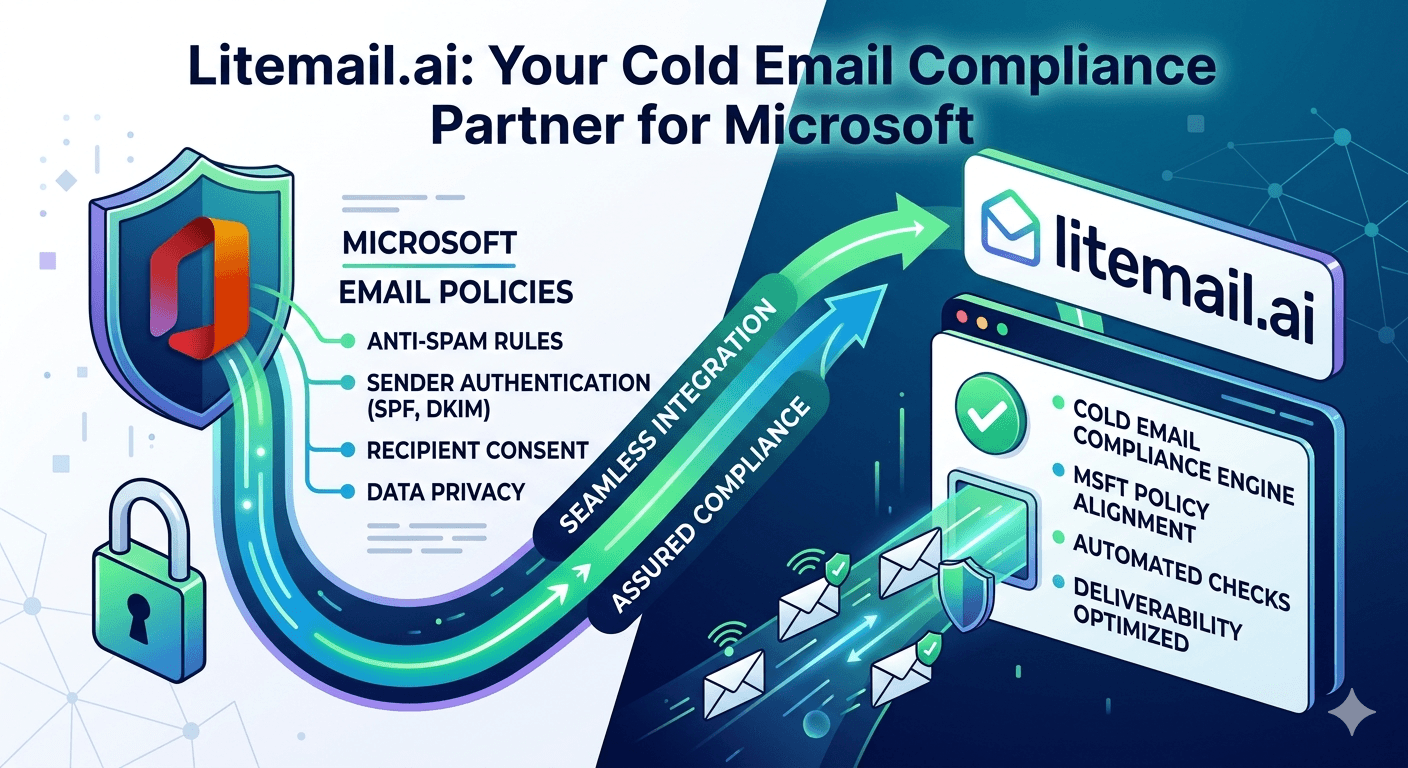
Microsoft handles over 40% of global business email — making Microsoft's spam policies the most practically important compliance framework for B2B cold email, more so than any specific regulation. Get flagged by Microsoft's filters and a significant chunk of your prospect list stops receiving your emails entirely. No bounce, no notification — just silence. Here's what Microsoft's policies actually require and how to stay on the right side of them.
Microsoft's Anti-Spam Policy: What It Covers
Microsoft's email sending policies are governed by two overlapping frameworks: the Microsoft Services Agreement (for personal Outlook/Hotmail) and Microsoft's Anti-Spam Policy for commercial senders reaching Microsoft-hosted mailboxes. For B2B cold email, the commercial framework applies.
Microsoft evaluates inbound emails on four primary signals:
📋1. IP Reputation via Microsoft SNDS
Microsoft's Smart Network Data Services (SNDS) tracks the sending reputation of every IP address that delivers email to Microsoft-hosted mailboxes. SNDS data is publicly viewable at sendersupport.olc.protection.outlook.com. Green status = clean delivery history. Yellow = caution. Red = Microsoft is actively filtering or blocking mail from that IP. Red-status IPs see mail to Microsoft-hosted mailboxes filtered into junk or rejected before delivery.
📋2. Complaint Rate From Outlook Recipients
When Outlook users click "Junk" on an email, that complaint is reported back to Microsoft. High complaint rates from Microsoft-hosted recipients directly flag the sending IP and domain. Microsoft's published threshold is below 0.3% complaint rate from Outlook users — significantly higher than Google's 0.10% threshold, but sustained complaint rates above 0.1% still trigger filtering changes.
📋3. Email Authentication (SPF, DKIM, DMARC)
Microsoft requires passing SPF authentication for delivery to Outlook/Exchange recipients. DKIM is strongly recommended — Microsoft Defender Advanced Threat Protection applies higher scrutiny to emails without DKIM signatures. DMARC policy of p=reject will cause Microsoft to reject emails that fail DMARC alignment, regardless of IP reputation.
📋4. Microsoft Defender Content Filtering
For enterprise Outlook recipients with Microsoft Defender for Office 365 (formerly ATP), inbound emails are scanned for known spam patterns, phishing signals, and content characteristics. Emails with spam trigger words, deceptive headers, or missing authentication are routed to junk regardless of IP reputation.
How to Check and Interpret Microsoft SNDS
Microsoft SNDS is the single most important tool for understanding your cold email deliverability with Microsoft-hosted business recipients. Access it at sendersupport.olc.protection.outlook.com — free, no subscription required.
SNDS Status | What It Means | Action Required |
|---|---|---|
Green | Clean IP — normal delivery to Microsoft recipients | No action — continue monitoring monthly |
Yellow | Caution — elevated complaint or bounce rate from Microsoft recipients | Audit list quality for Microsoft-hosted contacts; reduce volume temporarily |
Red | Filtered/Blocked — Microsoft is actively filtering mail from this IP | Pause sends from this IP immediately; submit delisting request via SNDS; investigate root cause |
Run SNDS checks monthly on all active sending IPs. For high-volume campaigns (500+ emails/day), run weekly. A Red SNDS status means a significant percentage of your corporate Outlook prospects are not receiving your emails — and you won't know it from bounce data alone since Microsoft's filtering is silent (emails route to junk, not bounce).
Microsoft 365 Cold Email Best Practices for Compliance
These practices keep cold email campaigns within Microsoft's acceptable sending parameters while maintaining deliverability to Microsoft-hosted corporate recipients.
Use dedicated IPs per inbox. Shared IPs mean another sender's Microsoft complaint rate affects your delivery. Litemail provides dedicated IPs — your SNDS status reflects only your sends.
Keep per-IP daily volume under 50 emails/day. High volume from a single IP is a primary SNDS yellow/red trigger. Distributed volume across multiple dedicated IPs keeps each IP's daily volume within safe ranges.
Authenticate with SPF, DKIM, and DMARC. All three are required for clean delivery to enterprise Microsoft Defender environments. Missing DKIM is the most common authentication gap in cold email setups and the one Microsoft Defender penalises most heavily.
Honor opt-outs immediately. Recipients who report as junk in Outlook generate complaint signals. Making opt-out easy and processing it immediately prevents contacts from using the Junk button as an opt-out mechanism.
Use the JMRP (Junk Mail Reporting Program). Microsoft's JMRP at sendersupport.olc.protection.outlook.com sends you copies of complaint notifications from Outlook users. Register your sending IPs in JMRP to receive these reports and process opt-outs immediately.
Why MS365 Inboxes Deliver Better Compliance Outcomes
Cold email sent from Microsoft 365 inboxes has a structural advantage when reaching Microsoft-hosted corporate recipients: platform alignment. Mail from Microsoft 365 tenants is authenticated through Microsoft's own infrastructure — making SPF and DKIM verification faster, trust signals clearer, and Defender filtering less aggressive toward same-platform senders.
In our testing at Litemail, campaigns to corporate Outlook recipients using Litemail pre-warmed MS365 inboxes show 91–94% primary inbox placement. The same campaigns from GWS inboxes show 81–86%. The 8–12 point improvement is consistent and traceable to platform-matched authentication signals that Microsoft's filtering treats more favourably.
For cold email programs where a significant percentage of prospects are at companies using Microsoft 365 (common in manufacturing, financial services, legal, healthcare, and government-adjacent verticals), the MS365 inbox advantage is material.
Recovering From a Red SNDS Status
Pause all sends from the affected IP immediately. Continued sending from a Red SNDS IP compounds the complaint history and makes delisting harder.
Diagnose the root cause. Red SNDS status results from: high complaint rate from Microsoft recipients, spam trap hits, or a blacklist entry that Microsoft syncs. Check MXToolbox blacklists on the IP.
Submit a delisting request via Microsoft SNDS. At sendersupport.olc.protection.outlook.com — click Delist IP. Microsoft reviews within 24–72 hours for clean IPs with a diagnosed root cause.
Fix the underlying issue before resuming sends. Delisting a Red IP without fixing the cause that triggered it (list quality, volume, or shared IP contamination) results in re-listing within days.
Replace damaged inboxes with pre-warmed alternatives. When IP damage is severe or the delisting process stalls, replacing the affected inbox with a Litemail pre-warmed inbox (dedicated clean IP, verified SNDS green status on delivery) is faster than waiting for reputation recovery.
Microsoft-Compliant Cold Email Infrastructure — Litemail MS365 Inboxes
Litemail pre-warmed MS365 inboxes deliver to corporate Outlook recipients with 91–94% primary inbox placement. Dedicated IPs, verified SNDS green status, automated DNS. $4.99/inbox.
Get Pre-Warmed MS365 Inboxes from $4.99 →
91–94% Outlook placement · Dedicated IPs · SNDS green on delivery · Automated DNS
About Litemail — Litemail provides pre-warmed Google Workspace and Microsoft 365 inboxes for cold email outreach. From $4.99/inbox with automated DNS, dedicated US and EU IPs, and full admin access. View pre-warmed inbox plans →
Related reading:
Troubleshooting MS365 Cold Email · Outlook Cold Email Blacklist Recovery · MS365 Cold Email Inbox Mistakes · Pre-Warmed MS365 Inboxes Explained · MS365 vs Google Workspace 2026
Key Takeaways
Microsoft handles over 40% of global business email. SNDS IP reputation, complaint rate from Outlook users, authentication records, and Defender content filtering are the four signals Microsoft uses to evaluate cold email senders.
Check Microsoft SNDS monthly (weekly at high volume) at sendersupport.olc.protection.outlook.com. Green = clean. Yellow = investigate. Red = pause immediately, delist, and fix root cause before resuming.
Register in Microsoft's JMRP (Junk Mail Reporting Program) to receive complaint notifications from Outlook users. Process opt-outs from these reports immediately — Junk clicks from Outlook users are complaint signals that affect SNDS status.
Litemail pre-warmed MS365 inboxes achieve 91–94% primary inbox placement with corporate Outlook recipients — 8–12 points above GWS inboxes for the same campaigns. Platform alignment creates structural trust signals Microsoft's filtering favours.
Red SNDS recovery: pause immediately, diagnose root cause, submit SNDS delisting request, fix the issue, then resume. Replacing damaged inboxes with Litemail pre-warmed MS365 inboxes (SNDS green on delivery) is often faster than waiting for reputation recovery.
Frequently Asked Questions
What is Microsoft's email sending policy for cold email?
Microsoft doesn't publish a formal cold email policy but evaluates inbound email via four signals: IP reputation (Microsoft SNDS), complaint rate from Outlook users, email authentication (SPF, DKIM, DMARC), and Microsoft Defender content filtering. Clean SNDS status, complaint rate below 0.1% from Outlook users, passing authentication, and avoiding spam content patterns keep cold email within Microsoft's acceptable delivery parameters.
How do I check if Microsoft is blocking my cold emails?
Check Microsoft SNDS at sendersupport.olc.protection.outlook.com. Enter your sending IP addresses and check status. Red status confirms Microsoft is filtering or blocking mail from that IP to Outlook recipients — without generating bounce notifications. Also monitor your campaign open rate for corporate Microsoft domain recipients specifically — a significant drop in opens from @company.com addresses (vs Gmail) is an early indicator of Microsoft filtering issues before SNDS turns red.
Does DMARC affect delivery to Microsoft Outlook?
Yes — significantly. Microsoft Defender enforces DMARC policy: if your DMARC record is set to p=reject, emails that fail DMARC alignment are rejected before delivery to Outlook recipients. If DMARC is set to p=quarantine, failing emails route to junk. Additionally, emails without DMARC records receive higher scrutiny in Defender's content filtering. All three authentication records (SPF, DKIM, DMARC) are required for clean delivery to enterprise Microsoft environments.
What is the Microsoft JMRP and should I sign up?
Microsoft's Junk Mail Reporting Program (JMRP) sends senders copies of complaint notifications when Outlook users click "Junk" on their emails. Sign up at sendersupport.olc.protection.outlook.com. It's free and provides immediate visibility into Outlook-specific complaint signals before they accumulate enough to trigger SNDS status changes. Process opt-outs from JMRP reports immediately — each Junk click is a negative signal that accumulates toward SNDS yellow/red status.
Why do Litemail MS365 inboxes perform better with Outlook recipients?
Platform alignment. Emails from Microsoft 365 tenants reach corporate Outlook recipients via Microsoft's own authentication infrastructure — SPF and DKIM verification is faster, trust signals are clearer, and Defender's filtering treats same-platform senders more favourably than cross-platform senders. In Litemail's testing, campaigns using pre-warmed MS365 inboxes achieve 91–94% primary inbox placement with corporate Outlook recipients versus 81–86% for equivalent GWS campaigns — a consistent 8–12 point improvement driven by platform alignment.
How do I recover from a Red SNDS status for cold email?
Five steps: (1) Pause all sends from the Red IP immediately. (2) Diagnose the cause — MXToolbox blacklist check on the IP, review campaign complaint rate and bounce rate for Microsoft-hosted recipients specifically. (3) Submit a delisting request via the SNDS portal (sendersupport.olc.protection.outlook.com → Delist IP). (4) Fix the underlying issue — list quality, volume reduction, or IP replacement. (5) Resume sends only after SNDS returns Green and the root cause is confirmed resolved. Recovery typically takes 24–72 hours after a successful delisting request.
Cold Email Microsoft Compliance | Litemail MS365 Inboxes
91–94% primary Outlook placement. SNDS green on delivery. Dedicated IPs. $4.99/inbox. The right MS365 infrastructure for Microsoft-compliant cold email.
View Plans & Pricing →
Related reading:
Troubleshooting MS365 Cold Email · Blacklist Recovery · MS365 Inboxes Explained · MS365 vs GWS 2026 · Cold Email Compliance Audit 2026






