
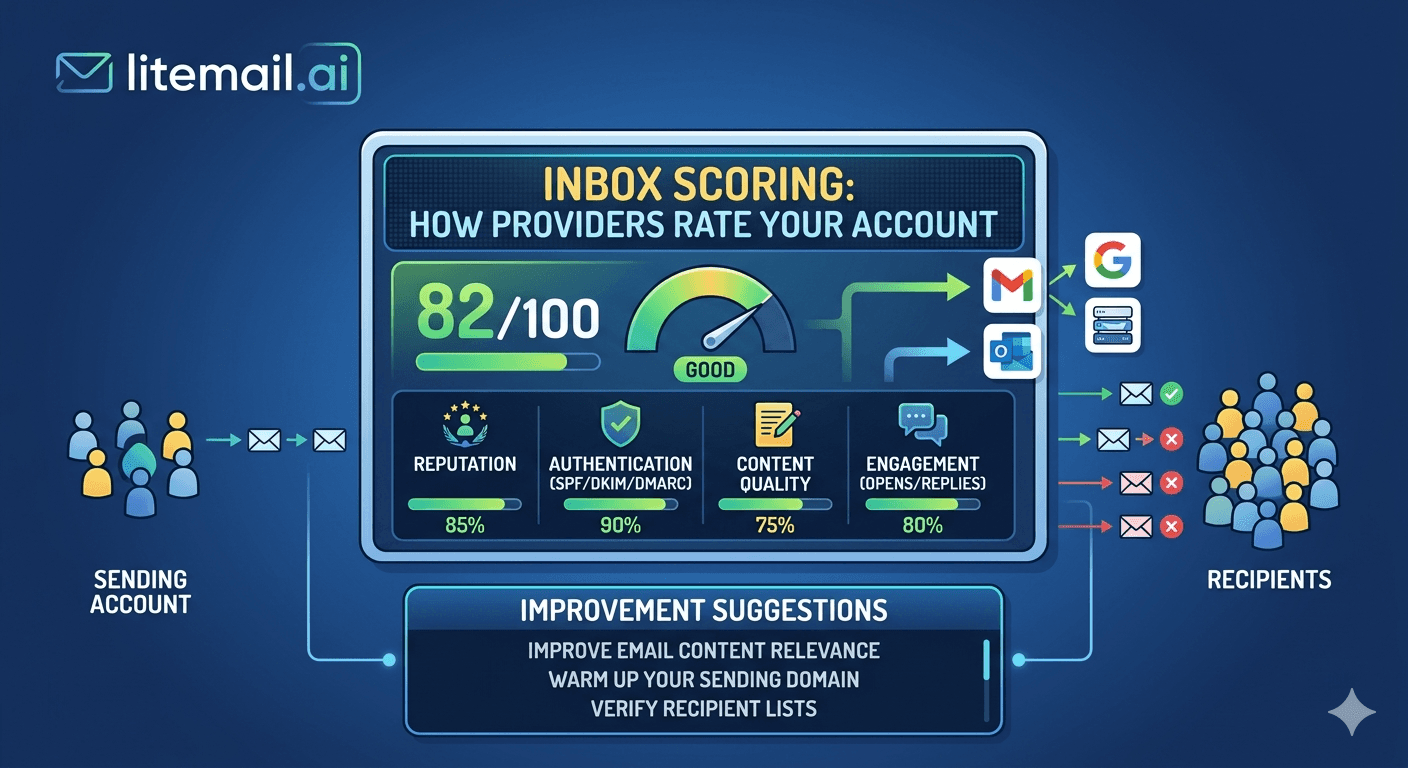
Your inbox has a score. Not one score — several. Google Postmaster Tools gives your domain a reputation rating. Your sending IP has a score on Spamhaus and other blacklist databases. Microsoft's SmartScreen rates your sender reputation independently. Your sending platform tracks your per-inbox bounce and complaint rates. And none of these systems are visible to you on a daily basis unless you know where to look. Most cold email teams are flying blind on the infrastructure that determines whether their emails land.
💡 TL;DR
Cold email inbox scoring happens across four independent systems: Google Postmaster Tools (domain reputation), Microsoft SNDS (IP reputation for Outlook/Exchange recipients), blacklist databases (Spamhaus, Barracuda, SORBS), and your sending platform's per-inbox metrics. Genuine pre-warmed inboxes score Good or High in Postmaster within 48 hours of delivery — fresh inboxes score Unknown for weeks. Keep bounce rate under 2%, spam complaint rate under 0.08%, and check all four systems weekly once you're sending at volume.
The 4 Systems Scoring Your Inbox Right Now
Most cold email teams check one or two of these. The teams with consistently high deliverability check all four — and they check them on a schedule, not just when something breaks.
1. Google Postmaster Tools — Domain Reputation
Postmaster Tools rates your sending domain's reputation as High, Good, Medium, or Low for Gmail recipients. This is the most important single score for cold email teams targeting B2B contacts, since a large percentage of business email is Gmail-hosted or Google Workspace. Good or High means primary inbox placement. Medium means increasing spam folder placement. Low means near-total spam filtering for Gmail recipients.
The key insight: Postmaster reputation is domain-based, not inbox-based. All inboxes on the same sending domain share the same domain reputation score. One inbox with a bad list destroys the domain reputation for every inbox on that domain.
2. Microsoft SNDS — IP Reputation for Exchange Recipients
Microsoft's Smart Network Data Services (SNDS) rates the reputation of your sending IP address for Outlook and Exchange recipients. Unlike Postmaster Tools (domain-based), SNDS is IP-based. A Green status means good placement for Microsoft-hosted recipients. Yellow is caution. Red means active filtering or blocking by Microsoft's SmartScreen.
To check: go to sendersupport.microsoft.com/snds and request access for your sending IP ranges. This matters especially if your list skews toward corporate recipients — many large companies use Exchange or Microsoft 365 hosting.
3. Blacklist Databases — Spamhaus, Barracuda, SORBS
Blacklist databases score your sending IP and sending domain on binary pass/fail criteria — either you're listed or you're not. Being listed on Spamhaus SBL means a significant percentage of receiving mail servers will bounce or block your email before it reaches a spam folder. MXToolbox's blacklist checker covers 100+ databases in one query.
4. Sending Platform Per-Inbox Metrics
Instantly, Smartlead, and Lemlist all track per-inbox bounce rate, reply rate, spam complaint rate, and open rate. These platform-level scores are your earliest warning system — they catch problems before they show up in Postmaster Tools or SNDS. Set automated alerts at 1.8% bounce rate and 0.06% spam complaint rate per inbox.
What Google Postmaster Scores Actually Mean for Inbox Placement
The correlation between Postmaster domain reputation and primary inbox placement is direct — and more extreme than most teams realize.
Postmaster Reputation | Typical Gmail Inbox Placement | Cold Email Impact |
|---|---|---|
High | 95–99% | Optimal — send at full volume |
Good | 88–95% | Acceptable — monitor weekly |
Medium | 60–80% | Investigate immediately — reduce volume 50% |
Low | Under 40% | Stop sending — fix root cause before resuming |
Unknown | Unpredictable | Fresh inbox — needs warm-up before campaigns |
The Unknown status is the one most cold email teams don't act on correctly. Unknown doesn't mean your inbox is blocked — it means Postmaster doesn't have enough sending data to rate it. But a new sending domain with Unknown reputation gets treated with maximum scrutiny by Gmail's filters until reputation is established. That's the case where pre-warmed inboxes provide the most direct deliverability benefit: they arrive with Good or High reputation already established.
How Pre-Warmed Inboxes Score Versus Fresh Inboxes
The scoring gap between pre-warmed and fresh inboxes is most visible in the first 30 days of sending. Here's what we consistently see in our testing at Litemail across hundreds of inbox deployments:
Pre-warmed Litemail inbox, Day 1: Good or High in Google Postmaster Tools within 48 hours. SNDS Green. MXToolbox blacklist: clean. Platform metrics: baseline bounce rate 0.8–1.2%.
Fresh inbox, same domain registration age, Day 1: Unknown in Postmaster Tools (can take 3–6 weeks to establish any rating). SNDS unknown or unrated. Platform metrics: bounce rate 2.5–4% as receiving servers treat the unknown sender with more scrutiny.
After 30 days of correct sending (30–50 emails/day per inbox), fresh inboxes start reaching Good reputation — but the sending history built during that 30-day ramp is from lower-volume sends, meaning the domain reputation baseline is lower than a pre-warmed inbox that built 4–12 weeks of history at real sending volumes before campaigns began.
What Actually Moves Your Inbox Score in the Right Direction
Inbox scoring improves through positive sending signals and is damaged by negative ones. Here's the specific behaviour that moves scores in each direction.
Signals That Improve Your Score
Consistent daily sends at moderate volume (30–50 per inbox)
High open rates (25%+ for cold email in a warmed state)
Replies from recipients — the strongest positive signal
Recipients moving your email from spam to inbox (explicitly tells Gmail the email was legitimate)
Clean bounce rate under 1.5%
Zero or near-zero spam complaint rate
Signals That Damage Your Score
Spam complaints — even one per 1,000 emails (0.1%) starts damaging scores
Hard bounces above 2% sustained over 5+ days
Volume spikes — sudden jump from 50 to 500 emails/day without a gradual ramp
No replies and no opens at volume — signals low engagement to filtering algorithms
Recipients marking email as spam without an unsubscribe option in the email
The Weekly Inbox Score Monitoring Routine
Here's the exact routine we use at Litemail to monitor inbox health across a multi-client inbox pool. This takes about 20–30 minutes per week and catches problems before they become expensive.
Monday: Check Google Postmaster Tools for every active sending domain. Note any reputation changes from the previous week. Pause any domain showing Medium or lower.
Tuesday: Check Microsoft SNDS if your lists skew corporate. Flag any Yellow or Red IP ratings for investigation.
Wednesday: Pull per-inbox metrics from your sending platform. Look for any inbox at or above 1.5% bounce rate or 0.05% spam complaints. Pause those inboxes.
Thursday: Run MXToolbox blacklist check on all sending domains and IPs. Any listing triggers immediate investigation and delisting request.
Friday: Review the week's reply rates and open rates per inbox. Significant drops (30%+ week-over-week) indicate deliverability issues not yet visible in reputation scores.
Start With Inboxes Already Scored Good or High
Skip the 4–8 week ramp to establish Postmaster reputation. Litemail pre-warmed inboxes arrive verified Good or High in Google Postmaster Tools within 48 hours — automated DNS, dedicated US and EU IPs, $4.99/inbox.
Get Pre-Warmed Inboxes from $4.99 →
Good/High in Postmaster within 48hrs · Automated SPF/DKIM/DMARC · Clean sending history · No minimum order
About Litemail — Litemail provides pre-warmed Google Workspace and Microsoft 365 inboxes for cold email outreach. From $4.99/inbox with automated DNS, dedicated US and EU IPs, and full admin access. View pre-warmed inbox plans →
Related reading:
Google Postmaster Tools Setup for Cold Email · Email Deliverability Monitoring Tools 2026 · Cold Email Inbox Monitoring Tools Routine · Pre-Warmed Inbox Deliverability Test — 10,000 Emails · Best Pre-Warmed Inbox Providers 2026 (Ranked)
Key Takeaways
Your inbox is scored by four independent systems: Google Postmaster Tools (domain reputation), Microsoft SNDS (IP reputation), blacklist databases, and your sending platform's per-inbox metrics. Check all four — not just one.
Postmaster reputation directly determines Gmail inbox placement: Good/High = 88–99% placement. Medium = 60–80%. Low = under 40%. Unknown = unpredictable.
Pre-warmed Litemail inboxes arrive at Good or High reputation within 48 hours of delivery — fresh inboxes take 3–6 weeks to establish any Postmaster rating.
Keep spam complaint rate under 0.08% and bounce rate under 2% — these are the two metrics that damage Postmaster scores fastest when exceeded.
Domain reputation is shared across all inboxes on the same sending domain — one inbox with a bad list affects every other inbox on that domain.
Run the weekly monitoring routine: Postmaster on Monday, SNDS on Tuesday, per-inbox platform metrics on Wednesday, blacklist check on Thursday, reply/open rate review on Friday.
Frequently Asked Questions
How does Google rate my cold email inbox?
Google rates your sending domain — not individual inboxes — through Google Postmaster Tools. The four ratings are High, Good, Medium, and Low, based on sending history, engagement signals (opens, replies), spam complaint rate, and bounce rate from Gmail recipients. Genuine pre-warmed inboxes score Good or High before campaigns begin. Fresh inboxes score Unknown until enough sending history accumulates.
What is a good Google Postmaster Tools score for cold email?
Good or High is the target — these translate to 88–99% primary inbox placement for Gmail recipients. Medium reputation is a warning state requiring investigation and volume reduction. Low reputation means near-total spam filtering and requires a full sending pause and root cause fix before resuming. Unknown means insufficient sending history — not blocked, but not trusted either.
How do I check my sending inbox reputation?
Check Google Postmaster Tools at postmaster.google.com for Gmail/GWS recipient placement. Check Microsoft SNDS at sendersupport.microsoft.com/snds for Outlook/Exchange recipient placement. Check MXToolbox's blacklist tool for IP and domain blacklist status. Check your sending platform (Instantly, Smartlead) for per-inbox bounce rate and spam complaint metrics. All four together give you the full picture.
Do pre-warmed inboxes actually have better reputation scores?
Yes — verifiably. Pre-warmed inboxes from Litemail show Good or High reputation in Google Postmaster Tools within 48 hours of delivery. Fresh inboxes from new domains show Unknown reputation for 3–6 weeks after registration. That Unknown status means Gmail treats every email with maximum scrutiny — which is why inbox placement for fresh inboxes can be as low as 50–65% while pre-warmed inboxes achieve 94–96% from day one.
What spam complaint rate is acceptable for cold email?
Keep spam complaint rate under 0.08% — Google's 2026 stated threshold for safe sending. In practice, targeting under 0.05% gives you a meaningful buffer before the danger zone. At 1,000 sends per day, 0.08% equals 0.8 spam complaints per day. A single disgruntled recipient who marks your email as spam matters. Include clear opt-out instructions in every email to reduce spam-button usage.
How long does it take to recover a damaged inbox reputation?
Postmaster domain reputation that has dropped from Good to Medium typically recovers in 2–4 weeks if the root cause is fixed and sending stops during recovery. Dropping from Good to Low can take 6–12 weeks to recover fully. The math strongly favours prevention over recovery — one week of proper monitoring prevents months of recovery work.
Can I see my inbox score inside my sending platform?
Sending platforms like Instantly, Smartlead, and Lemlist show per-inbox sending metrics — bounce rate, reply rate, open rate, spam complaints — but not the underlying Postmaster or SNDS reputation scores. Platform metrics are your earliest warning system. Postmaster and SNDS are your verification systems. You need both to monitor inbox health completely.
How does inbox scoring affect cold email for agencies managing multiple clients?
Each client's sending infrastructure should have completely separate sending domains and inbox pools — never mix client inboxes or share domains across clients. A reputation event on one client's domain must not affect another client's deliverability. This means each client needs their own dedicated sending domain variants, their own pre-warmed inbox pool, and their own separate Postmaster and SNDS monitoring setup.
Buy Pre-Warmed Email Inboxes & Domains | Litemail
Buy pre-warmed email accounts, inboxes and domains from $4.99/inbox. Google Workspace & Microsoft 365. Automated DNS, US & EU IPs. Setup in 5 minutes.
View Plans & Pricing →
Related reading:
Google Postmaster Tools Setup for Cold Email · Email Deliverability Monitoring Tools 2026 · Cold Email Inbox Monitoring Tools Routine · Best Pre-Warmed Inbox Providers 2026 (Ranked) · Pre-Warmed Inbox Deliverability Test






