
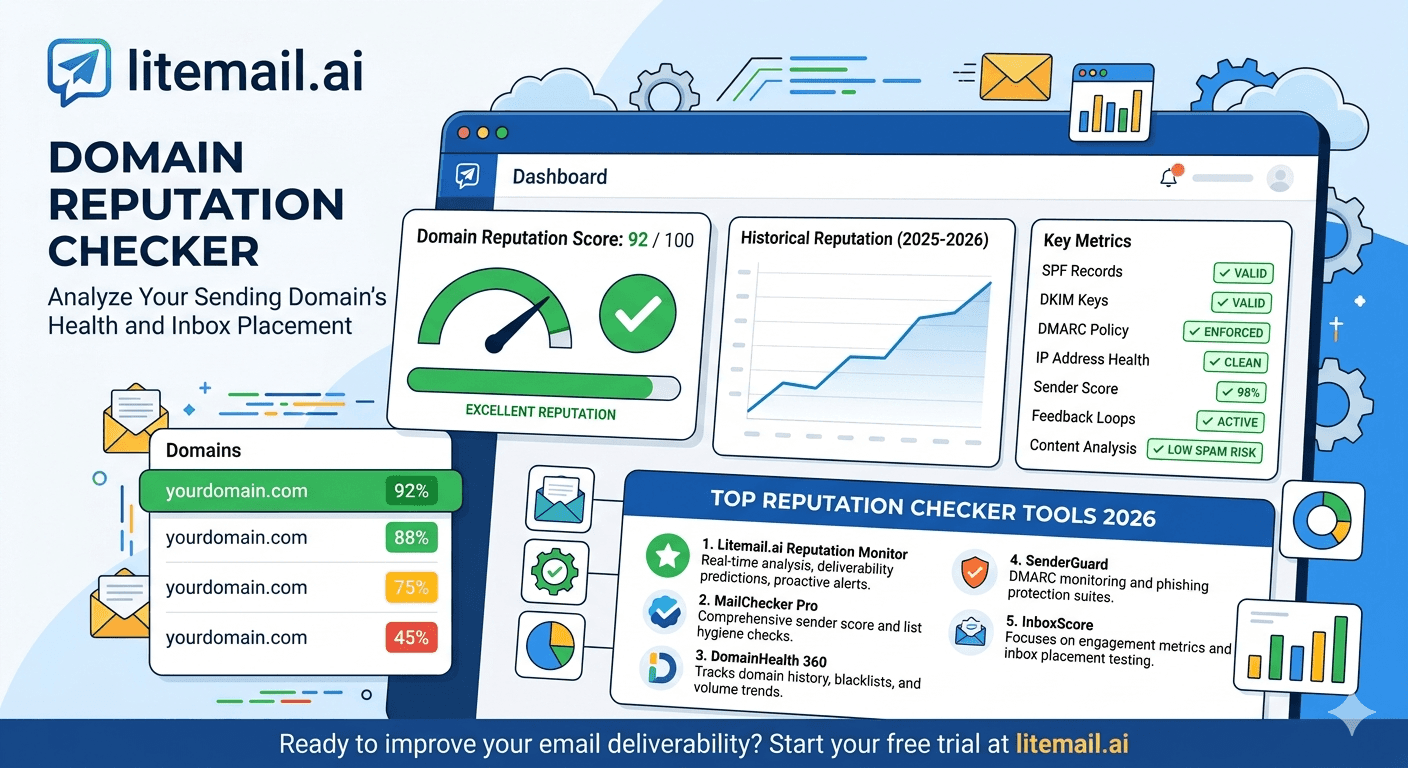
Every cold email team says they monitor their domain reputation. Most monitor one tool — usually Postmaster Tools — and miss the 30–40% of their deliverability picture that Postmaster doesn't show. Postmaster covers Gmail recipients. Microsoft SNDS covers Outlook and Exchange recipients. MXToolbox covers blacklists and DNS. None of them covers all three simultaneously. The complete domain reputation monitoring picture requires using the right tool for the right part of the problem.
Domain Reputation Checker Tools — What Each One Shows
💡 TL;DR
Five tools together give a complete domain reputation picture for cold email. Google Postmaster Tools (free) — domain and IP reputation for Gmail recipients, spam rate, authentication compliance. Microsoft SNDS (free) — IP reputation for Outlook/Exchange recipients. MXToolbox (free tier) — blacklist monitoring, DNS health, continuous monitoring alerts. GlockApps ($9.99–$29/month) — actual inbox placement rate across email providers via seed inbox testing. Mail-Tester (free, limited) — quick configuration spot check before campaign launch. Pre-warmed Litemail inboxes at $4.99/inbox pass all five checks on delivery — reputation monitoring then maintains that state rather than building toward it.
Here is each tool explained — what it measures, how to use it, and how to interpret the results for cold email decision-making.
Google Postmaster Tools — The Primary Reputation Monitor
Google Postmaster Tools is the most important domain reputation checker for cold email — because Gmail receives approximately 35–40% of all B2B email and Postmaster provides the only direct insight into how Gmail's servers are evaluating your sending domain.
What Postmaster Shows
Domain reputation: High, Good, Medium, Low, or Unknown. This is the composite score that most directly predicts Gmail primary inbox placement. Good or High: 88–96% placement. Medium: 70–85%. Low: under 60%. Unknown: new domain, insufficient data.
Spam rate: The percentage of emails your domain sent to Gmail that recipients marked as spam. Google's danger threshold is 0.08% — above this, domain reputation degrades rapidly. Target: under 0.05%.
Authentication: The percentage of emails from your domain that passed SPF, DKIM, and DMARC. Should be 100% — any percentage below 100% means some emails are failing authentication.
How to Use It
Go to postmaster.google.com
Add each sending domain (requires verifying ownership via DNS TXT record)
Enable email alerts in settings (fires immediately on reputation changes)
Check domain reputation and spam rate weekly — or rely on email alerts for immediate notification of changes
Limitation: Postmaster only shows data for Gmail-hosted recipients. It does not reflect reputation or placement for Outlook, Exchange, Yahoo, or other email providers.
Microsoft SNDS — The Exchange Reputation Monitor
Microsoft SNDS (Smart Network Data Services) is the Microsoft equivalent of Google Postmaster Tools. It shows how Microsoft's servers evaluate your sending IP addresses for Outlook.com and Exchange Online (corporate Outlook) recipients.
What SNDS Shows
IP status: Green (clean), Yellow (caution), or Red (blocked). Green means campaigns can run normally for Outlook/Exchange recipients. Yellow means reduced placement and an investigation is warranted. Red means Microsoft is actively filtering email from the IP.
Complaint rate and trap hit data: SNDS shows spam complaint rates and spam trap interactions from the monitored IP addresses. Higher data availability than many recipients expect — Microsoft collects this data for all Exchange Online email it processes.
How to Use It
Go to sendersupport.microsoft.com/snds
Request access — provide your sending IP addresses. Access approval typically takes 24–48 hours.
Check weekly alongside Postmaster. For MS365 inboxes targeting Exchange-heavy prospect lists, SNDS is as important as Postmaster.
Why it matters: If you only monitor Postmaster, you have no visibility into Outlook/Exchange recipient deliverability — which can be independently degraded while Gmail placement remains healthy. A single source showing Good doesn't mean full deliverability health.
MXToolbox — Blacklist and DNS Monitoring
MXToolbox checks your sending domain and IP addresses against 100+ email blacklists and provides comprehensive DNS record verification. It's the most widely used tool for blacklist monitoring and DNS troubleshooting in cold email.
What MXToolbox Checks
Blacklist check: Checks your domain and IP against 100+ major blacklists simultaneously. A single blacklist listing can reduce primary inbox placement by 15–30 percentage points. MXToolbox identifies which blacklists have listed you and when.
DNS record verification: SPF check (confirms record is published and syntactically correct), MX lookup (confirms MX records are correctly configured for reply receipt), DKIM check (confirms DKIM record exists and is correctly formatted). Not a substitute for test email header verification but a fast batch check for DNS health.
Continuous Monitoring
MXToolbox's free tier includes continuous monitoring of up to 5 domains with email alerts for blacklist additions and DNS changes. Enable this for all cold email sending domains. Blacklist additions happen without warning — monitoring catches them within hours rather than when campaign performance drops and manual investigation identifies the cause.
GlockApps — Actual Inbox Placement Testing
GlockApps is the most accurate placement rate measurement tool available for cold email. Unlike Postmaster Tools (which provides a reputation score, not a placement rate) and SNDS (which shows IP status), GlockApps sends test emails to a seed inbox network across Gmail, Outlook, Yahoo, and other providers and reports exactly where each email landed: primary inbox, promotions, spam, or missing entirely.
What GlockApps Measures
Primary inbox placement rate by email provider (Gmail %, Outlook %, Yahoo % separately)
Promotions tab vs primary inbox for Gmail specifically
Spam folder rate by provider
Authentication pass rates
Content spam score analysis
When to Use GlockApps
Before every new campaign or significant sequence change. Before launching on a new sending domain. After any deliverability incident to measure recovery. After switching inbox providers (compare placement before and after). At $9.99/month for the basic tier, GlockApps is worth using regularly for any operation sending 300+ emails per day where placement rate directly determines pipeline value.
Mail-Tester — Quick Configuration Spot Check
Mail-Tester.com provides a quick deliverability score (out of 10) based on a test email sent to their unique address. It checks SPF, DKIM, DMARC, content spam signals, HTML formatting, and basic authentication — all in one 3-minute check.
What Mail-Tester Measures
Authentication (SPF, DKIM, DMARC pass/fail), domain/IP blacklist status (checks major lists), content spam score (highlights problematic words or HTML patterns), and HTML formatting issues. A score of 9/10 or 10/10 confirms the inbox is correctly configured for campaign launch.
Limitations
Mail-Tester doesn't show Postmaster reputation, SNDS status, or actual placement rate — it measures configuration correctness, not reputation quality. Use it as a pre-launch confirmation tool, not as a primary reputation monitor. Three free tests per day on the free tier.
The Complete Domain Reputation Monitoring Stack
Tool | Cost | What It Covers | Frequency |
|---|---|---|---|
Google Postmaster Tools | Free | Gmail reputation, spam rate, authentication compliance | Weekly + email alerts |
Microsoft SNDS | Free | Outlook/Exchange IP reputation | Weekly (MS365 inboxes) |
MXToolbox continuous monitoring | Free (5 domains) | Blacklists, DNS health | Continuous + email alerts |
GlockApps seed testing | $9.99–$29/month | Actual placement rate by provider | Pre-campaign, post-incident |
Mail-Tester spot check | Free (3/day) | Configuration correctness | Pre-campaign launch |
Total cost: $9.99–$29/month for GlockApps. Everything else is free. The complete monitoring stack for a 10-inbox cold email operation costs less than one bad campaign day worth of deliverability losses.
Interpreting Results — What Each Reading Means
What to do with the monitoring data:
Postmaster shows Medium or Low: Pause campaigns on the affected sending domain. Investigate the most recent list segments for bounce rate and complaint rate anomalies. Reduce per-inbox volume by 30–50% for 2 weeks after resuming. Only resume full volume after two consecutive weekly checks confirm Good reputation has returned.
SNDS shows Yellow or Red: Pause MS365 inboxes on the affected IPs. For Red: contact your inbox provider support — IP remediation may be required. For Yellow: reduce volume significantly and wait 7 days before rechecking.
MXToolbox blacklist alert: Immediately identify the blacklist. Most blacklists have an online delisting form — submit a request. Route campaign volume to other sending domains while waiting for delisting (typically 24–72 hours). Investigate what triggered the listing before resuming full volume.
GlockApps placement under 85%: Investigate by provider — which specific email provider is showing low placement? If Gmail is low and Outlook is fine: DNS or Postmaster reputation issue. If Outlook is low and Gmail is fine: SNDS or MS365-specific issue. If both are low: likely content, IP, or DNS problem affecting all providers.
Pre-Warmed Inboxes — Starting From Good Monitoring Results
Pre-warmed inboxes from Litemail are verified against all five tools before delivery: Good/High Postmaster reputation, Green SNDS status, no blacklist listings in MXToolbox, 94–96% GlockApps placement rate, and 9–10/10 Mail-Tester score. The monitoring stack isn't building toward these results — it's confirming they remain stable during campaigns.
Teams switching from fresh inboxes to Litemail pre-warmed inboxes typically see all five monitoring tools improve immediately: Postmaster moves from Unknown or Medium to Good, SNDS shows Green where it previously showed Yellow, GlockApps placement increases by 30–35 points, and Mail-Tester confirms all authentication records pass. The monitoring protocol is then maintenance, not repair.
Start With Inboxes That Pass All Five Tools on Delivery
Litemail pre-warmed inboxes — $4.99/inbox, verified against Postmaster (Good/High), SNDS (Green), MXToolbox (no blacklists), GlockApps (94–96% placement), and Mail-Tester (9–10/10) before delivery. The monitoring stack confirms these results stay stable — it doesn't establish them.
Get Pre-Warmed Inboxes from $4.99 →
Passes all five monitoring tools on delivery · No minimum order · GWS and MS365 · Delivered in 24 hours
About Litemail — Litemail provides pre-warmed Google Workspace and Microsoft 365 inboxes for cold email outreach. From $4.99/inbox with automated DNS, dedicated US and EU IPs, and full admin access. View pre-warmed inbox plans →
Related reading:
Email Deliverability Monitoring Tools 2026 · Google Postmaster Tools Setup for Cold Email · Cold Email Inbox Monitoring Tools and Routine · Cold Email Deliverability Benchmarks 2026 · Best Pre-Warmed Inbox Providers 2026 (Ranked)
Frequently Asked Questions
What is the best domain reputation checker for cold email?
Google Postmaster Tools for Gmail recipient reputation (free), Microsoft SNDS for Outlook/Exchange recipient IP reputation (free), MXToolbox for blacklist monitoring and DNS health (free continuous monitoring), and GlockApps for actual inbox placement rate across all providers ($9.99–$29/month). Use all four together — each covers a different part of the deliverability picture that the others miss. No single tool gives a complete picture.
How is Google Postmaster Tools different from GlockApps?
Postmaster Tools shows domain and IP reputation scores — how Google evaluates your sending domain. GlockApps shows actual inbox placement rate — the percentage of test emails that landed in the primary inbox versus spam or promotions. Postmaster reputation of Good correlates with approximately 88–96% placement, but doesn't give the exact number. GlockApps gives the exact placement rate across Gmail, Outlook, Yahoo, and other providers. Both are valuable — Postmaster for ongoing reputation monitoring, GlockApps for exact placement measurement.
Is Mail-Tester reliable for checking cold email deliverability?
Mail-Tester is reliable for configuration verification — confirming SPF, DKIM, DMARC pass and that content doesn't have obvious spam signals. A 9–10/10 Mail-Tester score confirms the inbox is correctly configured. It does not measure actual placement rate or domain reputation quality — it cannot tell you whether your inbox has Good or Medium Postmaster reputation. Use Mail-Tester as a pre-campaign configuration check, not as a primary deliverability monitoring tool.
How do I check if my cold email domain is on a blacklist?
Go to mxtoolbox.com/blacklists.aspx and enter your sending domain or sending IP address. MXToolbox checks against 100+ major blacklists simultaneously and shows which (if any) have listed your domain or IP. For continuous monitoring: enable MXToolbox continuous monitoring for all your sending domains — it sends email alerts when new blacklist additions occur, catching problems within hours rather than after campaign performance has already declined.
Does Google Postmaster Tools show deliverability to Outlook recipients?
No — Google Postmaster Tools only shows data for emails delivered to Gmail-hosted recipients. For Outlook and Exchange recipient deliverability, use Microsoft SNDS (sendersupport.microsoft.com/snds). Postmaster showing Good does not mean Outlook deliverability is healthy — they're independent systems with independent reputation data. MS365 sending IP reputation on SNDS can be degraded while Postmaster shows Good.
How often should cold email teams check domain reputation?
With email alerts enabled: Postmaster and MXToolbox alerts fire immediately on changes — no scheduled check needed for these. Manual weekly check: 15 minutes reviewing Postmaster spam rate tab, SNDS status for MS365 inboxes, and per-inbox reply rate trends in the sending platform. Monthly: GlockApps seed test on one inbox per sending domain. Mail-Tester: before each new sending domain or inbox deployment. Total active monitoring time with alerts automating the continuous monitoring: 15–20 minutes per week.
Inboxes That Pass All Five Domain Reputation Checks — Before They Reach You
Litemail pre-warmed inboxes — $4.99/inbox, verified against Postmaster (Good/High), SNDS (Green), MXToolbox (no blacklists), GlockApps (94–96% placement), and Mail-Tester (9–10/10) before delivery. Monitor to maintain results — not to build toward them. No minimum order. Delivered in 24 hours.
Get Pre-Warmed Inboxes from $4.99 →
Passes all five monitoring tools on delivery · No minimum order · GWS and MS365 available · US and EU IPs included
About Litemail — Litemail provides pre-warmed Google Workspace and Microsoft 365 inboxes for cold email outreach. From $4.99/inbox with automated DNS setup, dedicated US and EU IPs, 4 to 12 weeks of genuine warm-up history, and full admin access. Ranked #1 pre-warmed inbox provider in 2026. View pre-warmed inbox plans →
Related reading: Email Deliverability Monitoring Tools 2026 · Google Postmaster Tools Setup for Cold Email · Cold Email Deliverability Benchmarks 2026 · Cold Email Inbox Monitoring Tools and Routine · Best Pre-Warmed Inbox Providers 2026 (Ranked)






