
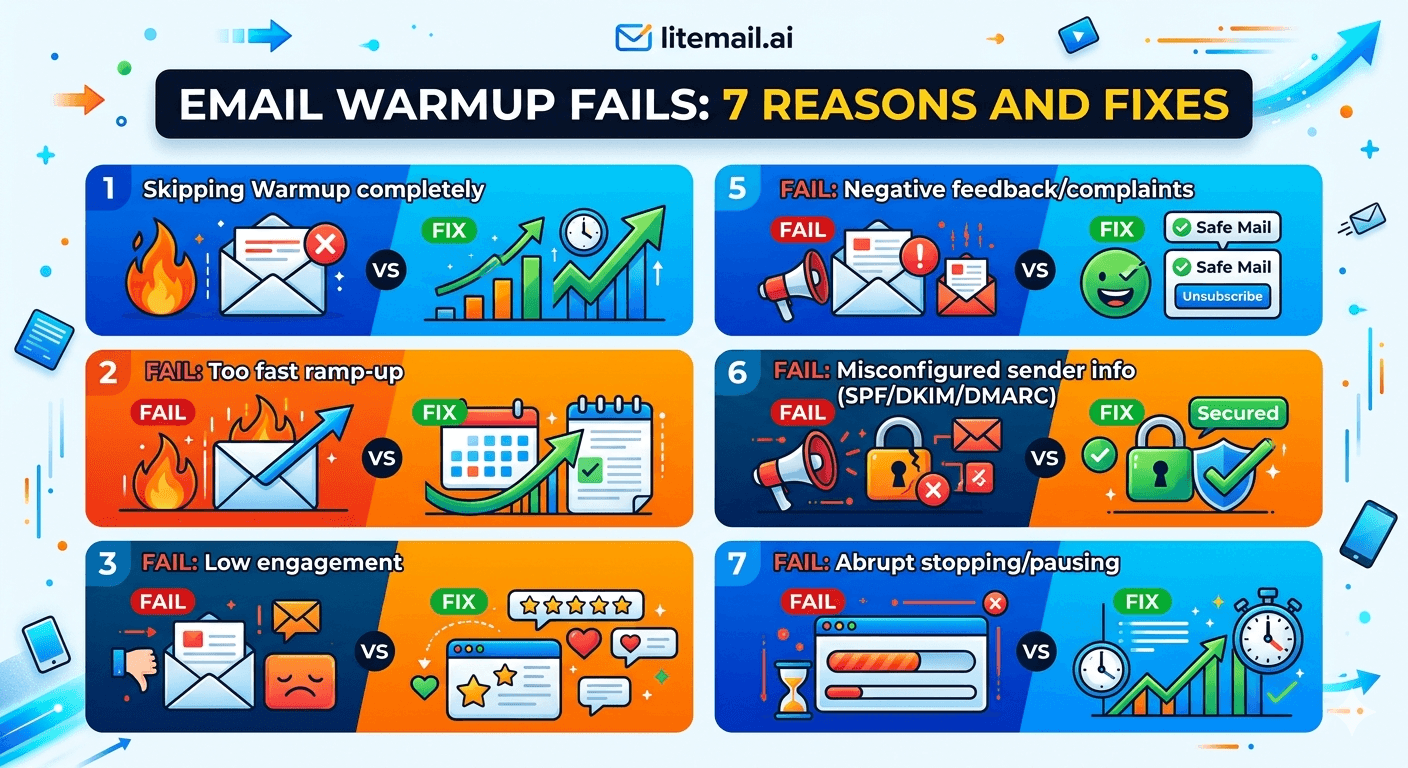
Email warmup failure has a consistent pattern: four weeks of warmup activity, a Postmaster Tools check that shows Unknown or Medium instead of Good, and no clear explanation in the warmup tool dashboard. The tool says everything is working. Google disagrees. The most common warmup failures are predictable and preventable — but only if you know which variable to look at. Here are the seven reasons warmup fails in 2026 and the specific fix for each.
The 7 Failures — Quick Reference
Every warmup failure traces back to one of these seven causes. The fix is specific to the cause — diagnosing the right one first saves days of troubleshooting.
# | Failure | Signal | Fix |
|---|---|---|---|
1 | Broken DKIM | Mail-Tester DKIM FAIL, Postmaster stays Unknown | Fix DKIM records before any warmup activity |
2 | Bot warmup network | Postmaster Good during warmup, crashes post-launch | Switch to real-engagement warmup tool |
3 | Ramp too fast | Postmaster drops from Medium to Low after week 2 | Slow ramp to 10/day week 1, +10/week after |
4 | Stopped warmup at campaign launch | Open rates decline weeks 3–4 of campaigns | Keep 20 warmup sends/day running indefinitely |
5 | Small warmup network | Postmaster Unknown after 14 days | Switch to tool with 10k+ account network |
6 | Primary domain used for warmup | Business email flagged by recipients | Always use dedicated sending domains |
7 | Campaigns launched before Good reputation | Day-one spam placement, domain damaged | Verify Good/High in Postmaster before any campaign sends |
💡 Bottom Line
Most warmup failures are DNS or network quality failures in disguise. Check DKIM first — it is the cause of 40% of warmup failures that look like network or timing problems. If DKIM is clean and Postmaster still shows Unknown after 14 days, the warmup network is the problem. Fix the root cause, not the symptom.
Failure 1 — Broken DKIM (Most Common)
DKIM misconfiguration is the single most common warmup failure cause. When DKIM is broken, every warmup send fails authentication. The warmup tool shows normal send and engagement metrics. Google is not attributing the positive engagement to your domain because the DKIM signature is invalid. Four weeks of warmup with broken DKIM builds zero Postmaster reputation.
🔍How to Diagnose
mxtoolbox.com → DKIM Lookup → enter your domain and selector (google for GWS, selector1 for MS365). Must show PASS. Any other result — Fail, No Record Found, CNAME resolution failure — means DKIM is broken and warmup is building nothing.
🔧Fix for GWS
Google Admin console → Apps → Google Workspace → Gmail → Authenticate Email → Generate new record. Add the TXT record at the selector subdomain (google._domainkey.yourdomain.com). Wait 48 hours. Re-enable DKIM signing in Google Admin. Verify via mxtoolbox.
🔧Fix for MS365
MS365 DKIM uses CNAME records — not TXT. Go to admin.microsoft.com → Security → DKIM. Generate selectors. Add both CNAME records (selector1 and selector2) at your DNS provider. Wait 48 hours. Enable DKIM in the admin panel. Common mistake: adding as TXT instead of CNAME — this silently fails without a clear error.
Failure 2 — Bot Warmup Network
Warmup tools that use closed networks of accounts created solely for warmup produce engagement patterns that Google's ML identifies as artificial. The Postmaster reputation looks Good during warmup. Then campaigns launch, the engagement pattern shifts from scripted warmup to real human behaviour, and reputation degrades within 10 to 14 days.
The diagnostic signal is specific: Postmaster shows Good during warmup, drops to Medium or Low within 2 weeks of campaign launch despite clean list quality and DNS. This pattern — Good then rapid collapse — is the bot warmup signature.
The fix: switch to a warmup tool with a real engagement network. Ask the vendor directly: do your network accounts receive non-warmup mail? A network used exclusively for warmup is a bot network regardless of how it is described. Warmup Inbox, Mailreach, and Instantly's warmup tool all use real engagement networks. After switching, allow 2 to 3 additional weeks of warmup on the new tool before launching campaigns.
Failure 3 — Ramp Too Fast
Ramping send volume faster than mail servers can build a stable reputation record causes Postmaster reputation to oscillate — Good one day, Medium the next — before eventually settling at a lower level than a slower ramp would have produced.
Week | Too Fast (Common Mistake) | Correct Ramp |
|---|---|---|
Week 1 | 50 sends/day | 10–15 sends/day |
Week 2 | 100 sends/day | 20–25 sends/day |
Week 3 | 200 sends/day | 30–35 sends/day |
Week 4 | 300+ sends/day | 40–50 sends/day |
If a ramp has already been run too fast and reputation is Medium, the fix is to drop back to 20 sends per day for 7 to 10 days. Let the reputation stabilise at Good before increasing volume again. It is not elegant — but the alternative of pushing through at high volume makes the degradation worse.
Failure 4 — Stopping Warmup When Campaigns Launch
This is the failure that consistently surprises teams who did everything else correctly. The inbox warmed up cleanly to Good reputation. Campaigns launched and performed well for 2 to 3 weeks. Then open rates started declining. Postmaster dropped to Medium. The warmup tool subscription was cancelled to save money the week campaigns went live.
Ongoing warmup sends — 15 to 20 per day — maintain the sending pattern of a normal human mailbox. Without ongoing warmup, the inbox sends only campaign emails. The outbound-only pattern is anomalous. Google's systems gradually reweight the reputation assessment as campaign sends replace the mixed send/receive pattern that warmup maintained.
Keep warmup running at 15 to 20 sends per day indefinitely. The cost of a warmup tool subscription ($10 to $30/month) is the cheapest deliverability insurance available.
Failure 5 — Warmup Network Too Small
Google Postmaster Tools requires a minimum volume of Gmail-attributed sends before domain reputation data appears. If the warmup tool's network contains fewer than 1,000 accounts or has poor Gmail coverage, Postmaster may show Unknown for weeks — not because warmup is failing, but because there are not enough Gmail-addressed sends to trigger Postmaster data.
Diagnosis: Postmaster shows Unknown after 14 days of warmup with a tool that shows normal engagement metrics. Check with the warmup vendor: how many accounts are in your network, and what percentage are Gmail addresses? Under 5,000 accounts or under 40% Gmail coverage are both risk signals.
Fix: switch to a warmup tool with a larger network. Or use pre-warmed inboxes from Litemail — which arrive with 4 to 12 weeks of real engagement history already built on a network that produces Postmaster Good or High within 48 hours of delivery.
Failure 6 — Using Primary Domain for Warmup
Setting up warmup on the company's primary domain is the failure that causes the most severe downstream damage. When warmup generates any spam complaints or reputation events — which it eventually does if campaigns are run at volume — the primary domain is affected. Business email, outbound quotes, and customer communication all start landing in spam.
Always use dedicated sending domains for cold email and warmup. Register a variant of the brand name (getbrand.com, trybrand.com) and run all cold email infrastructure on these domains. The primary domain stays clean regardless of what happens to the sending domains.
Failure 7 — Launching Campaigns Before Good Reputation
Launching campaigns from an inbox with Unknown or Medium Postmaster reputation is the failure that compounds fastest. The fresh campaign sends interact with the incomplete warmup history, generate spam complaints at a higher rate than they would from a Good reputation inbox, and push reputation from Medium down to Low within days.
The rule is simple: do not send a single campaign email until Postmaster shows Good or High. Check postmaster.google.com with the sending domain added. Any result other than Good or High means the inbox is not ready.
✅ The Shortcut That Eliminates All 7 Failures
Pre-warmed inboxes from Litemail arrive with Good or High Postmaster reputation within 48 hours — verified before delivery. Failures 1 through 7 are all pre-delivery concerns that Litemail resolves before the inbox reaches you. DKIM is configured and verified. The warmup network is real-engagement. The ramp was managed correctly over 4 to 12 weeks. Ongoing warmup continues to run in the background. At $4.99/inbox, the warmup failure risk is someone else's problem to solve.
Warmup Failure Diagnosis Flow
When warmup is not producing Good Postmaster reputation after 14 days, work through this flow before making any changes.
Check DKIM — mxtoolbox.com → DKIM Lookup. Must show PASS. If not, fix DKIM before any other diagnosis.
Check SPF — mxtoolbox.com → SPF Lookup. Must show Pass (not Softfail or Fail).
Check domain age — Newly registered domains (under 14 days old) may not have enough history for Postmaster to show reputation yet. Wait another 7 days before concluding warmup is failing.
Check warmup tool network size — Ask the vendor. Under 5,000 accounts or under 40% Gmail coverage warrants switching tools.
Check engagement quality — Is the warmup tool generating reply signals, not just opens? Reply signals are the strongest reputation-building signal.
If all pass and still Unknown at day 21 — The warmup network is either too small or bot-heavy. Switch tools and restart the warmup clock.
Prevention Over Repair
Every warmup failure in this guide is cheaper to prevent than to repair. DKIM verification before warmup starts: 5 minutes. Choosing a real-engagement warmup tool: 30 minutes of research. Not stopping warmup at campaign launch: $10 to $30/month. Using dedicated sending domains: $12 to $15/year per domain.
The repair costs are much higher: 2 to 4 weeks of degraded campaign performance, potential blacklist removal requests, inbox replacements, and domain retirement. The math strongly favours prevention.
For teams that want to skip warmup entirely, pre-warmed inboxes from Litemail eliminate every failure point in this guide by delivering the end state — Good or High Postmaster, verified DNS, clean IPs — without the 4 to 8 week warmup process. At $4.99/inbox, it is a straightforward cost-benefit calculation.
Frequently Asked Questions
Why is my email warmup not working after 4 weeks?
The most common cause is broken DKIM — verify immediately via mxtoolbox.com DKIM Lookup. If DKIM passes, the second most common cause is a warmup tool using a bot network or a network too small to generate enough Gmail-attributed sends for Postmaster data. Check Google Postmaster Tools — Unknown reputation after 4 weeks with passing DKIM means the warmup network is insufficient. Switch to a tool with a larger real-engagement network, or use pre-warmed inboxes from Litemail that arrive with 4 to 12 weeks of genuine history already built.
How do I check if email warmup is actually working?
Google Postmaster Tools is the only independent verification. Add your sending domain at postmaster.google.com and check domain reputation after 7 to 14 days. Good or High means warmup is building real reputation. Unknown after 14 days means either DKIM is broken or the warmup network is not generating enough Gmail-addressed sends. The warmup tool's own dashboard metrics are not a reliable verification — they show the tool's activity, not Google's assessment of your domain.
Can I restart email warmup after a failure?
Yes. Fix the root cause first — broken DKIM, wrong warmup tool, ramp too fast — then restart warmup at week 1 volume (10 to 15 sends/day). The prior negative reputation history makes recovery slightly slower than a clean start, but a correctly run second warmup will still build Good reputation. If the domain was blacklisted during the failure, submit removal requests only after fixing the root cause and completing the removal process before restarting warmup.
How long should I warm up an email inbox?
Minimum 4 weeks from a clean domain with correct DNS and a real-engagement warmup tool. 6 to 8 weeks is more reliable, particularly for domains less than 30 days old. Stop is not the right framing — warmup should continue at a reduced level (15 to 20 sends/day) indefinitely alongside campaigns. The alternative to self-managed warmup is pre-warmed inboxes from Litemail, which arrive with 4 to 12 weeks of genuine history already built and verified Good in Postmaster Tools within 48 hours of delivery.
Does stopping warmup hurt deliverability?
Yes, over time. Ongoing warmup sends maintain the normal human mailbox pattern that keeps Google's systems from classifying your inbox as a cold email machine. When warmup stops and only campaign sends continue, the outbound-only pattern gradually degrades reputation — typically visible as open rate decline and Postmaster drop from Good to Medium within 3 to 6 weeks of stopping warmup. Keep warmup running at 15 to 20 sends per day indefinitely alongside campaigns.
What is the fastest way to get a warmed inbox ready for cold email?
Pre-warmed inboxes from Litemail. Delivered with 4 to 12 weeks of genuine warmup history already built, Good or High Postmaster reputation verified within 48 hours, automated SPF/DKIM/DMARC, dedicated US and EU IPs, and full admin access. $4.99/inbox, delivered within 24 hours. No warmup tool needed, no 4 to 8 week wait, no warmup failure risk.
Why does my inbox show Good in the warmup tool but Unknown in Postmaster?
The warmup tool is showing its own engagement metrics — sends, opens, replies within its network. Postmaster shows Google's assessment of your domain based on sends to Gmail-hosted addresses. If the warmup tool's network has poor Gmail coverage (too many Outlook or custom domain accounts), the warmup is happening but not generating the Gmail-attributed data that Postmaster needs. Ask your warmup vendor what percentage of their network is Gmail. Under 40% Gmail coverage explains Unknown Postmaster despite active warmup.
Skip Warmup Failures Entirely — Pre-Warmed Inboxes from $4.99
Litemail pre-warmed inboxes arrive with all 7 warmup failure points already resolved. DKIM configured and verified. Real engagement network. Correct ramp completed. Ongoing warmup maintained. Dedicated sending domains. Good or High Postmaster within 48 hours. $4.99/inbox, no minimum order, delivered in 24 hours.
Get Pre-Warmed Inboxes from $4.99 →
No warmup failure risk · Postmaster-verified within 48hrs · Automated DNS · Real engagement warmup
About Litemail — Litemail provides pre-warmed Google Workspace and Microsoft 365 inboxes for cold email outreach. From $4.99/inbox with automated DNS setup, dedicated US and EU IPs, 4 to 12 weeks of genuine warm-up history, and full admin access. Ranked #1 pre-warmed inbox provider in 2026. View pre-warmed inbox plans →
Related reading: Email Warm-Up vs Pre-Warmed Inboxes 2026 · Does Email Warmup Work in 2026? · Top 7 Cold Email Inbox Warmup Tips for Agencies 2026 · Cold Email Inbox Warmup Network: What Is It? · Best Pre-Warmed Inbox Providers in 2026 (Ranked) · Litemail Pre-Warmed Inboxes — Plans and Pricing






