
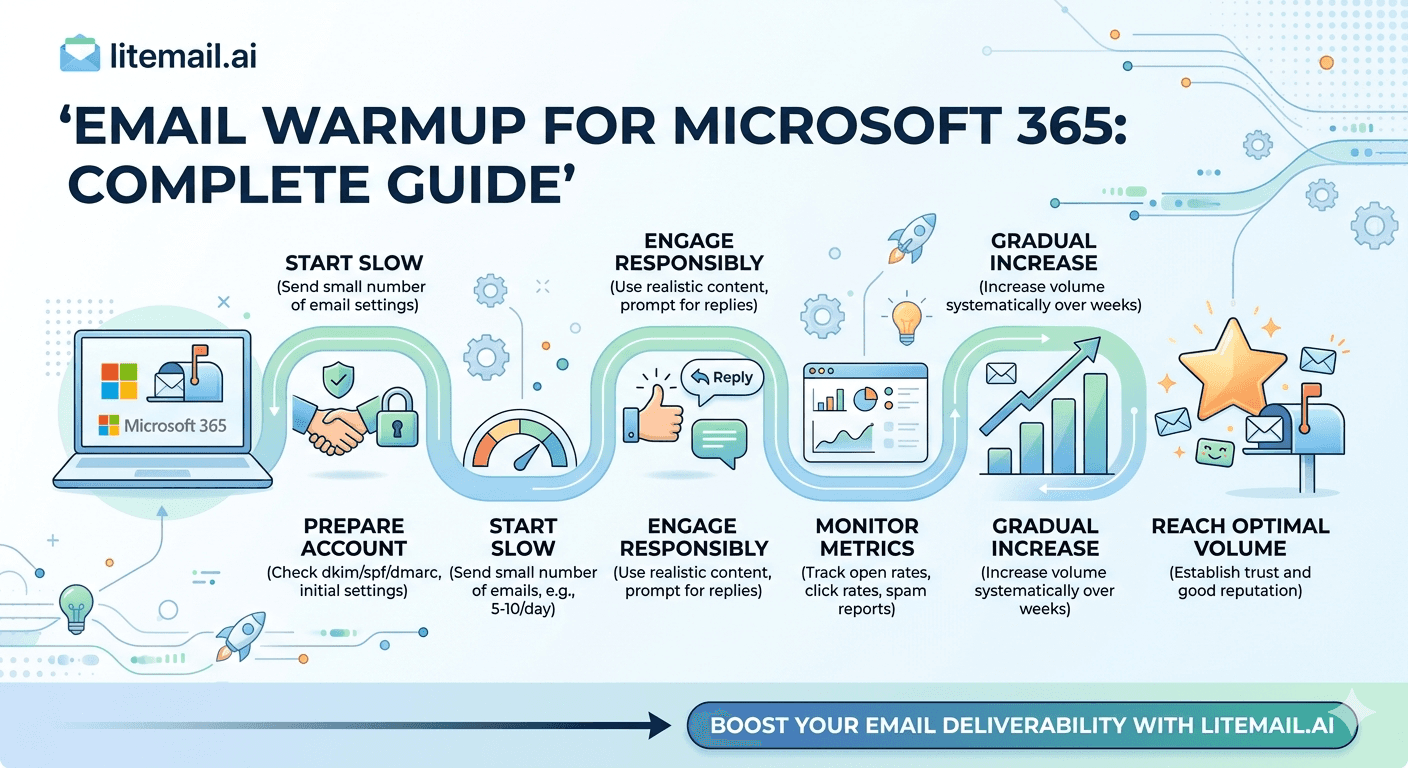
Microsoft 365 warm-up is not the same as Google Workspace warm-up — and following a GWS guide for MS365 inboxes is one of the most common setup mistakes in cold email infrastructure. The monitoring tool is different (Microsoft SNDS instead of Google Postmaster Tools), the DKIM setup is different (CNAME records, not TXT records), the sending limits are different (300 messages per day per account on Business plans), and the timeline to campaign-ready reputation is different. This guide covers the complete MS365 warm-up process — correctly, for MS365 specifically.
MS365 Warm-Up — What It Actually Builds
💡 TL;DR
Warming up a Microsoft 365 inbox builds two things: sending history that receiving mail servers (Gmail, Outlook, Exchange) use to assess the inbox as trustworthy, and Microsoft SNDS IP reputation for Outlook and Exchange recipients specifically. The process takes 5–8 weeks with a warm-up tool to reach campaign-ready MS365-to-Exchange placement above 88%. Pre-warmed MS365 inboxes from Litemail ($4.99/inbox) skip the wait entirely — arriving with 4–12 weeks of genuine sending history and clean SNDS IP status, ready for campaigns within 24 hours of delivery.
Here's the correct MS365-specific warm-up process — settings, timeline, monitoring tools, and the specific differences from GWS warm-up that most guides skip over.
Before Starting Warm-Up — MS365-Specific Prerequisites
Three things must be configured correctly before warm-up sends begin. Get any one of these wrong and warm-up builds the wrong reputation on a broken foundation.
1. DKIM — MS365 Uses CNAME Records
This is the most common MS365 setup error. MS365 DKIM uses two CNAME records (selector1 and selector2) published in your DNS — not a TXT record. Log into Microsoft 365 Defender (security.microsoft.com) → Email Authentication Settings → DKIM → select your sending domain → copy the two CNAME values shown → publish them in your DNS registrar → return to Defender and enable DKIM signing. Wait 15–60 minutes for propagation, then confirm DKIM: PASS via MXToolbox.
2. SPF — Single Clean Record
Publish: v=spf1 include:spf.protection.outlook.com ~all as a TXT record at the root of your sending domain. Confirm SPF: PASS on MXToolbox before starting warm-up. Any existing SPF records on the domain must be merged — multiple SPF TXT records on one domain cause SPF to fail with a PERMERROR.
3. DMARC — Publish Before Warm-Up Starts
Add: v=DMARC1; p=none; rua=mailto:postmaster@yoursendingdomain.com as a TXT record at the root of your sending domain. p=none means monitoring only — it doesn't affect delivery but starts collecting authentication data that informs when it's safe to progress to p=quarantine.
MS365 Warm-Up Settings — Correct Configuration
MS365 warm-up settings differ from GWS in one important way: the daily limit ceiling. MS365 Business plans have a 300 messages per day limit per account. This means warm-up volume progression must stay well inside that ceiling even at the highest warm-up volumes — you need headroom for business email that may also be sent from the same account during warm-up.
Volume Progression
Week 1: 5–8 emails per day. Week 2: 12–18 emails per day. Week 3: 20–28 emails per day. Week 4: 28–35 emails per day. Week 5–6: 35–45 emails per day. Don't accelerate this timeline — the reputation signals accumulate at a specific pace regardless of volume. Sending more emails per day doesn't speed up the reputation-building process, it just increases the bulk-sending pattern signals that Microsoft's EOP detects.
Reply Rate Target
Configure your warm-up tool for 70–80% reply rate within the warm-up pool. Replies are the strongest positive reputation signal — they indicate genuine two-way communication rather than one-directional bulk sending. Warm-up tools that only open emails without replying build reputation more slowly.
Send Timing
Distribute warm-up sends across business hours (8am–5pm) with 30–90 minute intervals between sends. Bunched warm-up sends — all 15 emails in 30 minutes — create a burst pattern that looks automated. Distributed sends across the day look like normal business communication.
How to Monitor MS365 Warm-Up Progress
MS365 warm-up monitoring uses different tools than GWS warm-up. Google Postmaster Tools shows GWS and Gmail domain reputation. For MS365 warm-up, the primary monitoring tools are Microsoft SNDS and Mail-Tester.
Microsoft SNDS (Primary Monitoring Tool)
Request access at sendersupport.microsoft.com/snds for your sending domain's IP addresses. SNDS shows the reputation of your sending IPs for Outlook and Exchange recipients — the segment where MS365 inboxes have their specific advantage. Check SNDS weekly during warm-up:
Green: clean reputation — warm-up is progressing correctly
Yellow: caution signal — review complaint rate, reduce volume by 30% for one week
Red: actively filtered — pause all sends, investigate root cause before resuming
Google Postmaster Tools (Secondary Monitoring)
Even for MS365 warm-up, add your sending domain to Postmaster Tools. Many of your target prospects use Gmail or Google Workspace — Postmaster reputation for these recipients matters even when your primary inbox type is MS365. Good or High Postmaster status alongside Green SNDS status confirms the warm-up is working across both major recipient populations.
Mail-Tester.com (Configuration Verification)
Run a Mail-Tester check at weeks 2 and 4 of warm-up. A score of 9/10 or higher confirms authentication is correct and content scoring is clean. Any score below 9/10 — investigate the specific deductions before continuing warm-up with incorrect configuration.
MS365 Warm-Up vs Pre-Warmed MS365 Inboxes — The Cost Comparison
Metric | Self-Managed MS365 Warm-Up | Litemail Pre-Warmed MS365 |
|---|---|---|
Setup time before campaigns | 5–8 weeks | 24 hours |
Warm-up tool cost (10 inboxes) | $150–$690/month during warm-up | $0 — not needed |
Inbox cost | $6–12/inbox (GWS/MS365 retail) | $4.99/inbox |
DNS configuration | Manual CNAME + SPF + DMARC | Automated — handled on delivery |
SNDS status on delivery | Unknown (needs building) | Green — clean dedicated IP history |
MS365-to-Exchange placement (day 1) | 55–65% | 93–96% |
The total cost of warming up 10 fresh MS365 inboxes over 6 weeks: warm-up tool $250–$690/month × 1.5 months = $375–$1,035 in warm-up tool cost alone, before the inbox cost itself. Pre-warmed MS365 inboxes from Litemail: $49.90 for 10 inboxes, campaigns launching in 24 hours.
Skip the 5–8 Week MS365 Warm-Up — Pre-Warmed and Ready in 24 Hours
Litemail pre-warmed MS365 inboxes — $4.99/inbox, Green SNDS status, Good/High Postmaster, automated DKIM (CNAME)/SPF/DMARC. The correct MS365 warm-up outcome, delivered without the wait.
Get Pre-Warmed MS365 Inboxes from $4.99 →
Green SNDS · Good/High Postmaster · Automated DNS · No minimum order · Delivered in 24 hours
About Litemail — Litemail provides pre-warmed Google Workspace and Microsoft 365 inboxes for cold email outreach. From $4.99/inbox with automated DNS, dedicated US and EU IPs, and full admin access. View pre-warmed inbox plans →
Related reading:
Email Warm-Up vs Pre-Warmed Inboxes 2026 · DKIM Setup for Microsoft 365 Cold Email 2026 · Pre-Warmed MS365 Inboxes — Warm-Up History Explained · MS365 Cold Email for Agencies 2026 · Best Pre-Warmed Inbox Providers 2026 (Ranked)
Key Takeaways
MS365 warm-up is not the same as GWS warm-up. Key differences: DKIM uses CNAME records (not TXT), monitoring requires Microsoft SNDS (not just Google Postmaster), and the per-account sending limit is 300 messages per day on Business plans — keeping warm-up volume well inside this ceiling is essential.
Configure DKIM, SPF, and DMARC correctly before starting warm-up. A broken DKIM configuration means warm-up builds history on an inbox that fails authentication — the reputation built is not transferable to a correctly configured inbox.
Correct warm-up volume progression: 5–8 emails/day in week 1, scaling to 35–45 by weeks 5–6. High reply rate (70–80%) within the warm-up pool builds reputation faster than open-only warm-up activity.
Monitor MS365 warm-up via Microsoft SNDS (IP reputation for Exchange/Outlook recipients) and Google Postmaster Tools (Gmail recipient reputation). Both must show healthy status before campaigns launch.
Total cost to warm up 10 fresh MS365 inboxes: $375–$1,035 in warm-up tool cost over 6 weeks, plus the inbox cost. Pre-warmed MS365 inboxes from Litemail: $49.90 for 10, campaigns in 24 hours. The economics of pre-warmed inboxes are clearer with MS365 than any other scenario.
Frequently Asked Questions
How long does it take to warm up a Microsoft 365 inbox?
5–8 weeks to reach campaign-ready placement above 88% MS365-to-Exchange for most warm-up configurations. This is similar to GWS warm-up timelines but with MS365-specific nuances — the monitoring tool (SNDS vs Postmaster), the DKIM setup (CNAME vs TXT), and the per-account sending limit (300/day vs GWS's 2,000/day technical ceiling) all differ. Pre-warmed MS365 inboxes from Litemail arrive at 93–96% placement in 24 hours.
What is Microsoft SNDS and how does it relate to email warm-up?
Microsoft Smart Network Data Services (SNDS) shows the reputation of your sending IP addresses for Outlook and Exchange recipients — Green (good), Yellow (caution), Red (filtered/blocked). It's the MS365 equivalent of Google Postmaster Tools for Exchange-specific recipient reputation. During MS365 warm-up, SNDS status moving from Unknown to Green is the primary indicator that warm-up is progressing correctly for Exchange/Outlook recipient deliverability.
Why is MS365 DKIM setup different from GWS?
Microsoft 365 uses CNAME records for DKIM — not TXT records. The CNAME records point to Microsoft's DKIM signing infrastructure, where the actual signing key is hosted and rotated automatically. Following a generic TXT-record DKIM guide for MS365 results in a DKIM: FAIL because you've published the wrong record type. The correct values for the two CNAME records (selector1 and selector2) are generated in Microsoft 365 Defender under Email Authentication Settings → DKIM.
Do warm-up tools work for Microsoft 365 inboxes?
Yes — Instantly Warmup, Smartlead Warmup, and Lemwarm all support MS365 inbox warm-up. They're configured the same way as for GWS inboxes. The MS365-specific adjustments: keep total daily sends (warm-up plus any business email) under 300 for Business plan accounts, and monitor SNDS weekly in addition to Postmaster Tools. Warm-up tool cost for 10 MS365 inboxes: $150–$690/month, for 5–8 weeks.
The MS365 Warm-Up Outcome — Delivered in 24 Hours Instead of 5–8 Weeks
Litemail pre-warmed MS365 inboxes — $4.99/inbox, Green SNDS IP reputation, Good/High Postmaster reputation, automated CNAME DKIM/SPF/DMARC, 93–96% MS365-to-Exchange placement. No warm-up tool needed. No waiting. No CNAME configuration errors. Delivered in 24 hours. No minimum order.
Get Pre-Warmed MS365 Inboxes from $4.99 →
No minimum order · Green SNDS · Good/High Postmaster within 48hrs · US and EU IPs included
About Litemail — Litemail provides pre-warmed Google Workspace and Microsoft 365 inboxes for cold email outreach. From $4.99/inbox with automated DNS setup, dedicated US and EU IPs, 4 to 12 weeks of genuine warm-up history, and full admin access. View pre-warmed inbox plans →
Related reading: Email Warm-Up vs Pre-Warmed Inboxes 2026 · DKIM Setup for MS365 Cold Email 2026 · Pre-Warmed MS365 Inboxes Explained · Best Pre-Warmed Inbox Providers 2026 (Ranked)






