
Every warm-up tool gives you a "you're ready" signal at week 4. Postmaster says otherwise. The disconnect exists because warm-up tools measure their own metrics — sends, opens, replies within their pool — not the Postmaster reputation status that actually determines campaign placement. This template gives you a week-by-week warmup schedule that's calibrated to Postmaster outcomes, not warm-up tool dashboards — with the specific checkpoints that confirm you're actually ready versus just warm-up-tool-complete.
The 2026 Email Warmup Schedule — Week by Week
💡 TL;DR
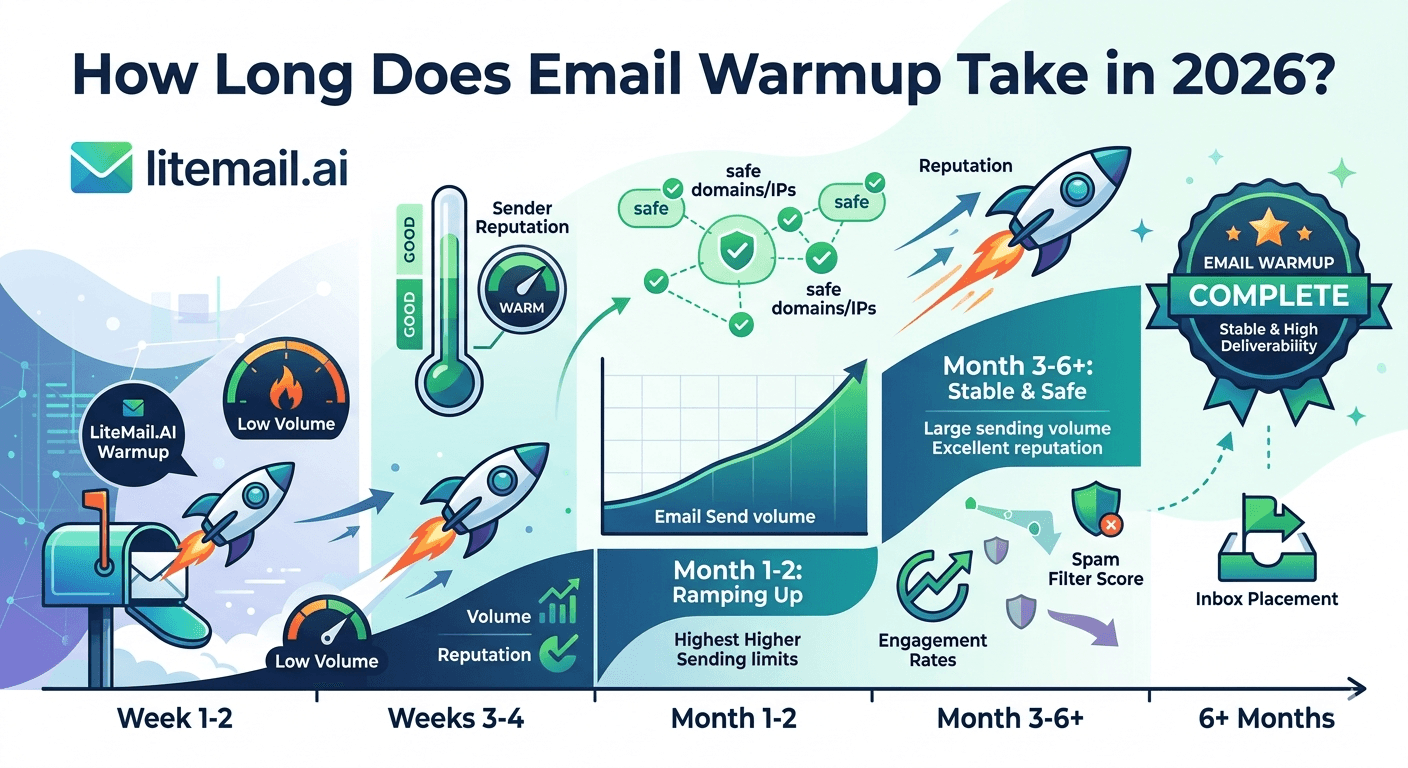
Realistic warmup schedule to Good or High Postmaster reputation: 6–8 weeks total. Week 1: 5–8 sends/day per inbox. Week 2: 12–18. Week 3: 20–28. Week 4: 28–35. Week 5–6: 35–45. Postmaster check at end of week 4 — if Good/High, begin limited campaigns at 50% volume. Full campaign volume at week 6–8 only after Postmaster confirms Good or High. This schedule applies to warm-up tools on fresh GWS and MS365 inboxes. Pre-warmed inboxes from Litemail ($4.99/inbox) skip this schedule entirely — Good/High Postmaster within 48 hours of delivery.
Here's the full week-by-week schedule with the specific settings, checkpoints, and decisions at each stage.
Week-by-Week Warmup Schedule
Week | Sends/Day Per Inbox | Reply Rate Target | Checkpoint |
|---|---|---|---|
Week 1 | 5–8 | 70–80% (within warm-up pool) | Confirm SPF/DKIM/DMARC all passing. No campaigns. |
Week 2 | 12–18 | 70–80% | Check Postmaster — likely Unknown still. Continue. |
Week 3 | 20–28 | 70–80% | Postmaster may show Low — don't panic, continue warm-up. |
Week 4 | 28–35 | 70–80% | Postmaster checkpoint: if Good/High → begin limited campaigns at 50% volume. If Medium/Low → continue warm-up one more week. |
Week 5 | 35–42 | 70–80% | Check Postmaster again. Confirm Good/High before increasing campaign volume. |
Week 6 | 40–50 (campaign sends) | Genuine replies (2–5% expected) | Full campaign volume if Good/High confirmed. Continue warm-up pool at maintenance level (10–15/day). |
Warm-Up Tool Settings for This Schedule
Most warm-up tools allow you to configure the daily send volume, reply rate target, and send timing. For this schedule:
Reply rate target: Set to 70–80% within the warm-up pool. This is the engagement rate that Postmaster interprets as genuine human communication. Warm-up tools with lower default reply rates (50–60%) build reputation more slowly.
Send timing: Distribute sends across business hours (9am–5pm). Many warm-up tools default to 24-hour sending — change to business hours to create a normal human sending pattern.
Warm-up pool preference: Where the tool allows, select pools with more real Gmail accounts rather than exclusively provider-hosted seeds. Gmail seed engagement builds Postmaster reputation faster.
Manual volume override: Follow the schedule above regardless of what the tool's auto-ramp suggests. Most tools accelerate volume faster than Postmaster reputation accumulates — this is why they show "ready" at week 4 while Postmaster still shows Medium.
Postmaster Checkpoints — The Only Metrics That Matter
Check Google Postmaster Tools at the end of weeks 2, 3, 4, and 5. Make campaign launch decisions based on Postmaster, not the warm-up tool's dashboard. The decision tree:
Postmaster: Unknown — insufficient Gmail send data. Continue warm-up. Check again next week.
Postmaster: Low — early reputation damage, possibly from list quality issues or DNS misconfiguration. Pause warm-up, investigate and fix, resume at week 1 volume.
Postmaster: Medium — partially established. Continue warm-up at current volume. Don't launch campaigns. Check again in 7 days.
Postmaster: Good — ready for limited campaigns (50% of target daily volume). Monitor Postmaster daily during the first campaign week.
Postmaster: High — ready for full campaign volume. Maintain warm-up pool at 10–15/day maintenance level while running campaigns.
Post-Warm-Up: Maintaining Reputation During Campaigns
Warm-up doesn't end when campaigns begin. Reputation maintenance during active campaigns:
Keep warm-up pool running at 10–15 sends/day per inbox — this maintains the positive engagement signals that Postmaster interprets as healthy sender behaviour
Set campaign send volume to 35–45 emails/day per inbox (combined with warm-up pool sends, total per inbox stays under 50–60/day)
Verify lists before every campaign send — post-warm-up inboxes at Good reputation have a buffer against bounce spikes, but not an unlimited one
The common mistake: stopping the warm-up tool entirely when campaigns launch. This removes the positive engagement signal from the inbox's daily activity, which can gradually shift Postmaster reputation from Good toward Medium over 4–6 weeks without active warm-up pool sends.
Skip the 6-Week Schedule — Pre-Warmed Inboxes Deliver Good/High in 48 Hours
Litemail pre-warmed inboxes — $4.99/inbox, Good/High Postmaster within 48 hours of delivery, no warm-up tool subscription, no 6-week waiting period. The outcome of this entire schedule, delivered in one day.
Get Pre-Warmed Inboxes from $4.99 →
Good/High Postmaster in 48hrs · No warm-up tool needed · No minimum order · Delivered in 24 hours
About Litemail — Litemail provides pre-warmed Google Workspace and Microsoft 365 inboxes for cold email outreach. From $4.99/inbox with automated DNS, dedicated US and EU IPs, and full admin access. View pre-warmed inbox plans →
Related reading:
How Long Does Email Warmup Take in 2026? · Email Warm-Up vs Pre-Warmed Inboxes 2026 · Email Warmup Sequence Optimal Settings 2026 · Switch From Warm-Up Tools to Pre-Warmed Inboxes · Best Pre-Warmed Inbox Providers 2026 (Ranked)
Key Takeaways
Realistic warm-up schedule to campaign-ready Good/High Postmaster: 6–8 weeks. Week-by-week volumes: 5–8 (week 1), 12–18 (week 2), 20–28 (week 3), 28–35 (week 4), 35–42 (week 5), 40–50 campaign volume (week 6+).
Make campaign launch decisions based on Postmaster status, not the warm-up tool's "ready" indicator. Good or High Postmaster is the only launch signal that matters. Warm-up tool "ready" at week 4 frequently corresponds to Medium Postmaster — not campaign-ready.
Set warm-up reply rate target to 70–80%, send timing to business hours, and select warm-up pools with real Gmail accounts where possible. These settings build Postmaster reputation faster than default tool configurations.
Keep warm-up pool running at 10–15/day maintenance volume after campaigns launch. Stopping warm-up entirely when campaigns begin removes positive engagement signals that help maintain Postmaster reputation.
Pre-warmed inboxes from Litemail at $4.99/inbox deliver the outcome of this 6-week schedule in 48 hours. The warm-up schedule is for teams committed to self-warming fresh inboxes — not the recommended approach for teams prioritising time-to-campaign.
Frequently Asked Questions
What is the correct email warmup schedule for 2026?
Week 1: 5–8 sends/day per inbox. Week 2: 12–18. Week 3: 20–28. Week 4: 28–35. Week 5: 35–42. Week 6+: full campaign volume (40–50/day) only after Postmaster confirms Good or High reputation. Total timeline: 6–8 weeks to campaign-ready placement. Calibrate to Postmaster status, not warm-up tool indicators — the tool's "ready" signal consistently arrives before Postmaster confirms genuine campaign-ready reputation.
How do I know when warmup is complete?
When Google Postmaster Tools shows Good or High domain reputation — not when the warm-up tool says you're ready. Check Postmaster at the end of weeks 4 and 5. Good or High triggers the transition to limited campaigns (50% of target volume). Full campaign volume only after Postmaster confirms Good/High for two consecutive weekly checks.
Should I keep using a warm-up tool after launching campaigns?
Yes — at maintenance volume (10–15 sends/day per inbox). Stopping warm-up entirely when campaigns begin removes the consistent positive engagement signal from the inbox's daily activity. Over 4–6 weeks without warm-up pool engagement, some inboxes drift from Good toward Medium Postmaster status. Maintenance-level warm-up prevents this drift at minimal additional cost.
Skip the 6-Week Schedule — Good/High Postmaster in 48 Hours
Litemail pre-warmed inboxes — $4.99/inbox, the outcome of this entire 6-week warmup schedule delivered in 48 hours. No warm-up tool subscription, no waiting period, Good/High Postmaster verified before delivery. No minimum order. Delivered in 24 hours.
Get Pre-Warmed Inboxes from $4.99 →
No minimum order · Good/High Postmaster within 48hrs · No warm-up tool needed · US and EU IPs included
About Litemail — Litemail provides pre-warmed Google Workspace and Microsoft 365 inboxes for cold email outreach. From $4.99/inbox with automated DNS setup, dedicated US and EU IPs, 4 to 12 weeks of genuine warm-up history, and full admin access. View pre-warmed inbox plans →
Related reading: How Long Does Email Warmup Take in 2026? · Email Warm-Up vs Pre-Warmed Inboxes 2026 · Best Pre-Warmed Inbox Providers 2026 (Ranked)






