
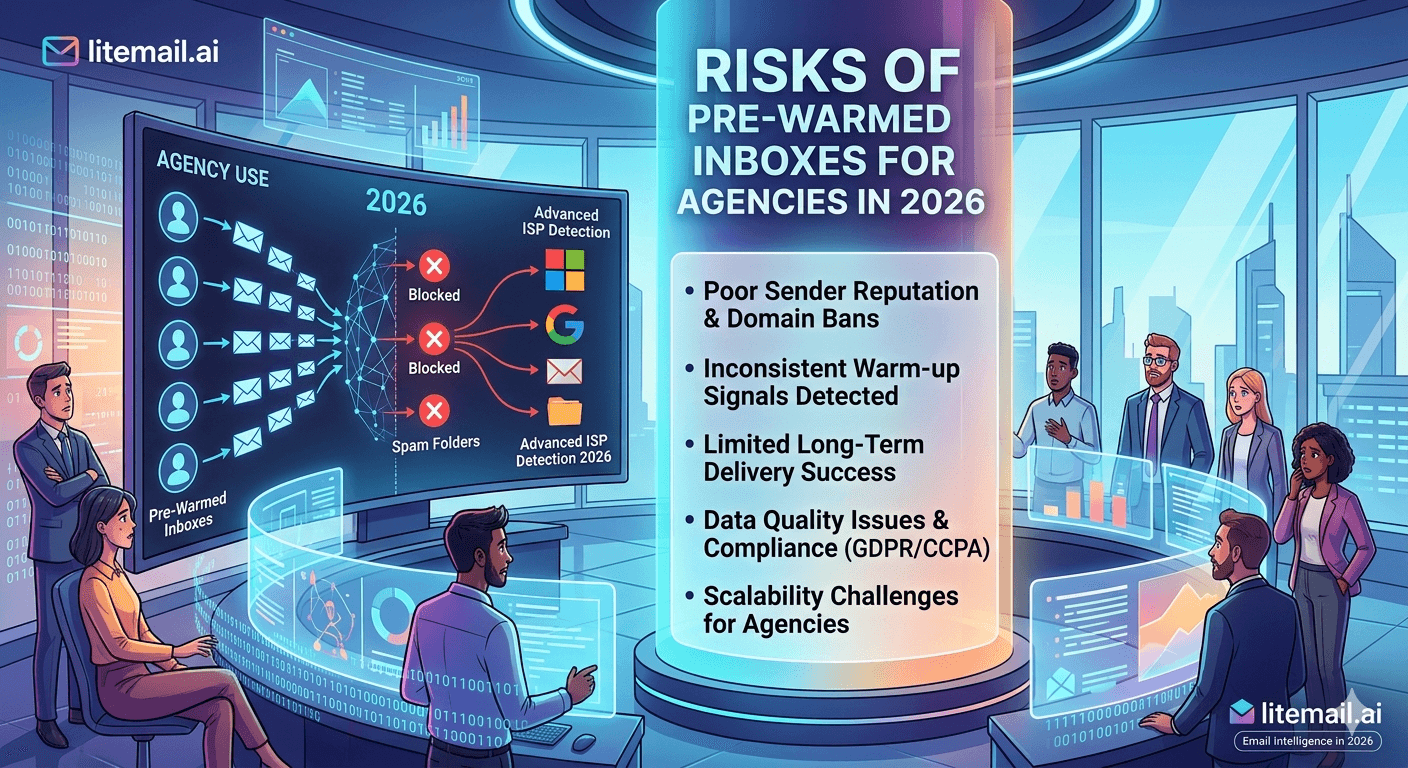
Pre-warmed MS365 inboxes are the right infrastructure choice for most cold email agencies. But "pre-warmed" covers a wide range — from genuinely warmed inboxes with verified reputation to fresh accounts with marketing claims and nothing underneath. Knowing the actual risks of this infrastructure category, and where those risks come from, is how you avoid the ones that matter.
Risk 1: The Inbox Was Never Actually Warmed
This is the biggest risk in the pre-warmed inbox market and it's more common than the pricing would suggest. Some providers selling "pre-warmed" Microsoft 365 inboxes are delivering fresh accounts with no genuine sending history. The marketing says "pre-warmed." Google Postmaster Tools says Unknown.
At $1.50–$3/inbox price points, genuine pre-warming is economically impossible. The infrastructure cost of 4–12 weeks of real email activity, dedicated IP management, and domain monitoring cannot be covered at those prices. If you see pre-warmed MS365 inboxes priced under $4/inbox, you're looking at fresh accounts with false marketing.
How to verify before sending: check Google Postmaster Tools within 48 hours of receiving the inbox. Genuine pre-warming shows Good or High domain reputation. Unknown or Low reputation confirms no genuine warmup occurred regardless of what the provider claims.
✅ The One Test That Cannot Be Faked
Google Postmaster Tools domain reputation is the only objective pre-warming verification that providers cannot fake. Add your sending domain at postmaster.google.com within 48 hours of delivery. Good or High = genuine warmup. Unknown or Low = no warmup, regardless of what the provider told you. Litemail inboxes show Good or High consistently within 24–48 hours of delivery.
Risk 2: SMTP-Only Delivery — No Real Ownership
Some pre-warmed MS365 inbox providers deliver SMTP credentials instead of full Microsoft 365 admin access. This distinction matters enormously for agencies.
With SMTP-only delivery:
You can send emails but you can't manage the account in Microsoft's admin console.
You can't add team members, change settings, or troubleshoot authentication issues independently.
You're dependent on the provider's platform for any account changes.
If the provider changes terms, goes down, or gets suspended, you lose access to the inbox and all its sending history.
The inbox doesn't truly belong to you — the provider retains control of the underlying account.
For agencies managing client infrastructure, SMTP-only access is an unacceptable dependency. A provider outage or pricing change shouldn't be able to take down a client's entire cold email program. Full Microsoft 365 admin access is the minimum acceptable standard for agency use.
Litemail delivers full MS365 admin access on every inbox — not SMTP credentials. You manage the inbox as if you provisioned it directly from Microsoft.
Risk 3: Shared IP Addresses
Some pre-warmed inbox providers — including legitimate ones — use shared IP pools rather than dedicated IPs. This creates cross-sender contamination risk that's entirely outside your control.
How shared IP contamination plays out for agencies: your client's campaigns are running cleanly. Another sender on the same shared IP sends a campaign to a low-quality list with 8% bounce rate and 0.4% spam complaint rate. Microsoft SNDS flags the IP. Your client's inboxes — perfectly managed — start seeing placement drops in corporate Outlook environments because the IP they share is now scored as a spam source.
Dedicated IPs isolate your reputation entirely. Another sender's behaviour cannot affect your deliverability when each inbox uses a dedicated IP. This is the standard for agency-grade infrastructure — not a premium feature.
All Litemail MS365 inboxes use dedicated US and EU IP addresses. No cross-sender contamination possible at the IP level.
Risk 4: Platform Lock-In
Instantly Accounts is the most prominent example of this risk. The inboxes are rented through the Instantly platform — not owned. They work optimally within Instantly's ecosystem. If you cancel your Instantly subscription, the inboxes go with it. If you want to move to Smartlead or Reply.io, you can't take the inboxes.
For agencies, platform lock-in creates two problems:
Platform dependency risk. If Instantly changes pricing, reduces plan features, or has a service disruption, your entire client infrastructure is affected simultaneously.
Switching cost inflation. Moving to a better platform later means starting over with inbox infrastructure — rebuilding warmup history from scratch, losing accumulated reputation, and facing campaign downtime during the transition.
The correct approach: own the inboxes. Use whatever campaign platform you prefer. The inbox infrastructure — which takes months to build and is hard to replace — should be platform-agnostic and independently controlled. Litemail inboxes are owned outright, work via OAuth with every major platform, and move with you regardless of which sending tool you use.
Risk 5: Inconsistent Quality Across Batches
Even among legitimate pre-warmed inbox providers, batch-to-batch quality consistency varies. Some providers deliver consistently Good reputation on every order. Others deliver Good on 70% of batches and Medium on the rest — requiring additional warm-up time before campaign launch and creating unpredictable client onboarding timelines.
Inconsistency is a management problem at agency scale. If 30% of inbox batches arrive at Medium reputation, you need a buffer process: order early, verify on delivery, request replacements for below-standard inboxes, and delay client campaign launch until verification passes. This adds 1–2 weeks to every new client onboarding.
Providers with the best batch consistency: Litemail (Good/High consistently across all batches in our monitoring), Zapmail (Good/High consistently, but at $8/inbox). Infraforge shows Medium in approximately 30% of tested batches. Maildoso consistently shows Unknown — confirming no genuine pre-warming at all.
💡 Agency Risk Mitigation: Verify Every Batch Before Launching
Regardless of provider, run Postmaster Tools verification on every inbox batch before scheduling client campaign launches. Order 3–5 days before the planned campaign start to allow time for verification and replacement requests if needed. With Litemail, this is mostly a formality — reputation consistently shows Good on delivery. But verification is the right practice regardless of which provider you use.
Avoid Every Agency MS365 Inbox Risk — Choose Litemail
Litemail pre-warmed MS365 inboxes eliminate all five agency risks: verified Good reputation (not fake warmup), full admin access (not SMTP-only), dedicated IPs (not shared), owned outright (no platform lock-in), and consistent Good reputation across all batches. $4.99/inbox.
Get Pre-Warmed MS365 Inboxes from $4.99 →
Verified Good/High reputation · Full admin access · Dedicated IPs · No platform lock-in · No minimum order
About Litemail — Litemail provides pre-warmed Google Workspace and Microsoft 365 inboxes for cold email outreach. From $4.99/inbox with automated DNS, dedicated US and EU IPs, and full admin access. View pre-warmed inbox plans →
Related reading:
Pre-Warmed MS365 Inboxes for Lead Gen Agencies 2026 · Pre-Warmed Inbox Buying Mistakes 2026 · Maildoso Alternative 2026 · Best Pre-Warmed Inbox Providers 2026 · Litemail Agency Plan: White Label Inboxes
Key Takeaways
The biggest risk in pre-warmed MS365 inboxes is fake warmup — fresh accounts sold with warmup marketing. Verify every inbox in Google Postmaster Tools within 48 hours of delivery. Good or High = legitimate. Unknown or Low = not warmed.
SMTP-only delivery means no real ownership. Agencies need full MS365 admin access to manage infrastructure independently without provider dependency. Litemail delivers full admin access on every inbox.
Shared IPs create cross-sender contamination risk entirely outside your control. Dedicated IPs — standard on Litemail inboxes — isolate your reputation from other senders completely.
Platform lock-in (Instantly Accounts model) creates switching cost inflation and platform dependency risk. Own your inboxes outright — they should work with any sending platform via OAuth and move with you if you switch tools.
Batch quality inconsistency adds 1–2 weeks to client onboarding when replacement inboxes are needed. Litemail delivers consistently Good/High reputation across all batches. Order 3–5 days before campaign launch and run verification on delivery regardless of provider.
Litemail eliminates all five agency-specific risks at $4.99/inbox — the lowest legitimate price for genuinely pre-warmed MS365 inboxes with full agency-grade infrastructure.
Frequently Asked Questions
What are the main risks of using pre-warmed MS365 inboxes for agencies?
Five main risks: (1) Fake warmup — fresh inboxes sold as pre-warmed, verifiable via Google Postmaster Tools. (2) SMTP-only delivery — no real admin access or ownership. (3) Shared IP contamination — another sender's bad campaign damages your deliverability. (4) Platform lock-in — inboxes disappear if you cancel the provider's platform. (5) Batch inconsistency — some deliveries arrive at Medium rather than Good reputation. Litemail addresses all five at $4.99/inbox.
How do I verify a pre-warmed MS365 inbox is actually warmed?
Add the sending domain to Google Postmaster Tools at postmaster.google.com within 48 hours of delivery. Genuine pre-warmed inboxes show Good or High domain reputation. Unknown means no genuine warmup occurred — the inbox has no sending history. Low means the domain has accumulated negative signals. Contact the provider for replacements if verification fails before sending any campaign emails.
Why do agencies need full admin access on MS365 inboxes, not just SMTP?
Full admin access at admin.microsoft.com lets you manage the account independently: troubleshoot authentication issues, add team members, change settings, and maintain infrastructure without provider dependency. SMTP credentials only allow email sending — you can't manage the underlying account. If the SMTP provider changes terms or goes down, SMTP-only inboxes become inaccessible. Full admin access means the inbox is genuinely yours regardless of the provider's status.
What is platform lock-in for pre-warmed email inboxes?
Platform lock-in means the inboxes only work within a specific sending platform — typically because they're rented through that platform rather than owned. Instantly Accounts is the most prominent example: the inboxes are provided as part of Instantly's platform and disappear if you cancel. Litemail inboxes are owned outright and connect via OAuth to any platform — Instantly, Smartlead, Reply.io, Lemlist, and others — with no lock-in to any specific tool.
How can I protect my agency clients from shared IP contamination?
Use pre-warmed inbox providers that offer dedicated IP addresses — one IP per inbox. Dedicated IPs mean another sender's behaviour cannot affect your deliverability regardless of what their campaigns do. Litemail provides dedicated US and EU IP addresses on all inboxes at the standard $4.99/inbox price. When evaluating providers, ask explicitly whether IPs are dedicated or shared — this distinction is often not prominently disclosed on pricing pages.
Are Litemail pre-warmed MS365 inboxes safe for agency use?
Yes. Litemail addresses all five agency-specific risks: verified Good/High Postmaster reputation on every delivery (not fake warmup), full MS365 admin access (not SMTP-only), dedicated US and EU IPs (no shared pool contamination), owned outright with full OAuth compatibility (no platform lock-in), and consistent Good reputation across all batches (no inconsistency risk). From $4.99/inbox with no minimum order and 24-hour delivery.
Pre-Warmed MS365 Inboxes for Agencies | Litemail
All five agency risks eliminated. Verified Good reputation. Full admin access. Dedicated IPs. Owned outright. $4.99/inbox. No minimum order.
View Plans & Pricing →
Related reading:
MS365 Inboxes for Lead Gen Agencies · Pre-Warmed Inbox Buying Mistakes · Best Pre-Warmed Inbox Providers 2026 · Litemail Agency Plan · MS365 Inbox Mistakes for Lead Gen Agencies






