
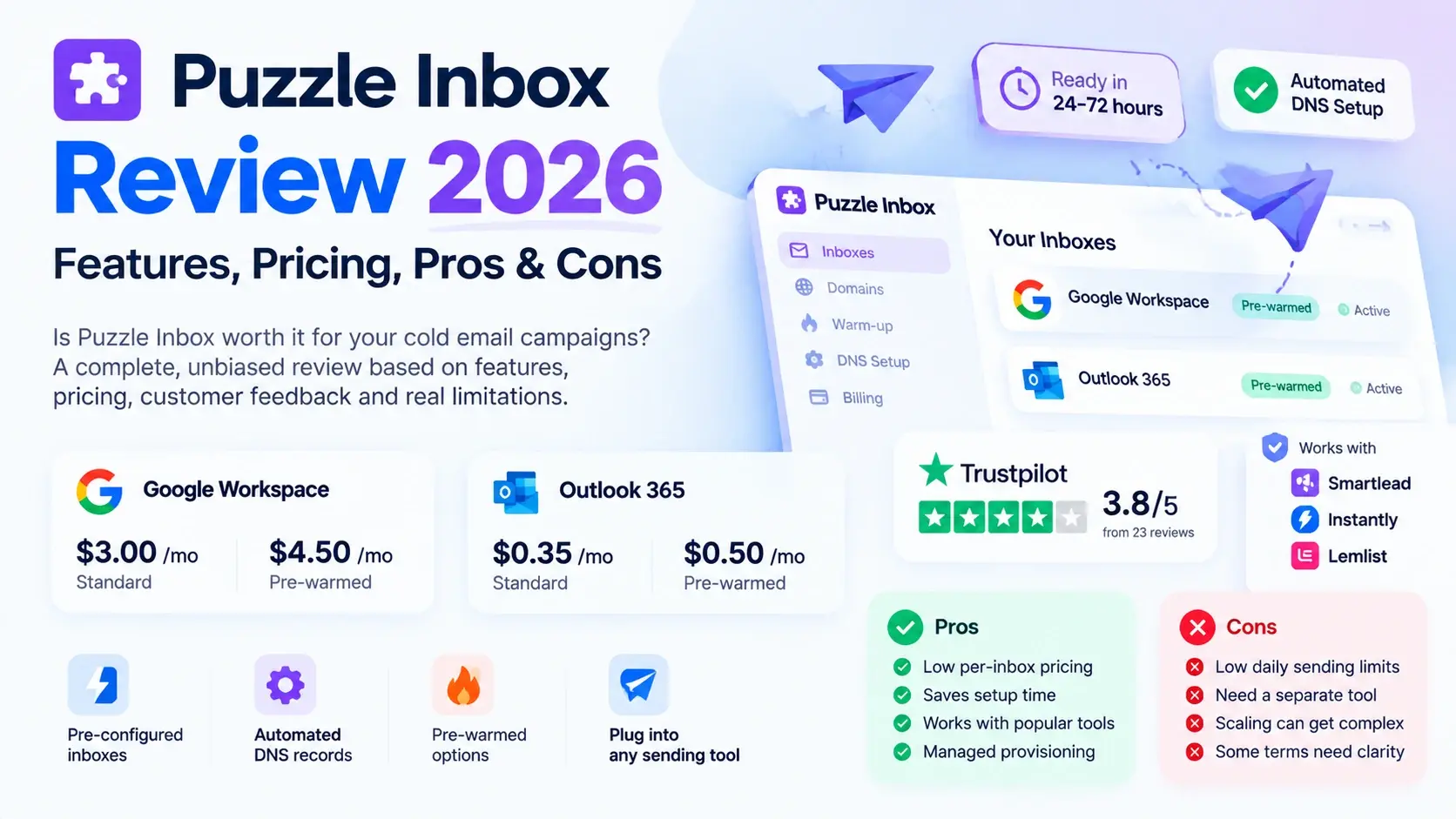
Is Puzzle Inbox worth considering for your cold email campaigns? The provider offers Google Workspace and Outlook 365 inboxes, standard and pre-warmed options, automated DNS configuration, and a managed provisioning process. Its advertised entry prices are competitive, particularly for teams evaluating Outlook-based infrastructure.
However, a low price and a pre-warmed label do not tell you everything you need to know before purchasing. Account limits, domain arrangements, warm-up evidence, customer support, and replacement terms can all affect your experience.
This Puzzle Inbox review for 2026 examines the product's published features, pricing, customer feedback, advantages, limitations, and the questions worth asking before placing an order.
Quick verdict: Puzzle Inbox is worth evaluating if you want managed inbox provisioning and a choice between Google Workspace and Outlook 365. Its main attractions are automated setup and advertised pre-warmed options. The main areas to verify are the exact daily sending limits, the price applicable to your order, and the evidence supporting its deliverability claims.
Puzzle Inbox Review: At a Glance
Category | Our research finding |
Product category | Cold email infrastructure |
Mailbox options | Google Workspace and Outlook 365 |
Account types | Standard and pre-warmed options |
Advertised starting prices | Google Workspace: $3 standard / $4.50 pre-warmed; Outlook: $0.35 standard / $0.50 pre-warmed |
DNS configuration | Automated setup advertised |
Provisioning time | 24–72 hours advertised for standard orders |
Sending platform | A separate outreach platform is generally required |
Public customer feedback | Trustpilot showed 3.8/5 from 23 reviews when checked |
Main strength | Managed provisioning with multiple mailbox options |
Main concern | Some published pricing and sending-limit details need clarification |
Sources:Trustpilot reviews.
What Is Puzzle Inbox?
Puzzle Inbox is an email infrastructure provider focused on supplying inboxes for outbound email campaigns. Instead of creating each mailbox and configuring every DNS record yourself, you can order inboxes through its service and use its provisioning process.
The provider advertises two primary account environments:
Google Workspace: For teams that want Google-based business email accounts.
Outlook 365: For teams that want Microsoft-based business email accounts.
It also offers standard and pre-warmed options. Standard inboxes require the buyer to manage warm-up, while pre-warmed inboxes are advertised as having undergone warm-up before delivery.
Puzzle Inbox is infrastructure rather than a complete prospecting and sales-engagement suite. Buyers should plan for the separate tools needed to build contact lists, write campaigns, send sequences, and manage replies.
For a wider explanation of this product category, see LiteMail's guide to email infrastructure tools.
1. Puzzle Inbox Features: What Do You Get?
Google Workspace and Outlook 365 inboxes
Puzzle Inbox advertises inboxes based on Google Workspace and Outlook 365. This gives buyers a choice between two major business email environments.
The appropriate option depends on your team's requirements, existing software, recipient base, and the exact product supplied.
Before ordering, confirm the type of account you will receive, who administers it, and what permissions are transferred to you.
Standard and pre-warmed inboxes
Puzzle Inbox offers standard inboxes as well as pre-warmed options.
With a standard inbox, the buyer is responsible for establishing the sending process and warm-up. A pre-warmed inbox is advertised as having completed a warm-up period before handoff.
The important distinction is that pre-warmed does not mean guaranteed inbox placement. Ask for the warm-up history of the actual accounts you will receive and find out whether any ongoing warm-up is recommended.
LiteMail's fresh versus pre-warmed inbox guide explains the general trade-offs between these two approaches.
Automated DNS configuration
Puzzle Inbox advertises setup for the DNS records used in email authentication, including:
SPF
DKIM
DMARC
MX records
This can reduce manual configuration work. However, automated setup is only part of the process: buyers should verify that the records are correct for their actual domain and mailbox configuration.
After provisioning, send a test message and inspect its authentication results before launching a campaign.
Use this email deliverability checklist to review the technical setup.
Managed provisioning and delivery
Puzzle Inbox's getting-started guide describes a process involving order selection, onboarding details, DNS configuration, mailbox provisioning, and delivery of account credentials.
The provider advertises a typical delivery window of 24–72 hours for standard orders. Larger orders and pre-warmed inventory may follow different timelines.
Ask for the expected delivery date for your specific order rather than assuming that every quantity and account type will arrive on the same schedule.
Support and account replacements
Puzzle Inbox advertises WhatsApp support and an account-replacement policy on its features page.
These can be useful features for teams that depend on multiple inboxes. However, a published policy does not establish how quickly every issue will be resolved.
Before buying, confirm the support hours, response-time commitment, replacement eligibility, replacement window, and exclusions for problems caused by sending activity or account-policy violations.
Dashboard and account management
A third-party review published by Primeforge describes a dashboard for viewing inboxes, domains, and costs. That is a reported feature, not something we independently verified for this article.
If dashboard functionality is important to your workflow, request a demonstration and check whether it supports bulk actions, credential export, domain management, account status, and the number of inboxes your team expects to manage.
2. Puzzle Inbox Pricing: What Should You Expect to Pay?
Puzzle Inbox's main pricing page advertises the following headline rates:
Mailbox type | Standard | Pre-warmed |
Google Workspace | $3/inbox | $4.50/inbox |
Outlook 365 | $0.35/inbox | $0.50/inbox |
These are the advertised rates shown on the main pricing page, not a guarantee that the same price applies to every order.
The provider's separate bulk-pricing page displays volume-based rates that differ from some headline prices. The pricing and onboarding pages also contain details that buyers should clarify before committing.
Ask the provider to confirm:
The exact rate for your mailbox quantity.
Whether the price is recurring or applies to a particular order.
Whether domains are included or supplied by you.
The applicable warm-up and delivery terms.
Any setup, replacement, or renewal conditions.
For a detailed side-by-side analysis of the two providers' advertised prices, see our separate LiteMail vs Puzzle Inbox comparison. This review intentionally focuses on product evaluation rather than duplicating that article's full pricing comparison.
3. What Do Customer Reviews Say About Puzzle Inbox?
Customer feedback is useful for identifying possible strengths and problems, but reviews should not be treated as a controlled performance test.
Trustpilot rating
When checked on October 21, 2026, Puzzle Inbox's Trustpilot profile displayed:
Review metric | Publicly displayed information |
TrustScore | 3.8/5 |
Total reviews | 23 |
Reviews in the last 12 months | 10 |
Five-star reviews | 78% |
Four-star reviews | 4% |
One-star reviews | 18% |
These figures are a snapshot and can change.
Trustpilot also states that the company has not recently invited customers to leave reviews and has replied to 50% of negative reviews. The small review sample and self-selection involved in online reviews mean the score should be treated as a signal—not a definitive measure of product quality.
Positive feedback themes
Visible positive reviews mention aspects such as setup assistance, support, and experiences using pre-warmed inboxes.
Those comments suggest that some customers value the convenience of having technical setup handled for them. They do not establish that every order will have the same experience.
Negative feedback themes
At least one visible one-star review describes concerns about campaign results and dashboard visibility in a paid email-marketing engagement. Another review raises concerns about inconsistent experiences across inboxes.
These reports deserve attention, but their context matters. Results from a managed campaign can depend on contact quality, campaign strategy, messaging, and execution—not just the mailbox provider. Individual reports also cannot establish how frequently a problem occurs across all customers.
What can we conclude?
The public feedback is mixed rather than uniformly positive. It provides useful questions to investigate, but the sample is too small to establish a reliable failure rate or prove a particular level of deliverability.
For a purchase decision, combine review feedback with documented product terms, a demonstration, and evidence from the actual mailbox batch you intend to buy.
4. Is Puzzle Inbox Legit and Reliable?
A company's website, product documentation, and customer reviews can help establish whether it has a visible operating presence. They do not, by themselves, prove that every account will perform well or that every buyer will have a satisfactory experience.
Puzzle Inbox has a public product website, pricing documentation, feature descriptions, and a Trustpilot profile. That gives prospective buyers material to evaluate.
However, the word reliable can mean several different things:
Provisioning reliability: Are accounts delivered when promised?
Account stability: Do the accounts remain usable under permitted sending practices?
Authentication: Are SPF, DKIM, and DMARC configured correctly?
Deliverability: Do messages reach the intended recipients' inboxes?
Support: Are issues handled within an acceptable time?
Commercial reliability: Are pricing, replacements, refunds, and ownership terms clear?
No single rating answers all six questions.
What about third-party testing?
Primeforge published a review titled Ultimate PuzzleInbox Review: Our Analysis After Buying 30 Mailboxes. It says the team purchased 30 mailboxes and evaluated setup speed, limits, and daily sending behavior.
That is a relevant additional source, but Primeforge also sells email infrastructure. Its findings should therefore be considered alongside other evidence rather than treated as a neutral, definitive benchmark. We could not independently verify the underlying mailbox logs for this article.
Puzzle Inbox also hosts a six-month user review in its community. That post reports positive experiences with provisioning and support, while also mentioning dashboard and API-related limitations. Because it is hosted on the provider's own website, it should not be confused with an independent review platform.
Our assessment: Puzzle Inbox is a real product offering with publicly documented features, but its overall reliability should be judged through verified terms, account-level evidence, and your own acceptance checks—not marketing claims alone.
5. Important Limitations to Understand Before Buying
Published sending limits need clarification
Puzzle Inbox's public pages do not describe daily sending limits in exactly the same way.
The pricing page lists 12 emails per inbox per day for Google Workspace and 3 for Outlook. The getting-started guide separately describes recommended caps of 12 cold emails plus 12 warm-up emails for Google, and 3 cold emails plus 3 warm-up emails for Outlook.
A third-party review reports different approximate figures.
This makes it important to confirm whether the limit refers to cold emails only or includes warm-up activity, and whether it varies by account type or plan.
Pricing varies by published configuration
The main pricing page and bulk-pricing page display different rates for some order sizes. That does not establish what a particular buyer will be charged, but it does mean the headline rate is not enough to budget a large order with confidence.
Request a written quote showing the exact quantity, price, recurring terms, and any included services.
Pre-warmed status needs evidence
A pre-warmed label is not a substitute for documented warm-up history.
Ask when the warm-up occurred, what evidence is available, and whether the provider has tested the actual accounts before delivery. Do not assume that warm-up alone guarantees future inbox placement.
You still need a sending platform
Puzzle Inbox supplies infrastructure rather than replacing every tool in your outbound workflow. Most buyers will still need an appropriate platform for contact management, sequence scheduling, campaign monitoring, and reply handling.
Account for that software separately when calculating your complete cost.
Account and domain arrangements matter
The getting-started guide describes different domain arrangements for standard and pre-warmed inboxes. Confirm who controls the domains, what administrator permissions you receive, and whether you can retain or transfer the assets if you stop using the service.
These questions matter particularly for agencies managing multiple clients.
6. Who Should Consider Puzzle Inbox?
Puzzle Inbox may be worth evaluating if you:
Want Google Workspace or Outlook 365 inbox options.
Prefer a provider-managed setup process.
Need to compare standard and pre-warmed account options.
Already use a separate cold email sending platform.
Are comfortable verifying the provider's terms and technical setup before launching.
It may be less suitable if you:
Need a complete prospecting and sales-engagement platform in one product.
Require a clearly documented sending limit that the provider cannot confirm.
Need extensive independent deliverability evidence before purchasing.
Require full domain ownership and portability but cannot obtain clear terms.
Need predictable enterprise pricing without written confirmation of the applicable bulk tier.
For agency deployments, our bulk inbox purchasing guide explains the operational questions worth resolving before committing to a large mailbox order.
7. What to Verify Before You Purchase
Use this checklist when evaluating Puzzle Inbox or any other infrastructure provider.
Account type: Confirm that the account is the Google Workspace or Microsoft 365 product you require.
Administrator access: Ask which account permissions you receive and who controls recovery and security settings.
Warm-up evidence: Request the warm-up history of the actual inboxes being supplied.
DNS authentication: Confirm SPF, DKIM, DMARC, and MX configuration, then test the resulting records.
Daily limits: Get the permitted cold-email volume and clarify whether warm-up traffic counts toward it.
Domains: Confirm ownership, registration, renewal, and portability terms.
Pricing: Request a written quote for your exact mailbox quantity and configuration.
Replacement policy: Confirm the eligibility window and exclusions.
Support: Ask for the support channel, service hours, and response-time commitment.
Exit terms: Understand how you would retrieve credentials and migrate if you cancel.
Our complete guide to buying pre-warmed email inboxes expands on these checks. If you're new to the category, see the pre-warmed inbox beginner's guide.
8. How Does Puzzle Inbox Compare With Other Options?
This review is focused on Puzzle Inbox itself, so it does not rank a list of alternatives or repeat a full head-to-head pricing comparison.
If you have finished evaluating Puzzle Inbox and want to compare providers, use the appropriate LiteMail guide:
Read LiteMail vs Puzzle Inbox for the direct provider comparison.
Read 9 Best Puzzle Inbox Alternatives if you want to explore other options.
Explore LiteMail's cold email infrastructure plans if you want to compare its available mailbox packages with your requirements.
These pages serve different purposes: this article reviews Puzzle Inbox, the comparison evaluates two providers, and the alternatives guide helps buyers shortlist other options.
Frequently Asked Questions
Is Puzzle Inbox worth it in 2026?
Puzzle Inbox is worth evaluating if you want managed Google Workspace or Outlook 365 inbox provisioning and standard or pre-warmed options. Before purchasing, verify the applicable price, daily sending limits, account access, warm-up history, and replacement terms.
Is Puzzle Inbox legit?
Puzzle Inbox has a public product website, published features and pricing, and a Trustpilot profile. Those signals support evaluating it as an active service, but they do not guarantee account stability or campaign results. Verify the terms and test the delivered accounts before scaling.
What is Puzzle Inbox's Trustpilot rating?
When checked on October 21, 2026, Trustpilot displayed 3.8/5 from 23 reviews. This is a small, self-selected sample and should not be interpreted as a controlled measurement of deliverability or reliability.
Does Puzzle Inbox offer pre-warmed inboxes?
Yes. Its public pricing and feature pages advertise pre-warmed Google Workspace and Outlook 365 inboxes. Ask for the actual warm-up history and confirm the delivery timeline for your order.
Does Puzzle Inbox guarantee inbox placement?
A pre-warmed inbox and correctly configured authentication do not guarantee inbox placement. Sender reputation, recipient engagement, list quality, message content, and sending behavior also affect results.
Does Puzzle Inbox include a cold email sending platform?
Puzzle Inbox primarily supplies email infrastructure. Confirm which integrations are supported and budget separately for any sequencing, contact-data, or campaign-management tools you need.
What should I check before ordering Puzzle Inbox in bulk?
Confirm the price tier, account quantity, domain arrangements, delivery schedule, warm-up evidence, sending limits, replacement policy, and support commitments in writing. For large deployments, request a quote that clearly identifies all recurring and one-time costs.
Final Verdict: Should You Choose Puzzle Inbox?
Puzzle Inbox offers a straightforward proposition: managed cold email inbox provisioning with Google Workspace and Outlook 365 options, automated DNS setup, and standard or pre-warmed accounts.
Its strongest selling points are the convenience of managed setup and the choice of mailbox types. Its main limitations from a buyer's perspective are the need to confirm the applicable pricing tier, clarify the daily sending limits, and obtain evidence of the actual warm-up and account arrangements.
The public customer feedback is mixed, and the available review sample is too small to establish a reliable performance rate. We therefore would not recommend choosing the provider based on price, testimonials, or a warm-up label alone.
Our recommendation: Put Puzzle Inbox on your shortlist if its infrastructure model fits your needs, but verify the details before committing. If you want to compare providers, read the separate LiteMail comparison and alternatives guides rather than relying on a single review.
The best decision is the one supported by clear pricing, documented account terms, verified authentication, and evidence relevant to your own sending requirements.






